
§ 02 · The core formula
Task. Work. Result.
The workforce takes on the agreed steps, requests missing information, and presents the required decisions. You see what is being worked on and which result is available.
Intake
147 emails · case documents
Intake.
Your records, documents, emails, and tickets, just as they come in.
Processing · running
Processing.
Prepare information, review it on the merits, create a draft, and obtain approvals. The work stays traceable in the matter.
Result
147 case files · ready
Result.
Structured, validated, approved. Ready for handover or output.
UNOY OS · Architecture
One work environment for the entire matter.
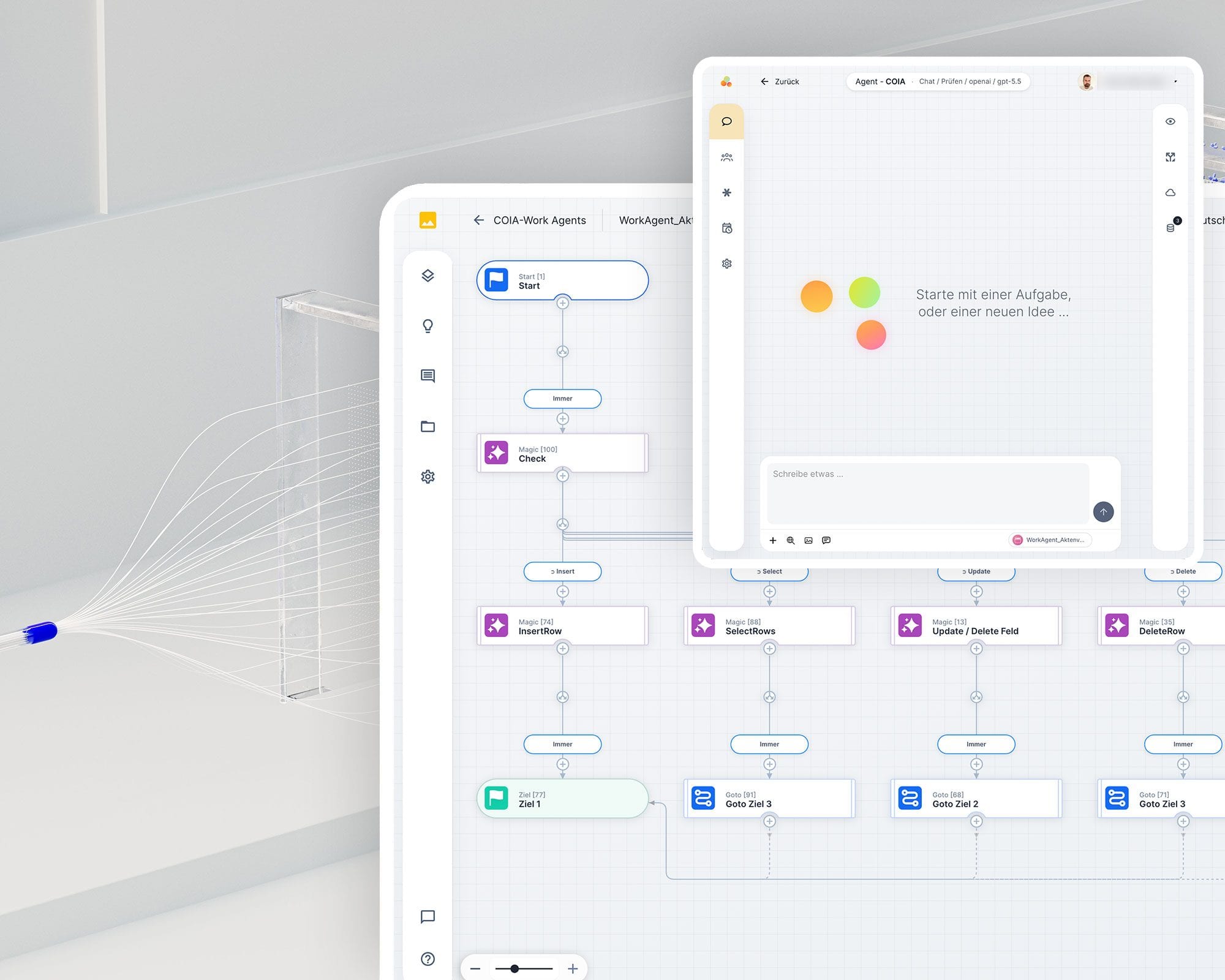
Assignment, documents, work status, approvals, and result belong together. This makes handovers easier and helps your team keep track of ongoing work.
Shared capabilities. Your way of working.
§ 03 · Transformation 1
Workforce Basis: handle cases in your own team.
Legal department · Sample workflow
147 emails become 147 case files.
Your legal department uses the workforce for documents, reviews, and drafts. Your team defines expert rules and reviews the results. The example shows one possible workflow. If needed, we set up special workflows and integrations together.
Build the basis faster, hand over more safely.
§ 04 · Transformation 2
Claim Workforce: hand over cases.
Company · Done for you
From intake to the agreed completion.
You hand over cases and the required documents. UNOY takes on the agreed handling and follow-up. Your decisions are obtained at the defined points. FairPlane shows a deployment for air passenger rights.
Where required and requested by you, we provide the service together with Skribe Rechtsanwälte GmbH. Legal services by attorneys are commissioned separately.
Many cases, clear rules, documented decisions.
§ 05 · Transformation 3
UNOY Advisor: Your knowledge helps others.
Chamber · Done together
Expertise becomes an advisor.
Your experts define the content and rules. Together with UNOY, you develop and review an advisor that guides users through their request. WKO shows such offerings for member businesses.
Develop together. Review on the merits. Make available to users.
Workflow · Access request mechanics
1. Capture intake · Classification
2. Required data + RAG lookup
3. AI generation + validation
4. Approval: data protection role
5. Output + audit trail recorded
6. Propose and review improvements
Component overview
4 building blocks in detail
COIA coordinates the prepared steps. If a step cannot be completed, the matter is presented for clarification.
§ 06 · For technicians
What happens internally.
In daily work, you see the assignment, work status, follow-up questions, and result. Here you learn which building blocks support this work in the background.
COIA starts suitable workflows and tools. AI helps, for example, with understanding documents and creating drafts.
Each work step runs on its own component: classification, extraction, RAG lookup, generation, validation.
Checks compare results with the defined sources, rules, and mandatory information. Expert approvals remain part of the agreed workflow.
Every step with timestamp, actor, source and model version, traceable for internal reviews.
§ 07 · Frequently asked
What you might ask.
Answers about handling, adjustments, and decisions.
Do I need to understand how UNOY works internally? +
For prepared tasks, you do not need technical details. You need to be able to see which work is taken on, what you decide, and which result is available.
What happens if UNOY cannot process something? +
UNOY makes missing information or problems visible. The agreed workflow defines who clarifies, adds information, or makes an expert decision.
How long does processing typically take? +
The time required depends on the task, documents, integrations, and approvals. We test it on suitable cases, including human review and rework.
How do we change a workflow? +
You describe the expert change. Authorized people review and test the prepared adjustment before it is approved. For jointly set-up solutions, UNOY provides support.
Who has access to my data during processing? +
Only the people and systems authorized for your deployment have access. Service providers used, data flows, and deletion and archiving follow the agreed data protection and security terms.
Can I see what UNOY has done? +
Yes. Work steps are documented. You can see inputs, executed steps and decisions within the agreed scope.
§ 08 · Next step
See it with your own case.
With Claim Workforce, companies hand over cases. With UNOY Advisor, you make expertise usable as an advisor. With Workforce Basis, your team handles recurring tasks itself.
Claim Workforce · UNOY Advisor · Workforce Basis
Work in · Work in view · Result out