Set up for you. Ready for your team.
Bring your tasks, rules and requirements. UNOY adapts your workforce to your processes and systems. Your team then runs the ongoing work in a prepared environment.
Task in. Result out. You bring the expertise about your recurring tasks. UNOY brings prepared capabilities, setup experience and the work environment. Which rights to data and processes remain with you is set out in the agreement.
Prefer to hand it over completely? Have it done. Prefer to start yourself? Shape it yourself.
CoBuild · Setup
UNOY + Your team · 7 steps together
Organize · Model
Workspace and data structured
Design · Reason
Workflow built · Know-why documented
Matter #2451 · GDPR inquiry
Client: Müller GmbH · received 14:32
Deadline: 14 days · remaining 12 days
Review: mandatory data complete · master data OK
AI draft: 3 sources · disclosure skill v3.2
Approval role: data protection officer (open)
Record outcome + audit trail
§ 02 · Building blocks
Your way of working becomes executable.
Rules define requirements and approvals. AI supports understanding, planning, setup and processing. Knowledge provides approved context. Permissions and evidence make the use controllable.
Workflows define what must happen: intakes, reviews, decisions, approvals, versioning. They ensure repeatability and clear paths.
Understands language, documents, emails and context. AI supports understanding, planning, setup and processing; COIA carries out the steps.
Skills carry playbooks, tone and review rules. Databases hold structured client, file and deadline data. Knowledge provides approved context with sources.
Roles, approvals, audit trail, versioning, rollback. A draft becomes an approved matter. Reproducible and auditable.
A chat can answer. UNOY gets work completed.
§ 03 · Setup
From your requirements to the right workforce.
Seven steps to a configured workforce. AI supports setup and maintenance; your team does not need to build the technical foundation itself.
01Organize
Clarify the work area and responsibilities.
Define workspace, project, and environment. Separate build, staging, and production so development is possible without risk to live operations.
02Model
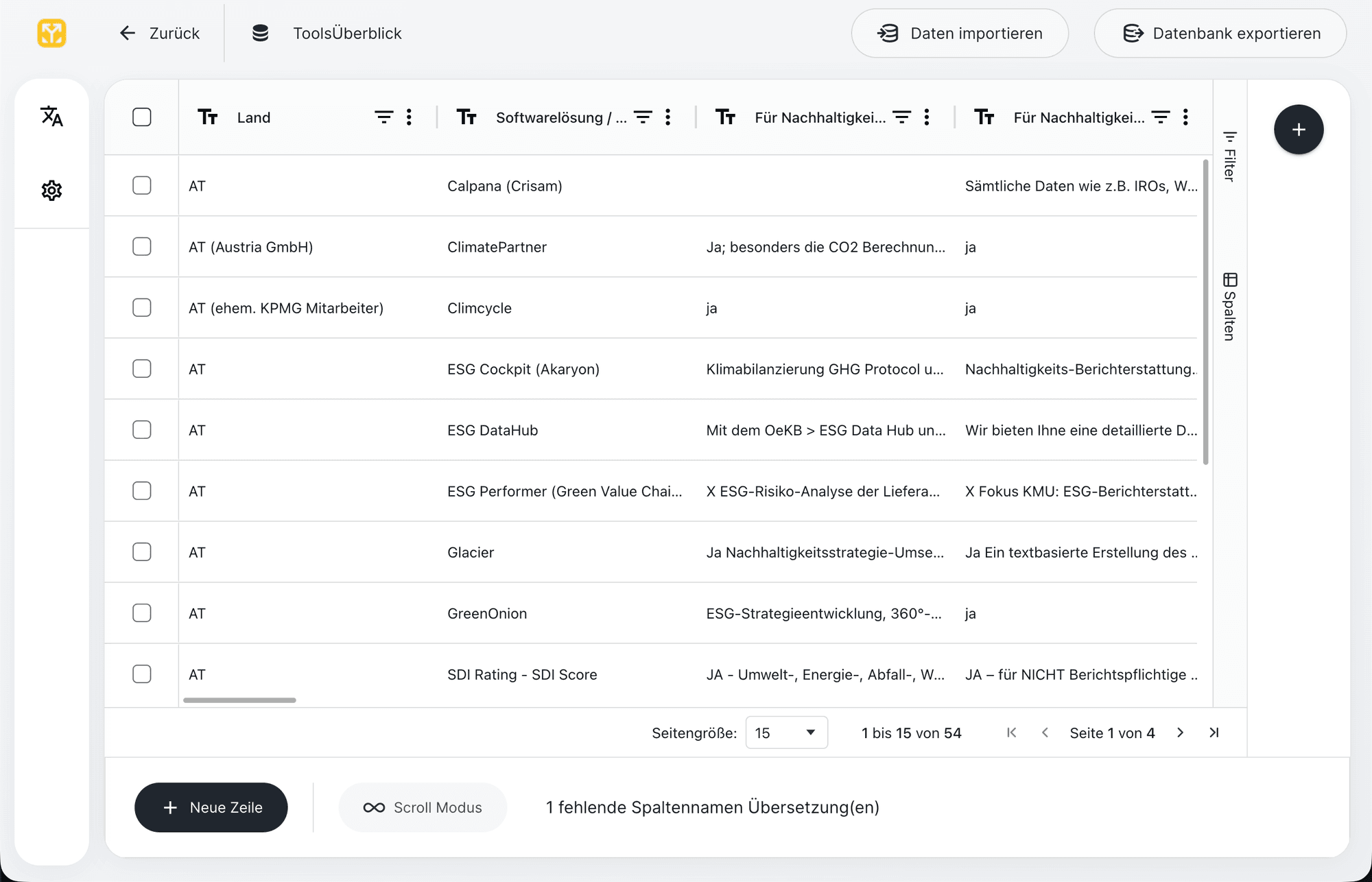
Organise details and data.
Structure data and inputs. Define tables, fields, relationships, and validations so workflows operate with reliable context.
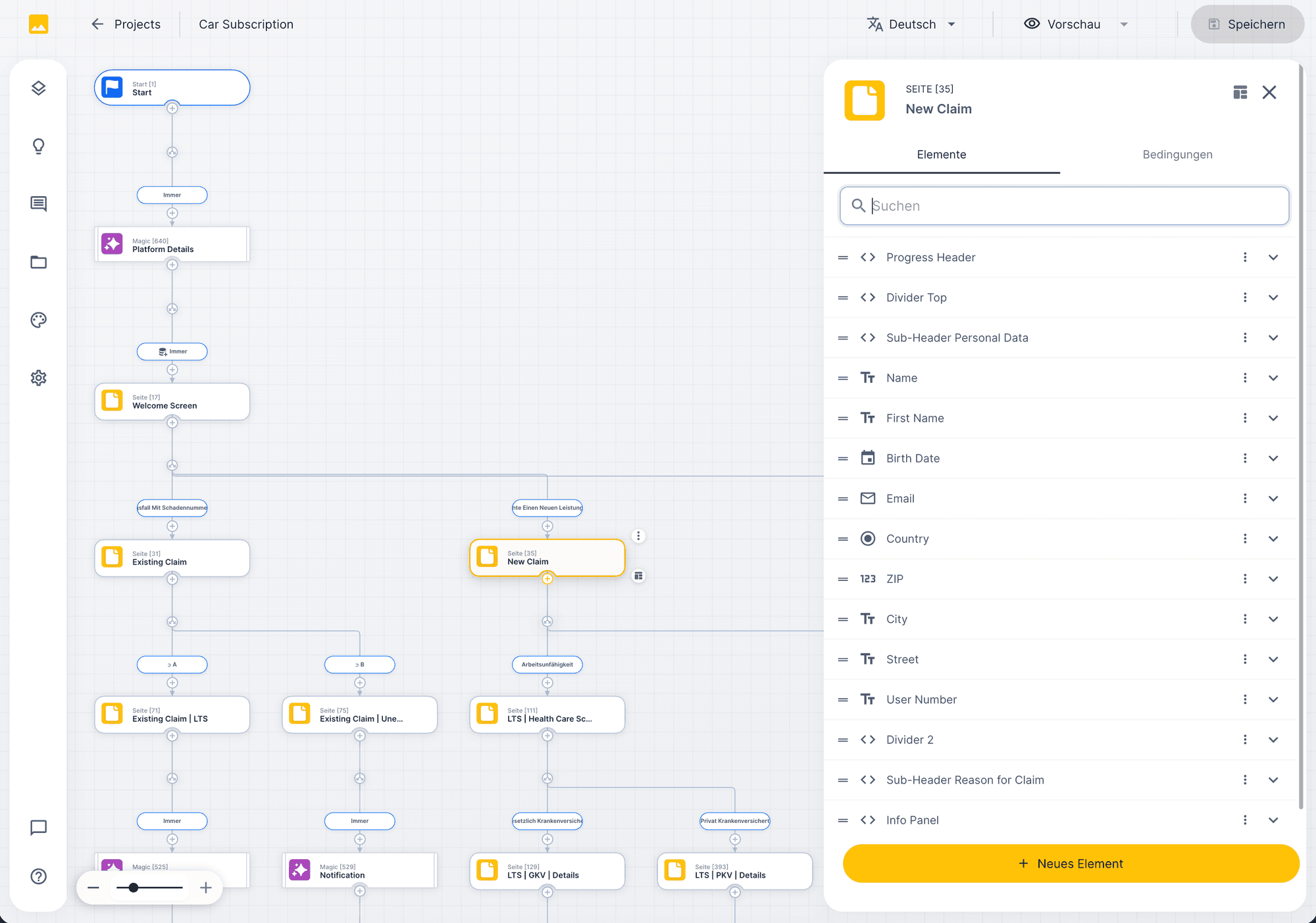
03Design
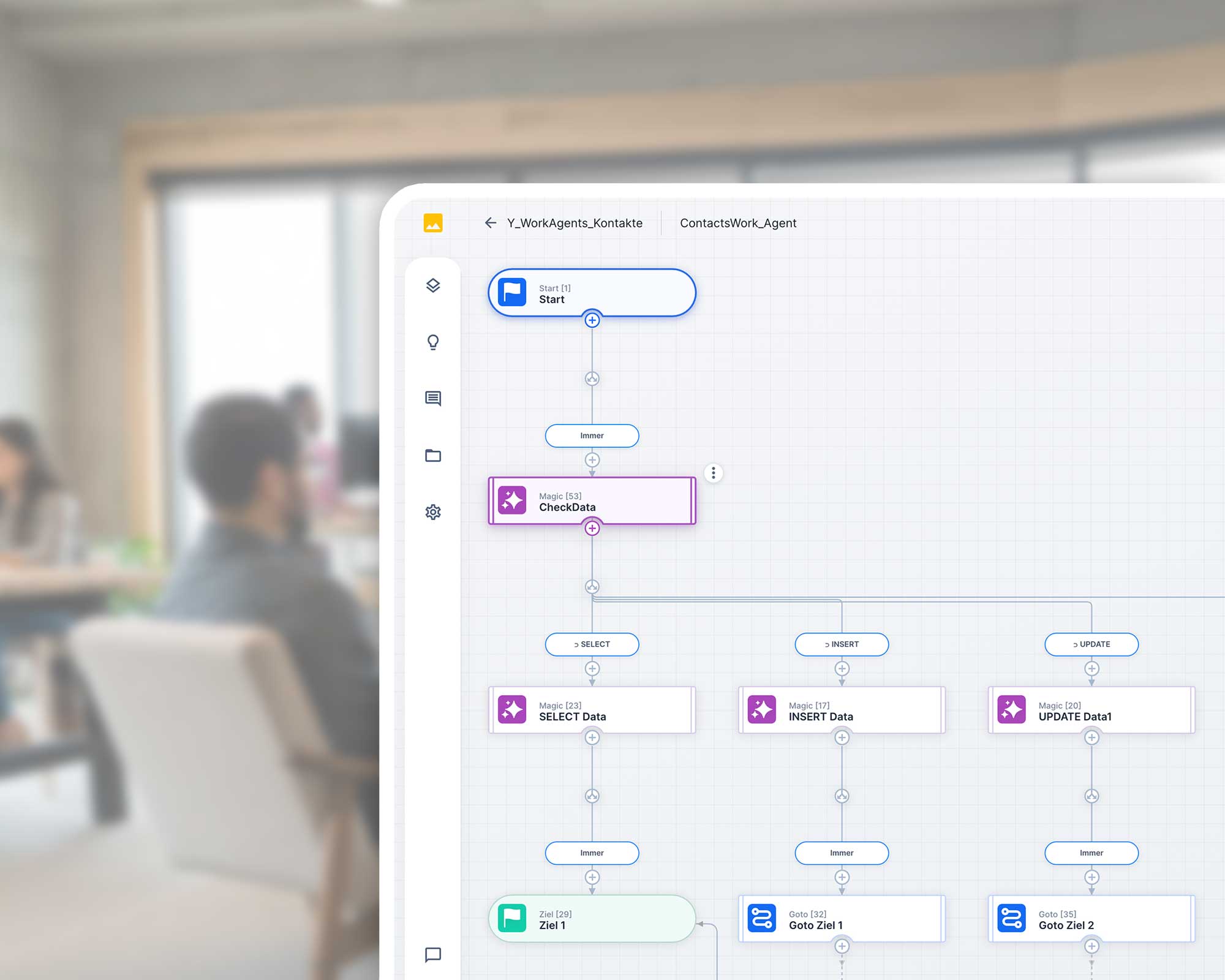
Adapt prepared processes.
Build the workflow visually. Capture the matter, apply rules, derive decisions, create results.
04Reason
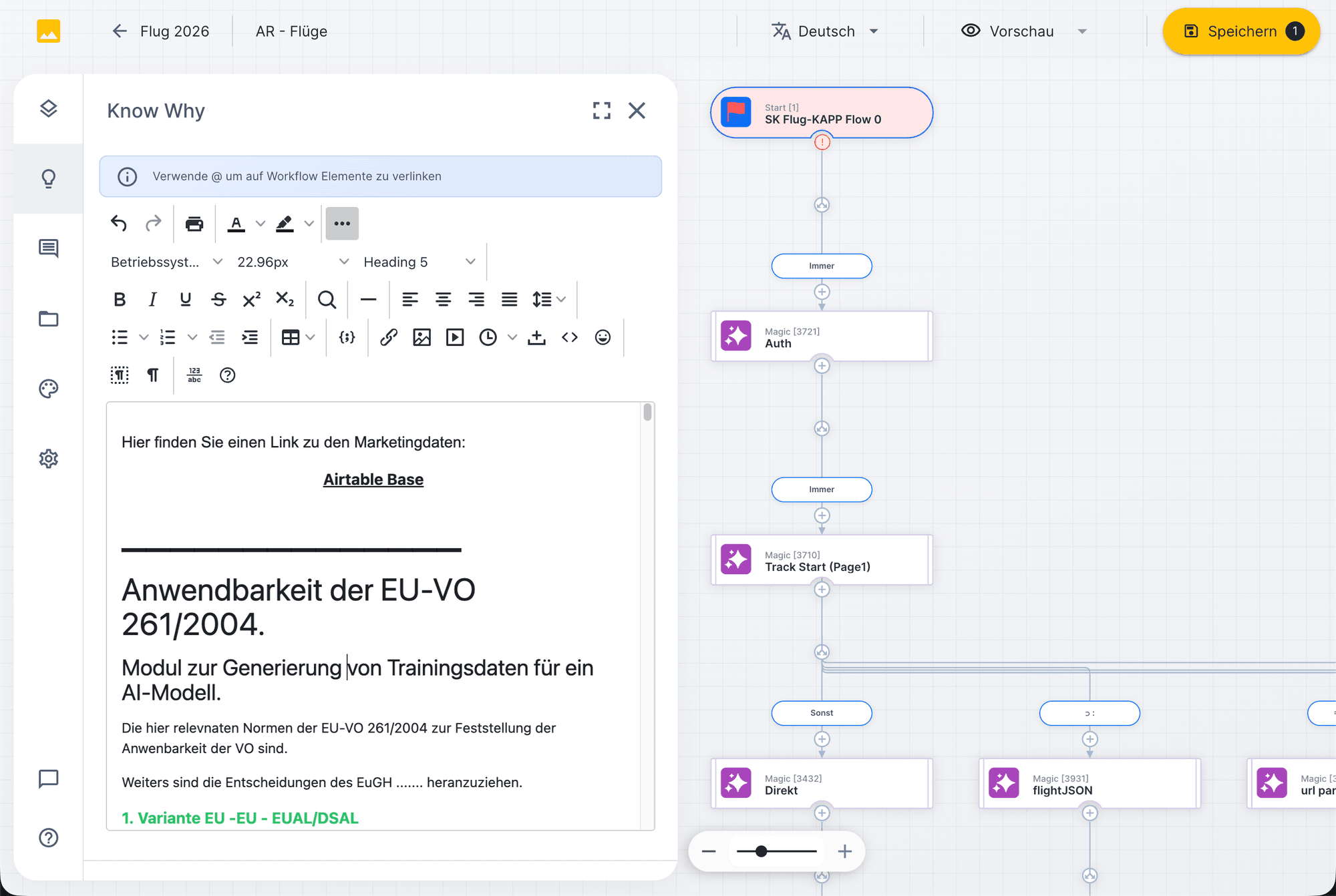
Record specialist rules clearly.
Record why rules, paths, thresholds, and exceptions were built this way. This keeps the workflow transferable and auditable even years later.
05Connect
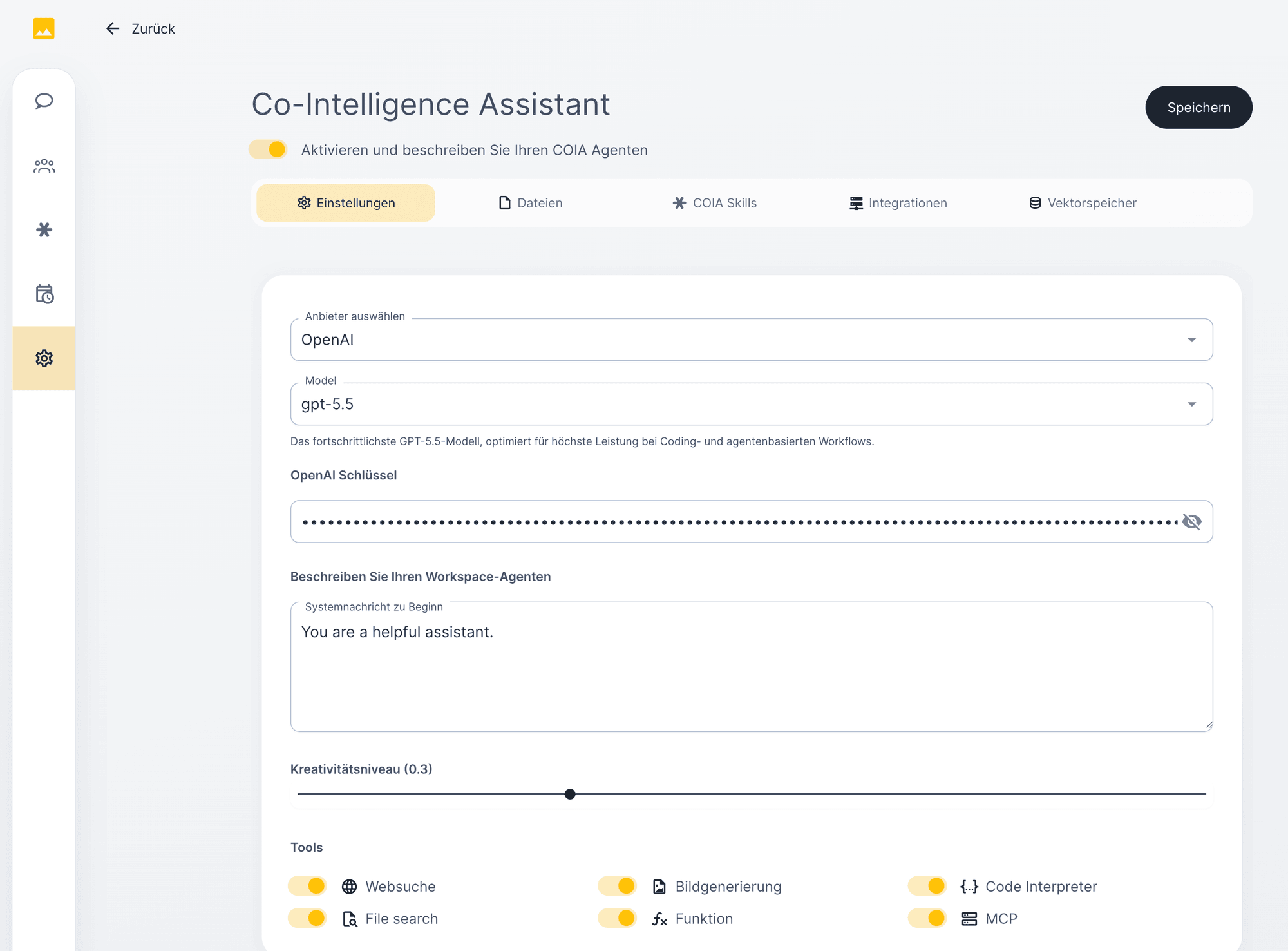
Connect the required tools.
Connect systems. Integrate email, documents, databases, APIs, CRM, DMS, M365, or specialist software.
06Orchestrate
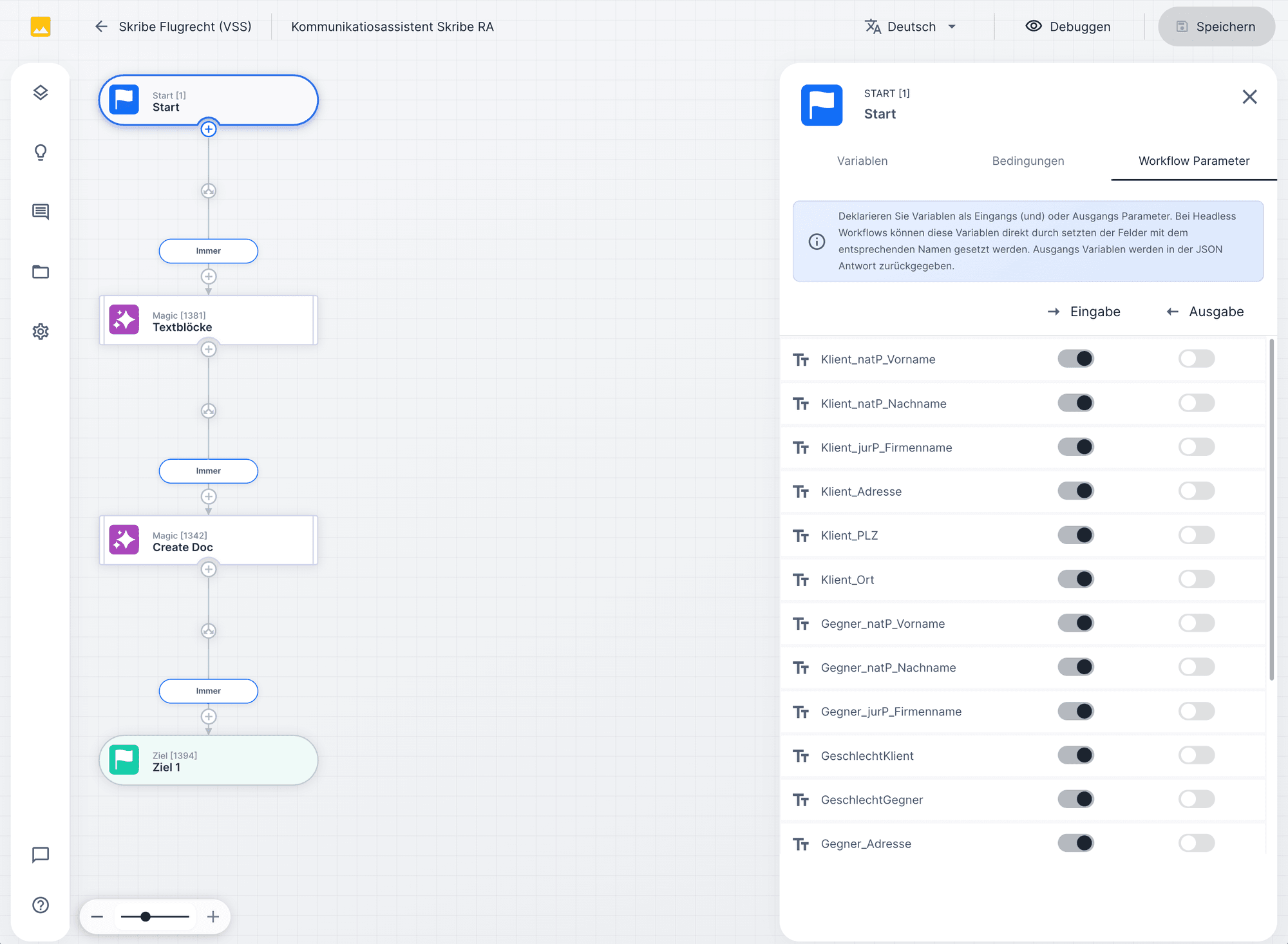
Provide capabilities for COIA.
Make the workflow available as a COIA function. COIA recognizes the task, sets parameters, and starts the appropriate flow.
07Operate
Review together and hand over.
Test, approve, publish, and monitor. Every run remains traceable, with version, audit trail, and rollback option.
§ 04 · Building blocks
Proven building blocks. Set up for your task.
Workflows guide the defined steps. Skills support the processing with specialist guidance. Data and sources provide the required context. Your knowledge can then be used in further suitable matters.
For all further building blocks: View Knowledge Base →
Building block 1 · Workflows
GDPR disclosure · v3.2
Workflows — structure for work.
Define which steps happen in which order. Auditable and versionable.
Building block 2 · Skills
Skill library · 14 active
Skills — knowledge, versioned.
Playbooks, tone, review rules, clause logic. Multiple skills feed into one workflow.
Building block 3 · Databases
Members DB · 14,291 entries
Databases — structured.
Files, matters, deadlines and evidence. COIA reads and writes according to permissions.
Workflow · GDPR disclosure
1. Capture intake · email + attachments
2. Verify required data · client, deadline
3. Query member DB · master data
4. [AI node missing]
5. Approval role data protection officer
6. Record outcome + audit trail
Node suggestions
3 available
COIA drafts the disclosure response with GDPR sources and house-form template.
Workflow Designer
Understand and adjust specialist rules.
Authorised people can follow the logic approved for their task and change it with AI. Changes are reviewed before they enter ongoing processing. Protected skills and internal code remain protected according to permissions.
UNOY suggests missing nodes based on context. A workflow sketch becomes a complete process with magic, page, goto, and target nodes in the right sequence.
Data flows between nodes without code. UNOY recognises types, suggests matching variables, and checks consistency.
Existing skills, databases or sources are attached to magic nodes, without your own API code.
§ 07 · COIA orchestration
A task becomes work in progress.
AI such as Claude can build, maintain and use workflows for work. COIA carries out the steps in UNOY with the approved capabilities and reports status and results back. People stay involved in the defined decisions.
Matter · COIA function call
User in language. COIA in action.
A user describes a matter freely. COIA recognises the intent, loads the matching workflow functions, sets parameters from context, and returns the result.
People stay involved in the defined decisions.
§ 08 · Governance
Into use, under control.
Specialist tests, roles and approvals are defined for your matter. The version in use and relevant processing steps remain traceable. Maintenance and ongoing support follow the agreement.
01 · Stage pipeline
Build · Staging · Prod.
Three environments, clearly separated. Changes are tested before use.
02 · Roles & approvals
Roles & four-eyes.
Handling, approval, and audit separated. Anchored in the workflow.
03 · Audit-Trail
Audit-Trail.
Every step with timestamp, actor, source, model version. Reproducible.
04 · GDPR & EU residency
GDPR & EU residency.
Data in EU data centers. AES-256, TLS 1.3. Contractually no training use.
§ 09 · Result
Your requirements become a ready-to-use workforce.
The result is a configured workforce that your team runs in ongoing use.
Output 01 · Build & Release
Workflow · v3.2
Set up to fit.
The workforce works according to the agreed requirements.
Output 02 · Callable
COIA function active
Chat · Trigger · Formular · API
+ CRM · DMS · ERP verbunden
Connected to your tools.
The required access and integrations are clarified.
Output 03 · Handover-ready
Audit-Pack · Run #2451
Handed over to your team.
Responsibilities, use and agreed maintenance are clearly documented.
§ 10 · Three ways to use UNOY
Shape it yourself. Have it tailored. Have it done.
Three ways. You can start with one and switch later.
Service
Discuss a matter
Have it done.
Hand over ongoing processing up to the agreed completion.
CoBuild
Workshop · Day 1
UNOY + Your team
First productive workflow
Have it tailored.
Have the workforce set up to fit and use it yourself.
Self
Build-Workspace
Shape it yourself.
Use prepared capabilities yourself and develop them further with AI.
§ 11 · Next step
Which work should your workforce take on?
We clarify with you which existing capabilities fit and what needs to be adapted to your rules and systems.
Workshop in Vienna · Hybrid possible · GDPR · EU hosting