Active rulebook
01 · Context
Like the handbook of your company.
COIA knows tone, compliance, escalation, and skills. Loaded before every task.
Start with a prepared capability and a specific task. Your workforce uses approved knowledge and connected tools. You see progress, questions and results.
This page shows COIA, the orchestrator of your workforce: the setup, the processing steps and the context architecture behind it.
Task #4811
Status: in delivery
Collect · Create · Review
Pipeline running rule-based
Ready for sign-off
One click, delivered
§ 03 · Setup
Provide the information and access your chosen capability needs. Prepared processes give you a starting point. Shape specific requirements with AI or have them adapted through CoBuild.
01 · Company rules
Active rules · 14
Your company rules.
Tone, compliance, pricing rules, escalation, approvals — everything that applies to your organization.
02 · Knowledge
RAG sources · 47
Templates, contracts, master data, price lists, order history
Your company knowledge.
Templates, product catalogs, contracts, order history: approved sources feed into the work.
03 · Task channels
Intake routes active
Your tasks.
Chat, email, form or API, depending on the configured connection. COIA identifies what comes in and routes it to the right workflow.
01
Inbox
COIA has an inbox. Depending on the configured connections, tasks arrive from email, forms or other systems. New tasks are identified, classified and assigned to the appropriate workflow. You can also submit tasks manually in the chat.
COIA chat
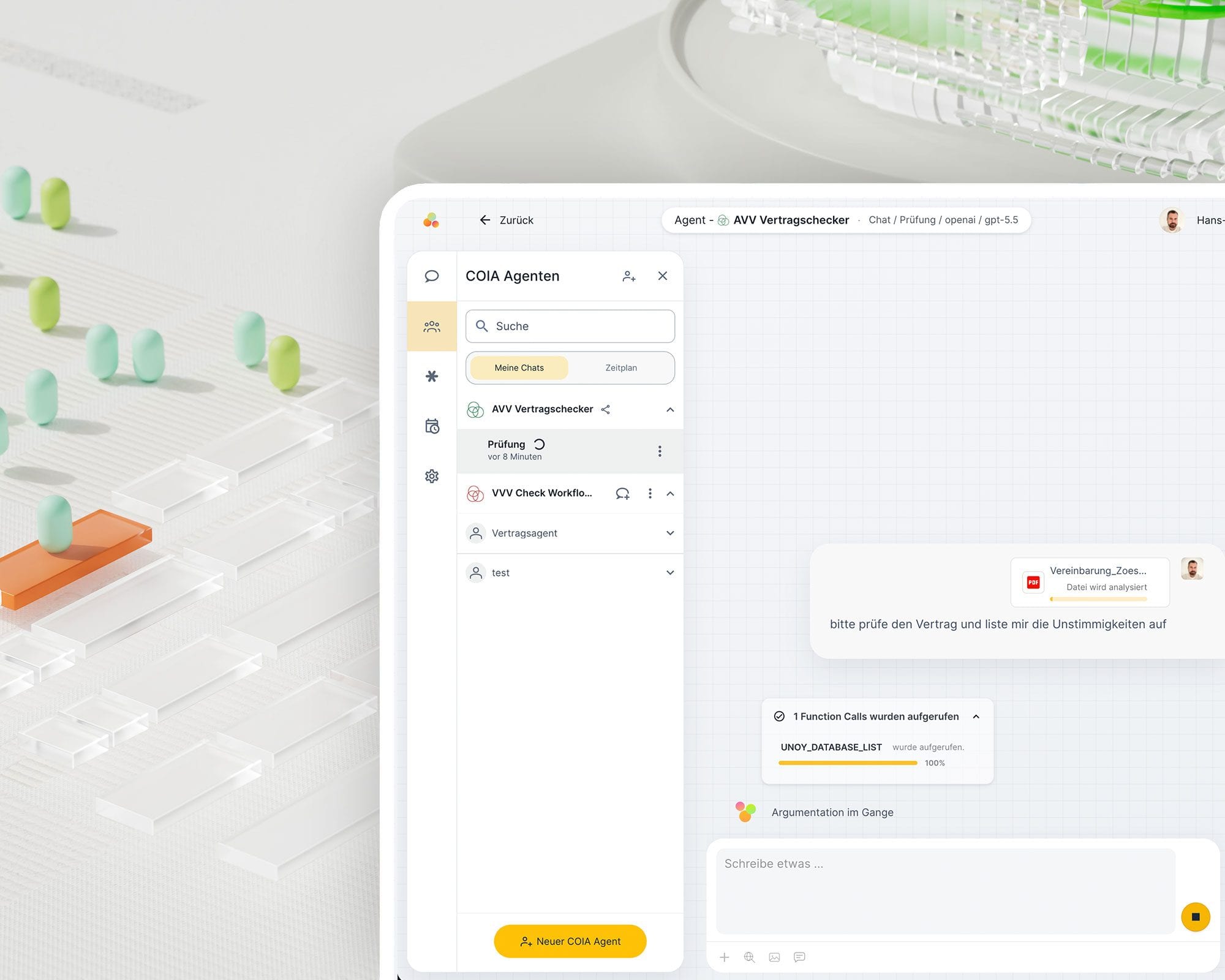
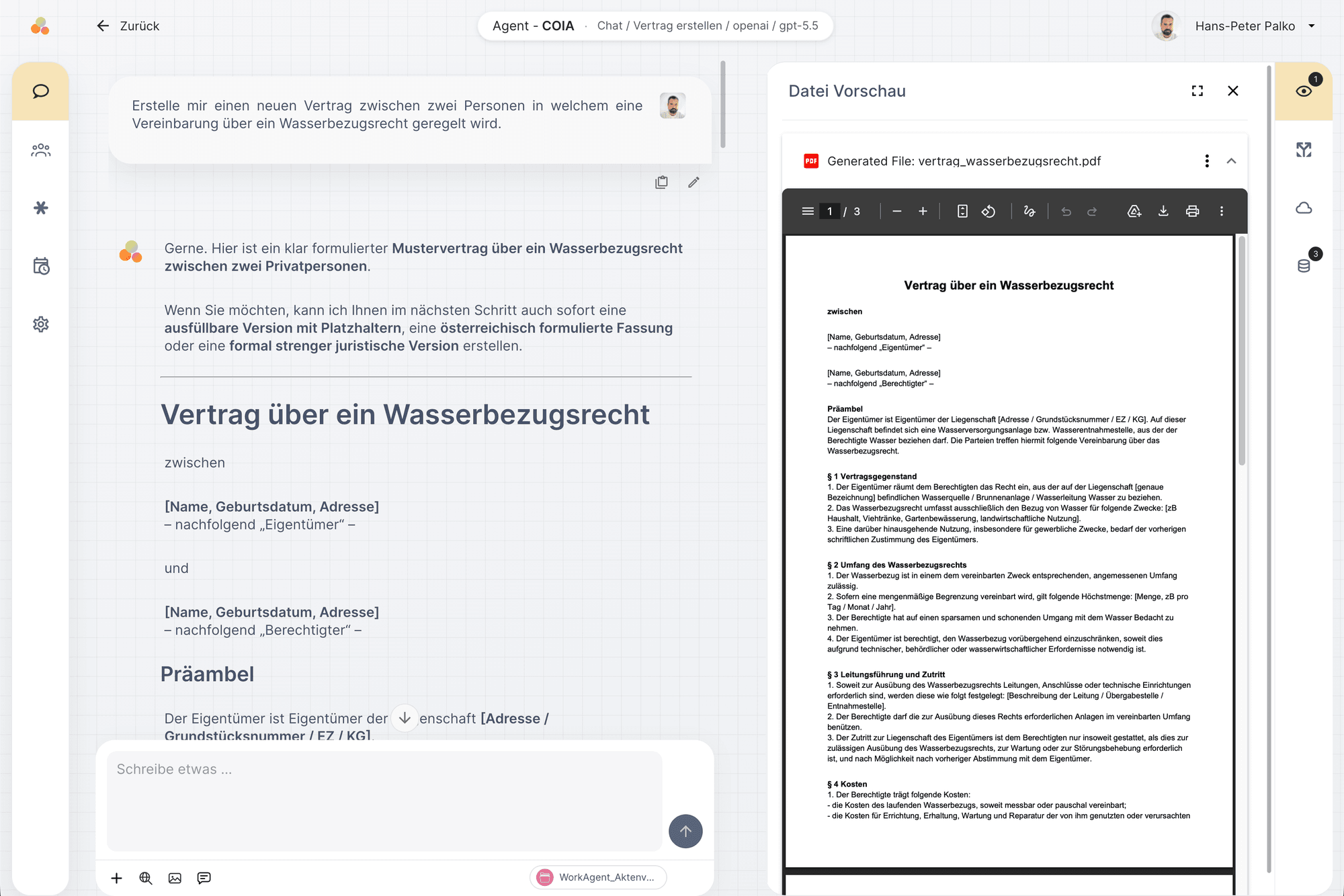
In the chat you submit tasks, ask questions, start workflows and view interim results. COIA works with your approved rules, knowledge and templates.
Inbox & Scheduler
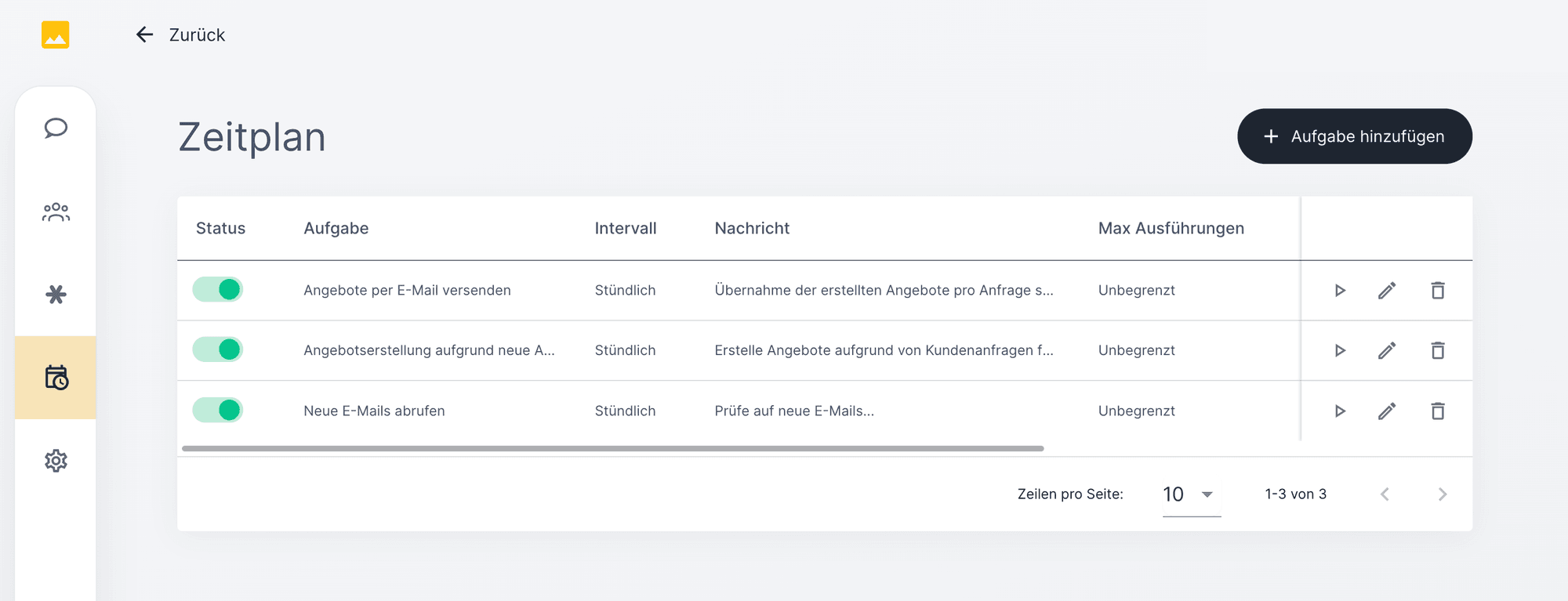
The scheduler regularly checks the configured inboxes, such as email mailboxes, form submissions or webhooks. New tasks are identified, assigned to the right workspace and placed in the queue.
02
COIA in detail
COIA uses suitable capabilities, starts workflows and coordinates tasks, systems and approvals. You receive progress updates and can step in when your decision is needed.
Starting workflows
When COIA recognizes that a task matches a defined workflow, it starts it automatically. The workflow controls the sequence of steps, which agents are involved, and when sign-off is required.
Applying knowledge
Approved sources, domain rules and templates are used for the task at hand. Access and use follow assigned roles and permissions.
Deploying specialized agents
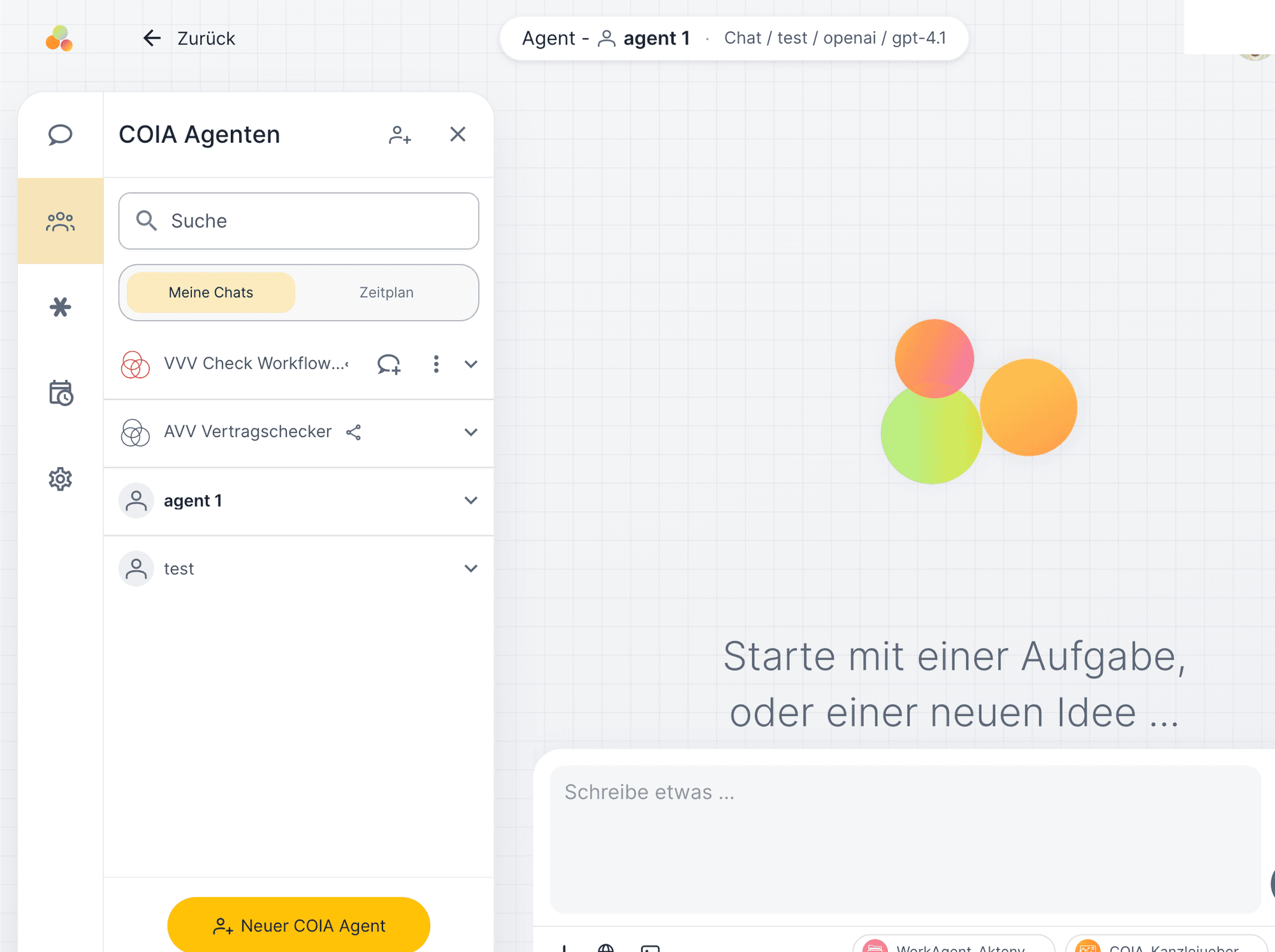
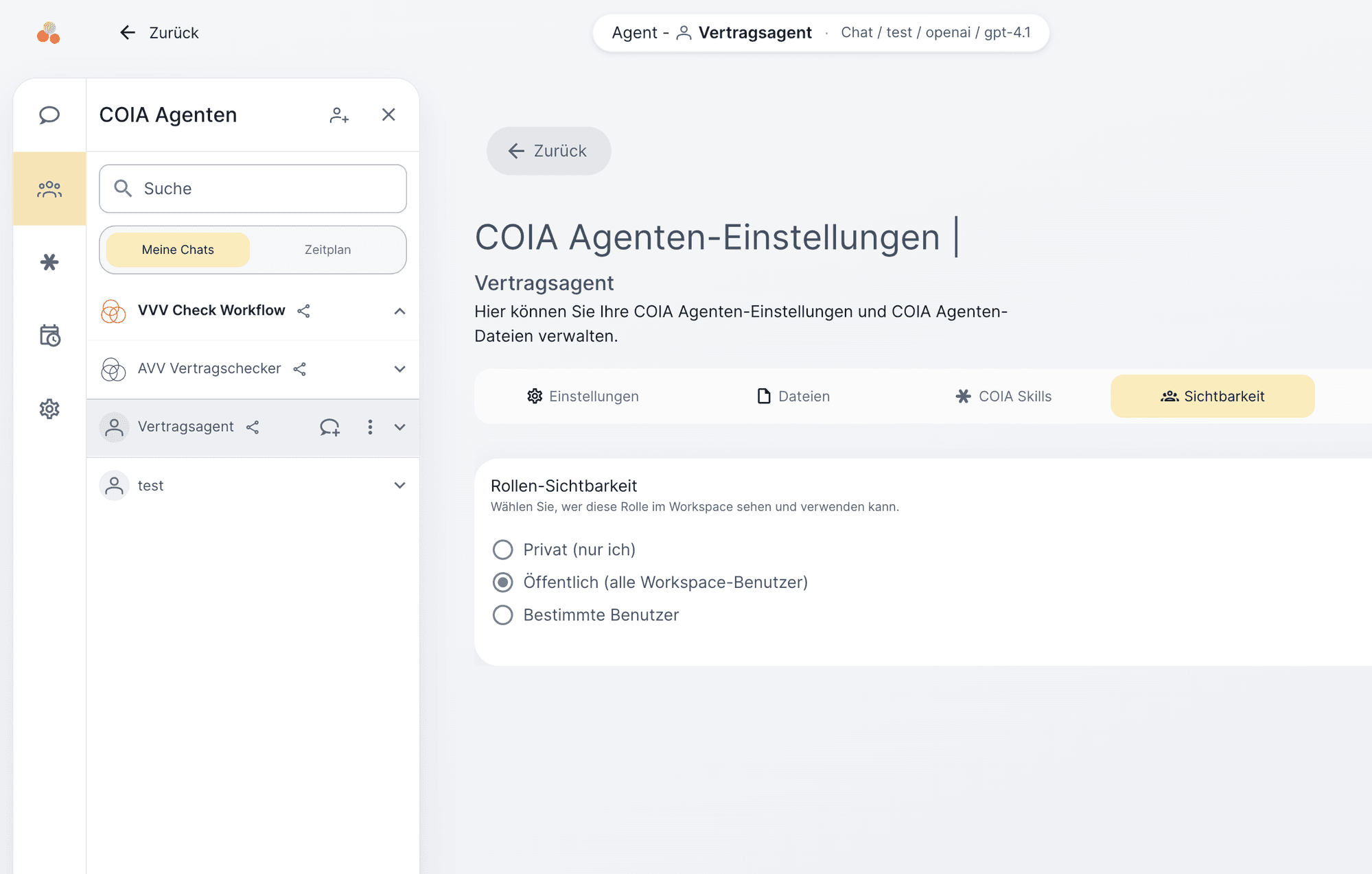
COIA agents are specialized roles with their own rules, skills, file access, and defined tool permissions. One agent reviews contracts, another creates proposals, a third conducts research. Each agent operates according to its own rulebook.
Knowledge as skills
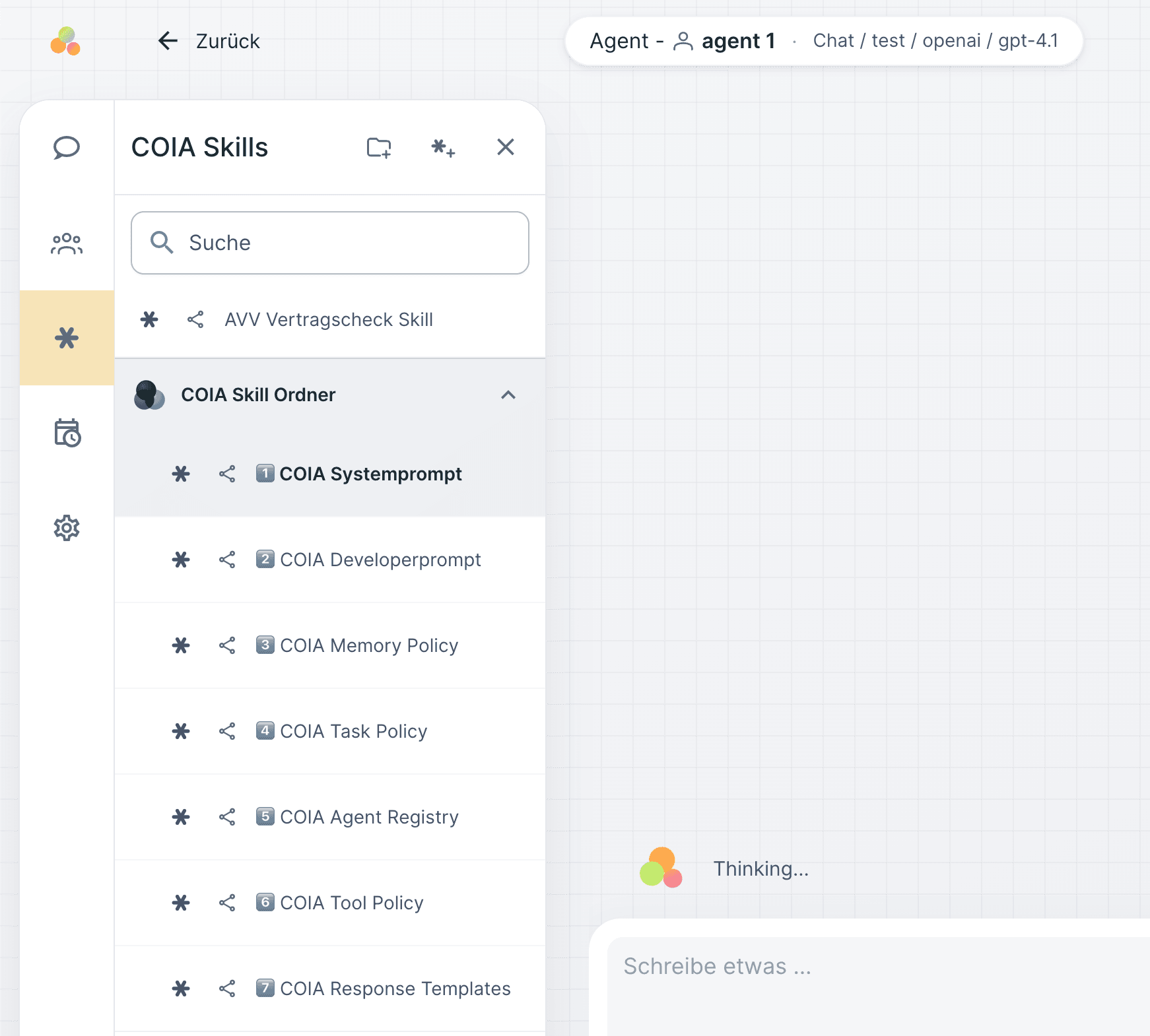
Skills are encapsulated expertise: an EU regulation, a review schema, a calculation logic. COIA and agents draw on the skill library and apply the relevant knowledge in context.
Creating and storing files
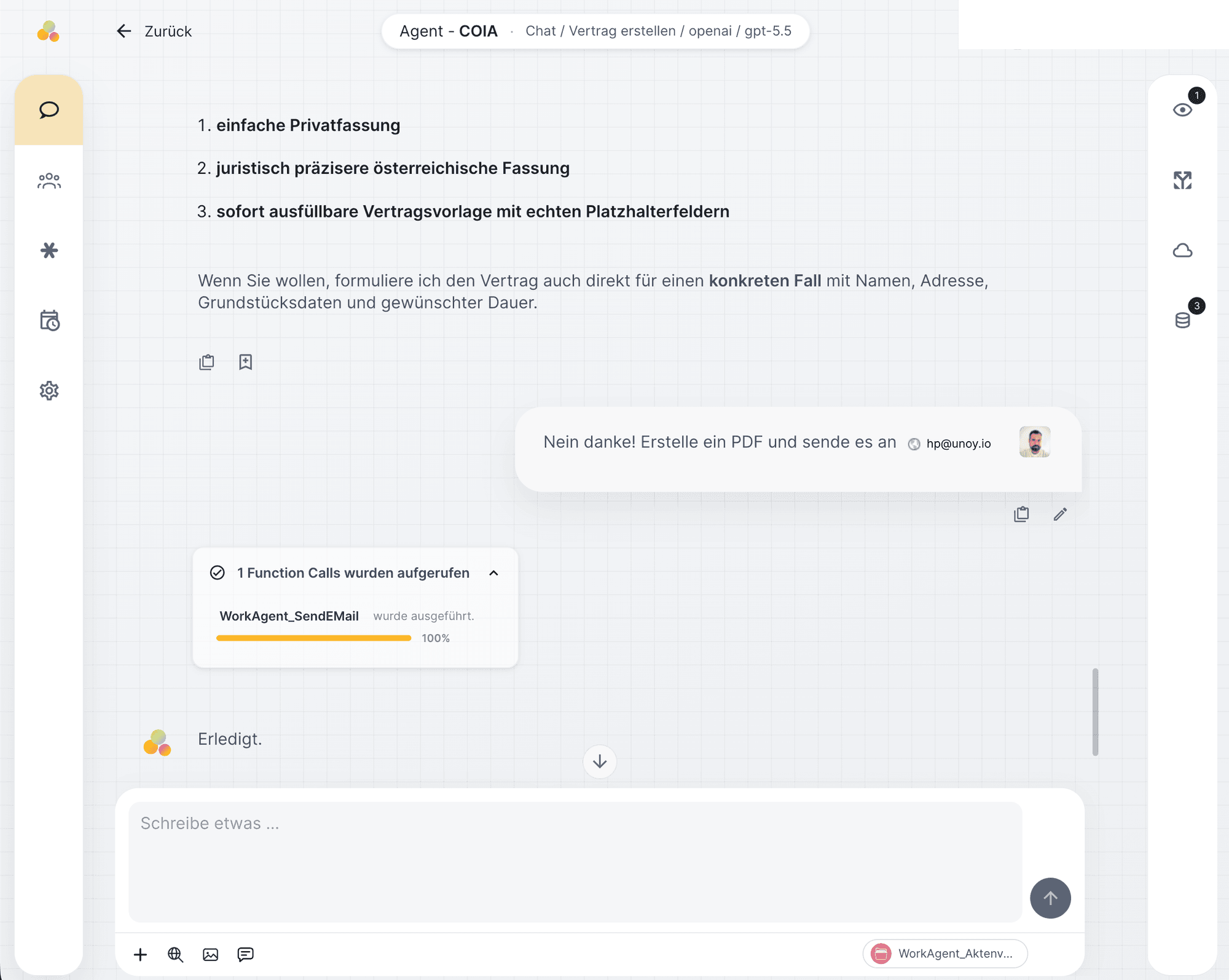
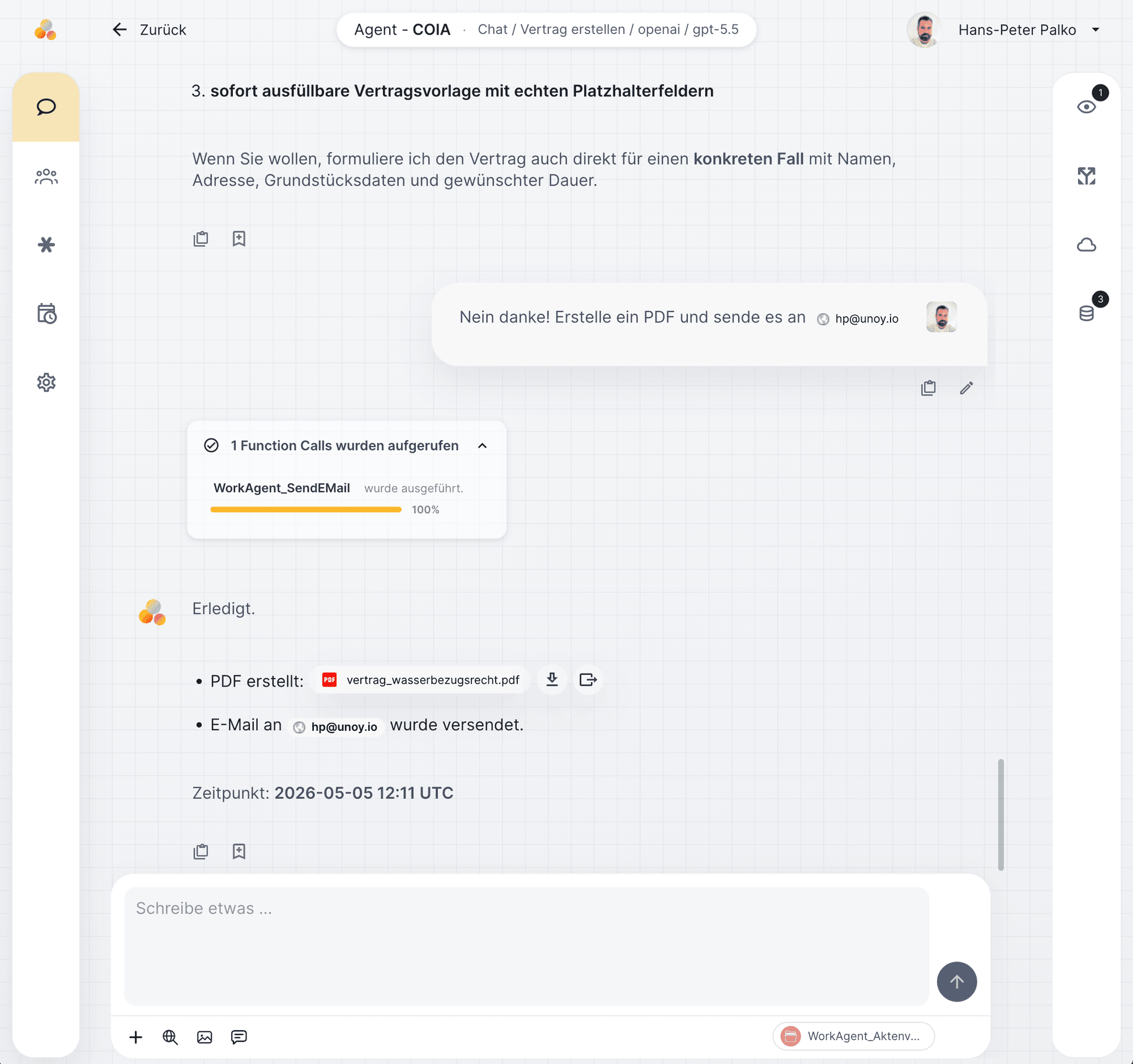
COIA can create and edit documents and, depending on the connection, store them in OneDrive, SharePoint or other storage. PDFs, Word documents and contracts are produced according to template and rules.
Accessing knowledge and data
Approved documents, templates, product catalogs and historical data are indexed (made searchable). COIA retrieves the relevant information for a task. In technical terms: "RAG" (Retrieval-Augmented Generation).
Connecting to other systems
Agreed integrations let the workforce retrieve information and deliver results, for example to CRM, ERP, DMS or email. Available actions depend on interfaces, configuration and permissions. Technically: via the open Model Context Protocol (MCP).
Coordinating agents together
For complex tasks, COIA delegates to specialized agents. A research agent gathers data, a drafter creates the draft, a reviewer checks against the rulebook. COIA coordinates the handoffs and ensures each agent receives the right context.
Using your own databases
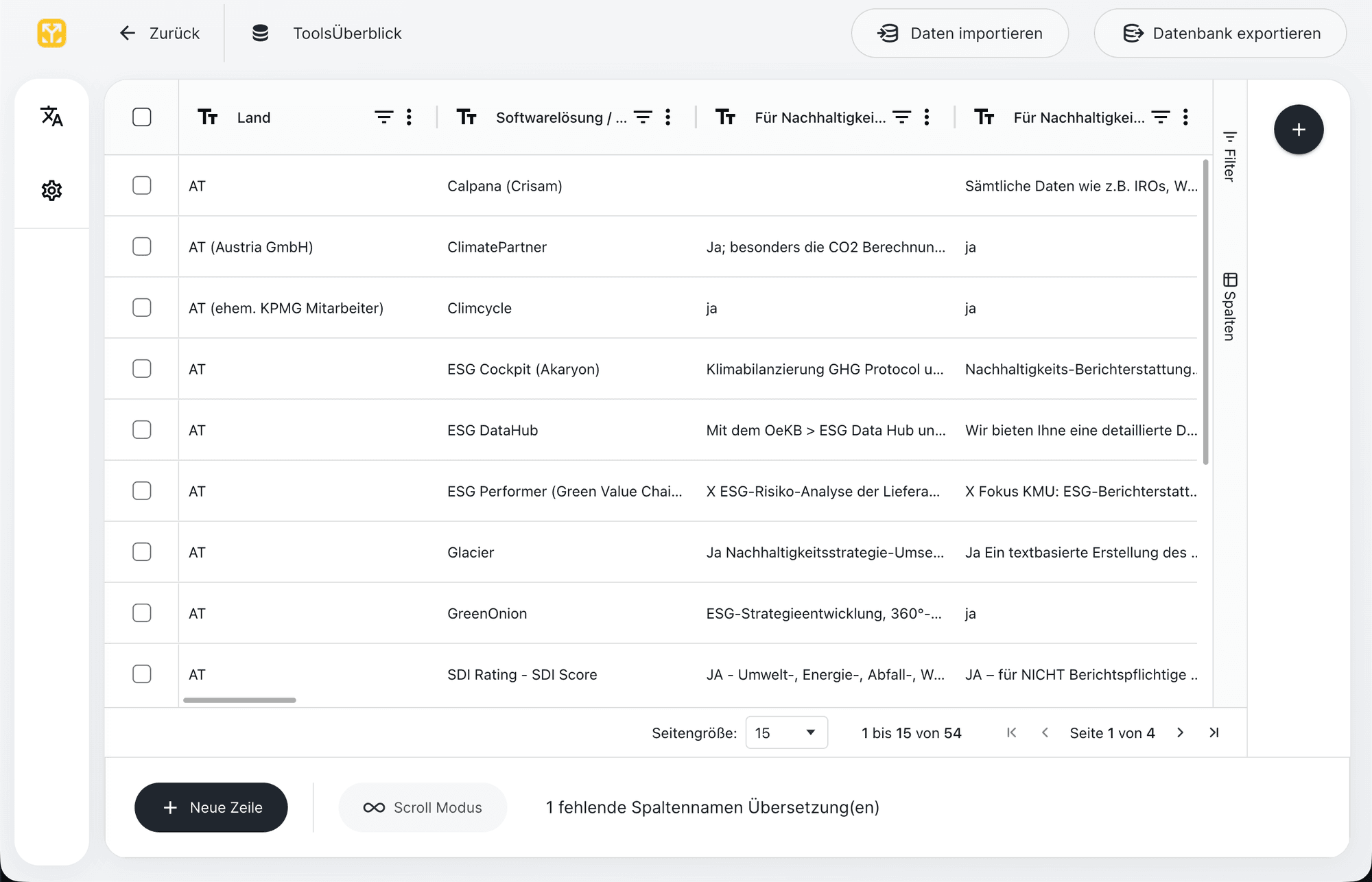
Databases are integrated as a standalone resource in the left sidebar. COIA and agents can read, create, and update entries directly from within the workflow, without media disruption.
Sharing with the team
COIA agents and skills are managed in the workspace overview and shared within your team. A configured agent is available to the team with the same rules, skills and permissions.
Planning and completing tasks
From incoming requests, COIA creates structured tasks, prioritizes them according to the rulebook, and works through them. The status of every task is visible at any time, from intake through processing to delivery.
03
Outbox
The workforce prepares the output, obtains required approvals and delivers it through the configured channel. The task determines whether the result is a draft, a decision brief or a completed process.
Outbox
The outbox is the final link in the loop. COIA prepares the result in the appropriate format and hands it over through the configured channel, for example as an email draft for sign-off, a notification or to a connected system. Available channels depend on the integration.
Insights from the work can be proposed as changes to rules or skills, applied only after review and approval.
04
Architecture · Four layers
Many AI applications respond to individual prompts. UNOY works with four layers of context, from the company handbook to the current chat window. Context does not need to be re-explained every time.
Active rulebook
01 · Context
COIA knows tone, compliance, escalation, and skills. Loaded before every task.
Session · running
02 · Short-term
The ongoing matter, dialogue, interim results, temporary context. Seconds to minutes.
Project · Client X
03 · Project knowledge
Retained between sessions. Approved adjustments are available in later sessions.
Repository · May 2026
04 · Long-term knowledge
Company knowledge accumulated over years: templates, playbooks, standards, histories.
These four layers are not static.
They are developed further in a controlled way. The next section shows how corrections become reviewed rules.
To the learning loop →05
Learning loop
Corrections can lead to improvements in rules, skills and workflows. Changes are reviewed and approved through the defined process. A single response does not automatically change future handling.
01
UNOY logs adjustments in sign-offs, phrasing or margins and identifies when patterns repeat.
02
The system proposes recurring corrections as new or modified rules, with source, frequency, and preview effect.
03
Only when an authorized person signs off does the rule become part of the active rulebook. Versioned, traceable, reversible at any time.
Example: you correct "respond less formally" three times. UNOY proposes: "Switch tone to informal?" Only after your sign-off does the changed rule apply to future tasks. No model training takes place.
06
Rule-based workflows
COIA workflows are flexible. Some tasks require exact sequences without variation. For those: rule-based workflows. AI can take over sub-tasks in both types, but the control remains rule-based.
Two types: interactive workflows guide people step by step. Headless workflows run without human involvement.
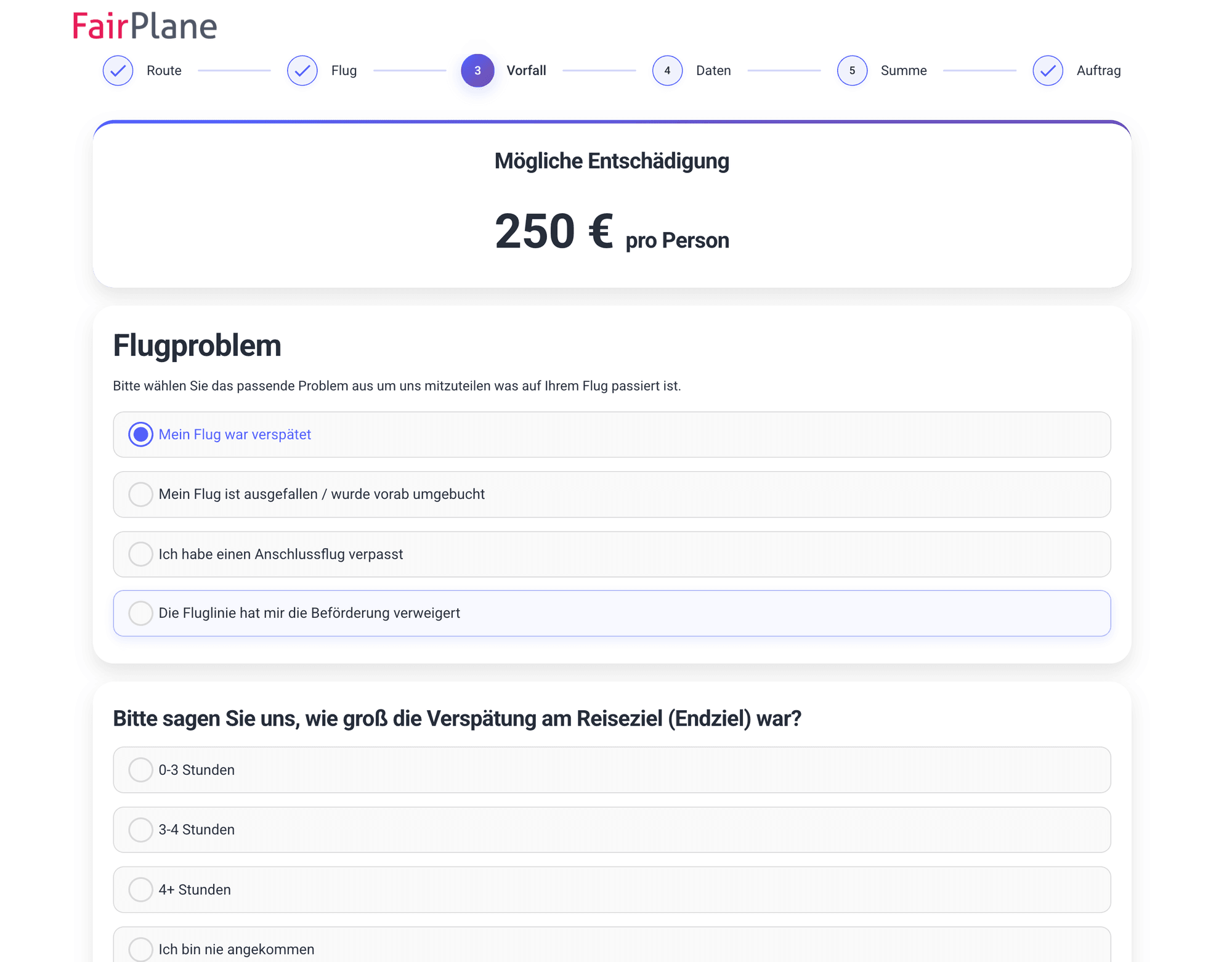
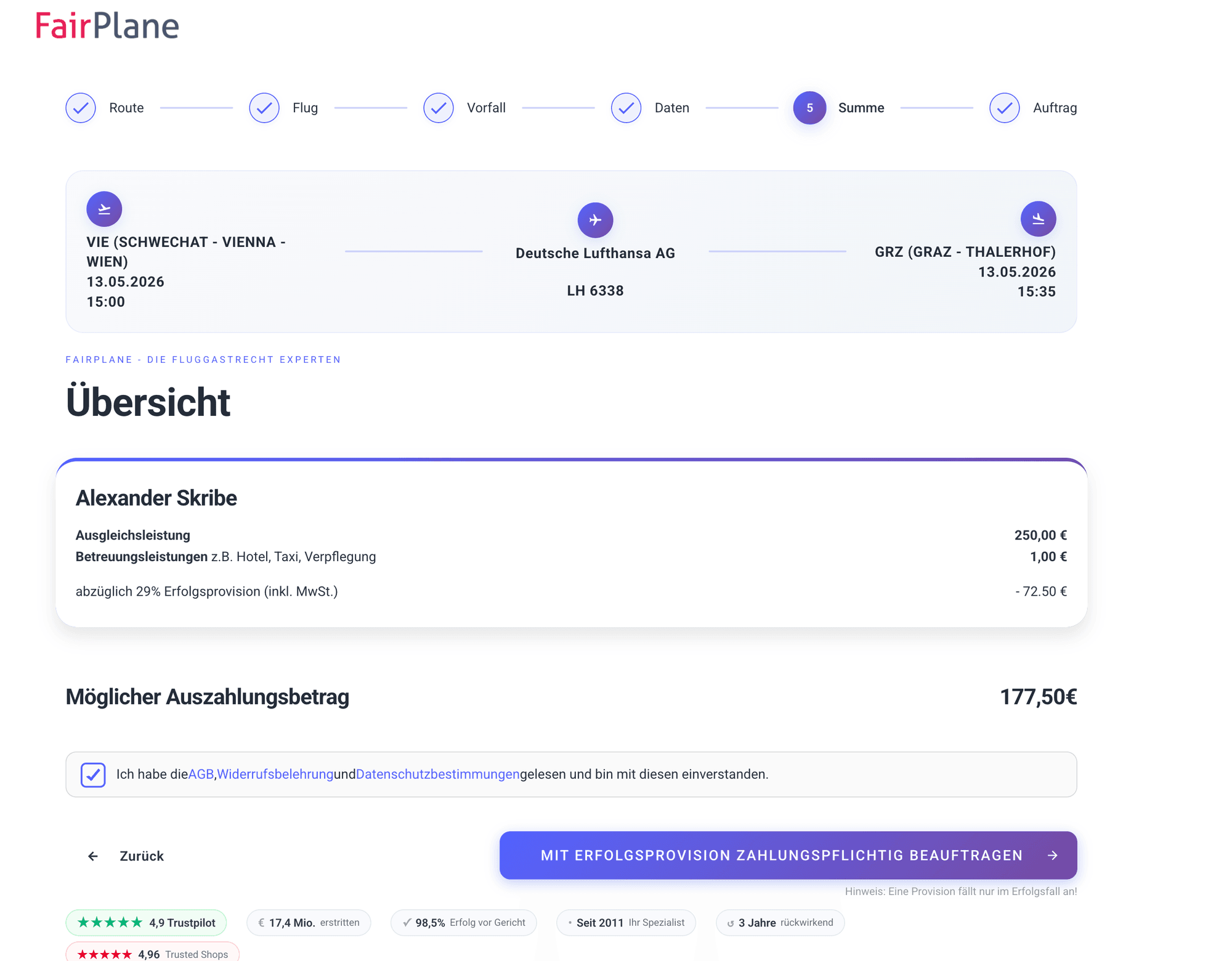
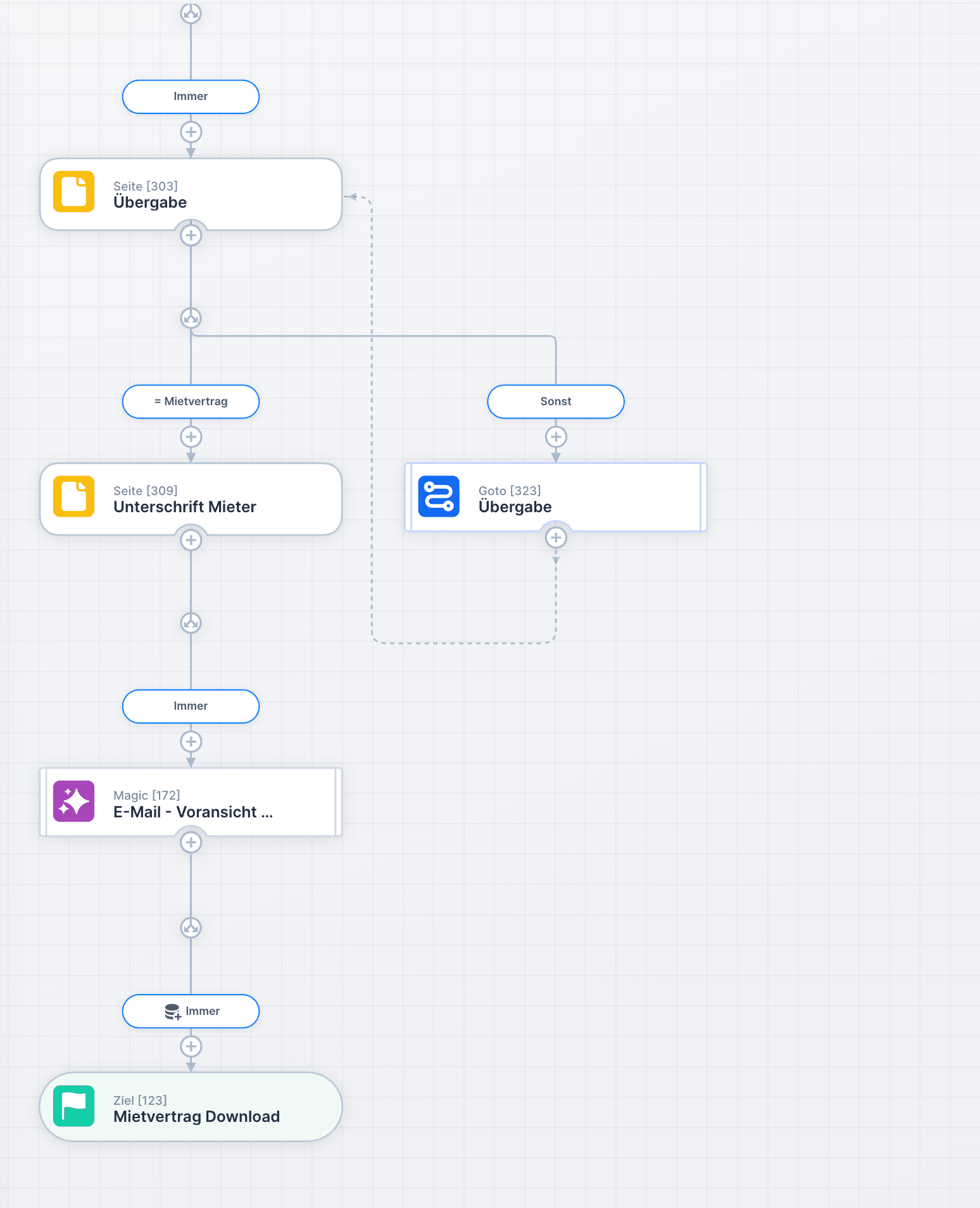
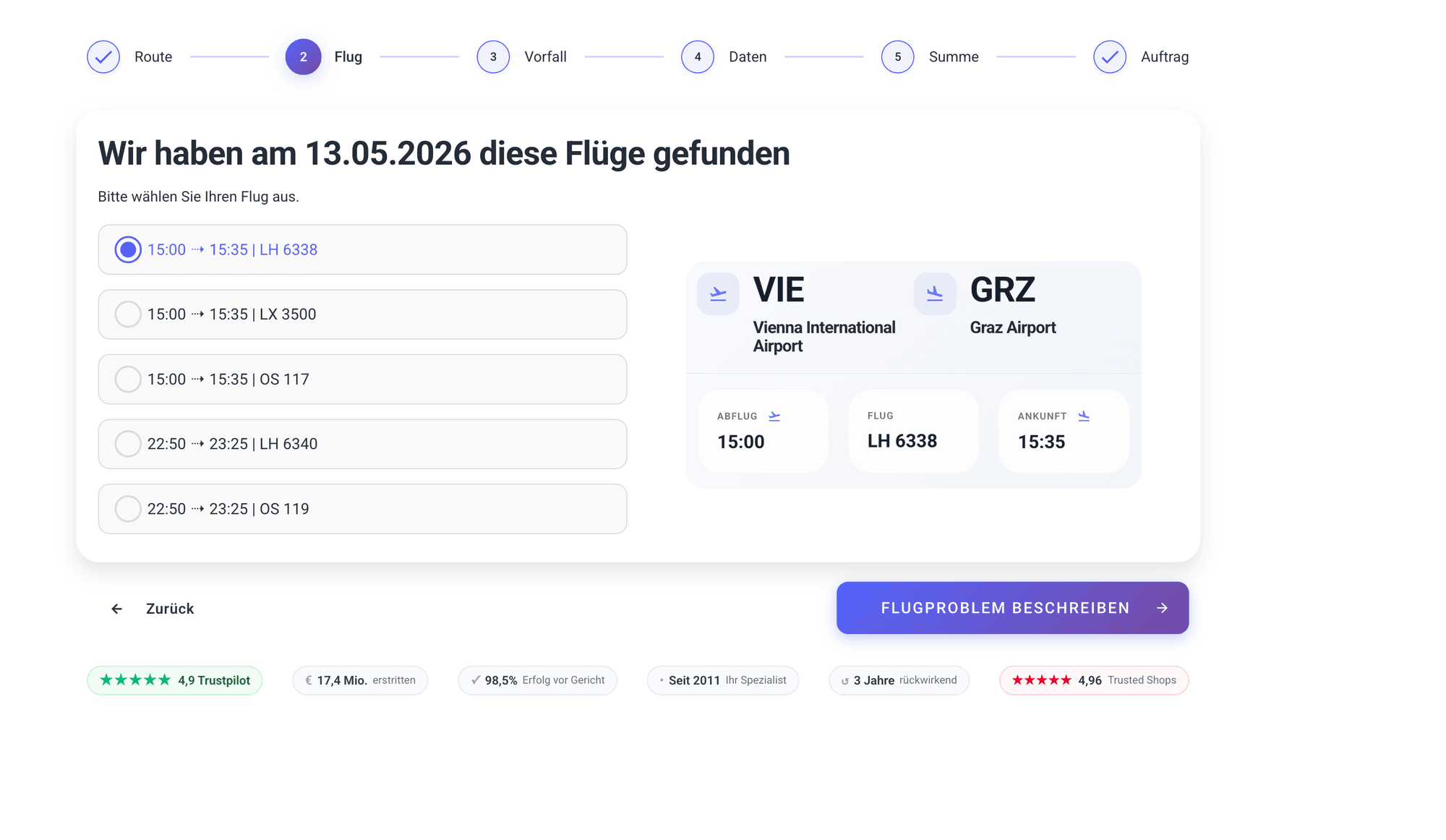
Interactive workflows guide end users step by step through a process: capture flight data, assess the claim, create the proposal. The workflow ensures all necessary data is captured in the right sequence, with validation and AI support at every step.
Background workflows (technically "headless") run without manual involvement: identify intake, check data, make a decision, deliver a result. Branches, notifications, and escalations are rule-based. AI handles sub-tasks such as classification, text generation, or plausibility checking.
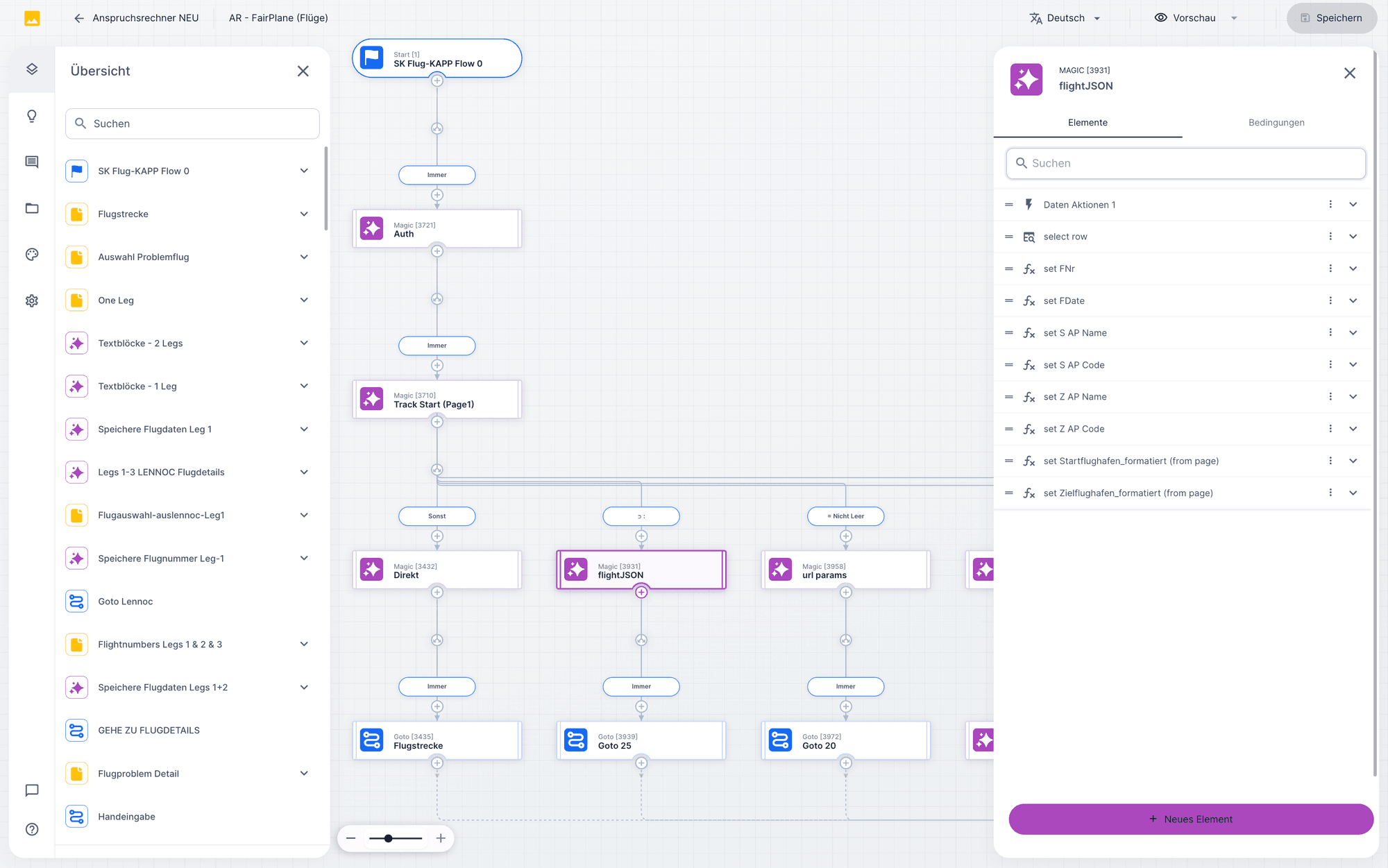
Workflow designer
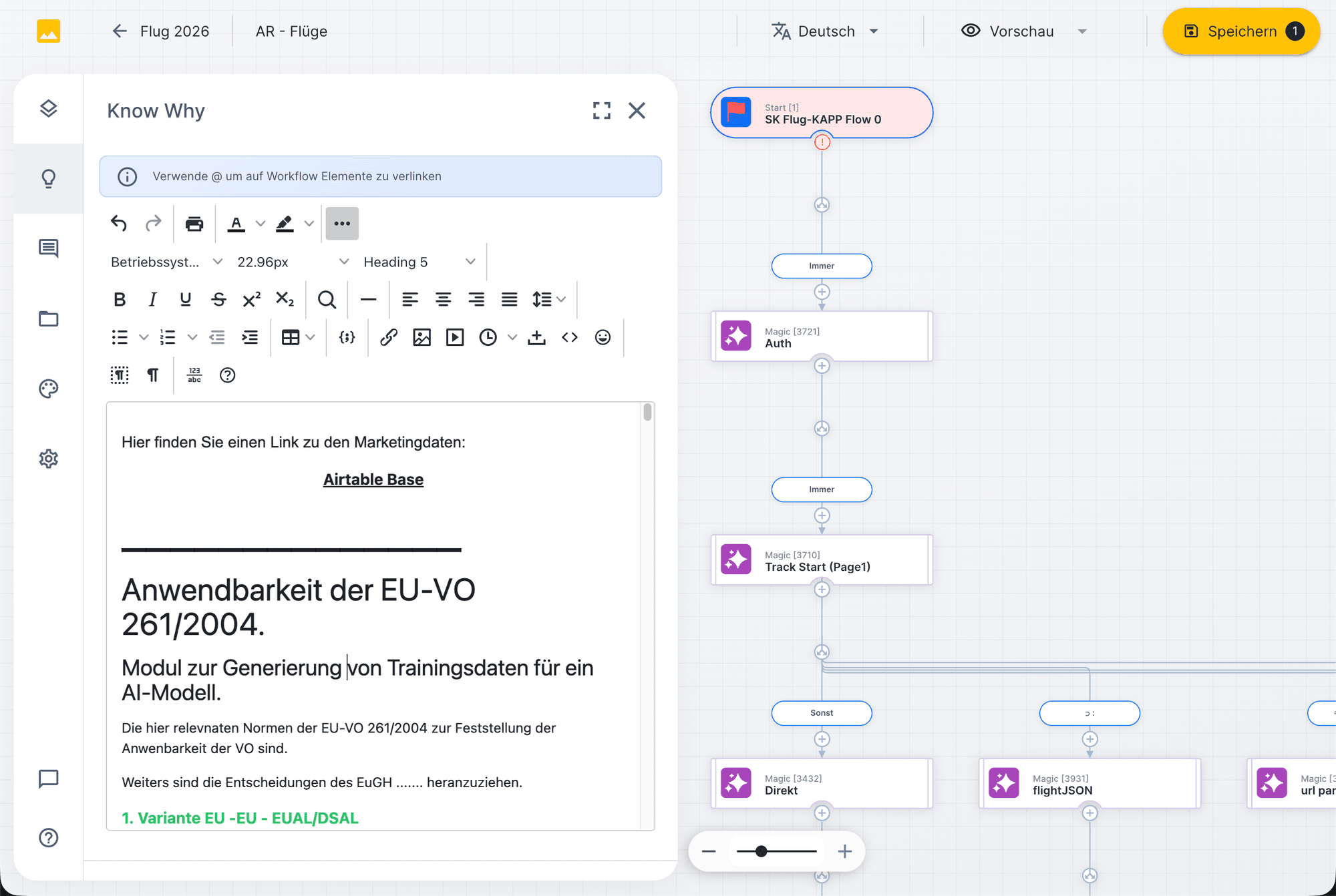
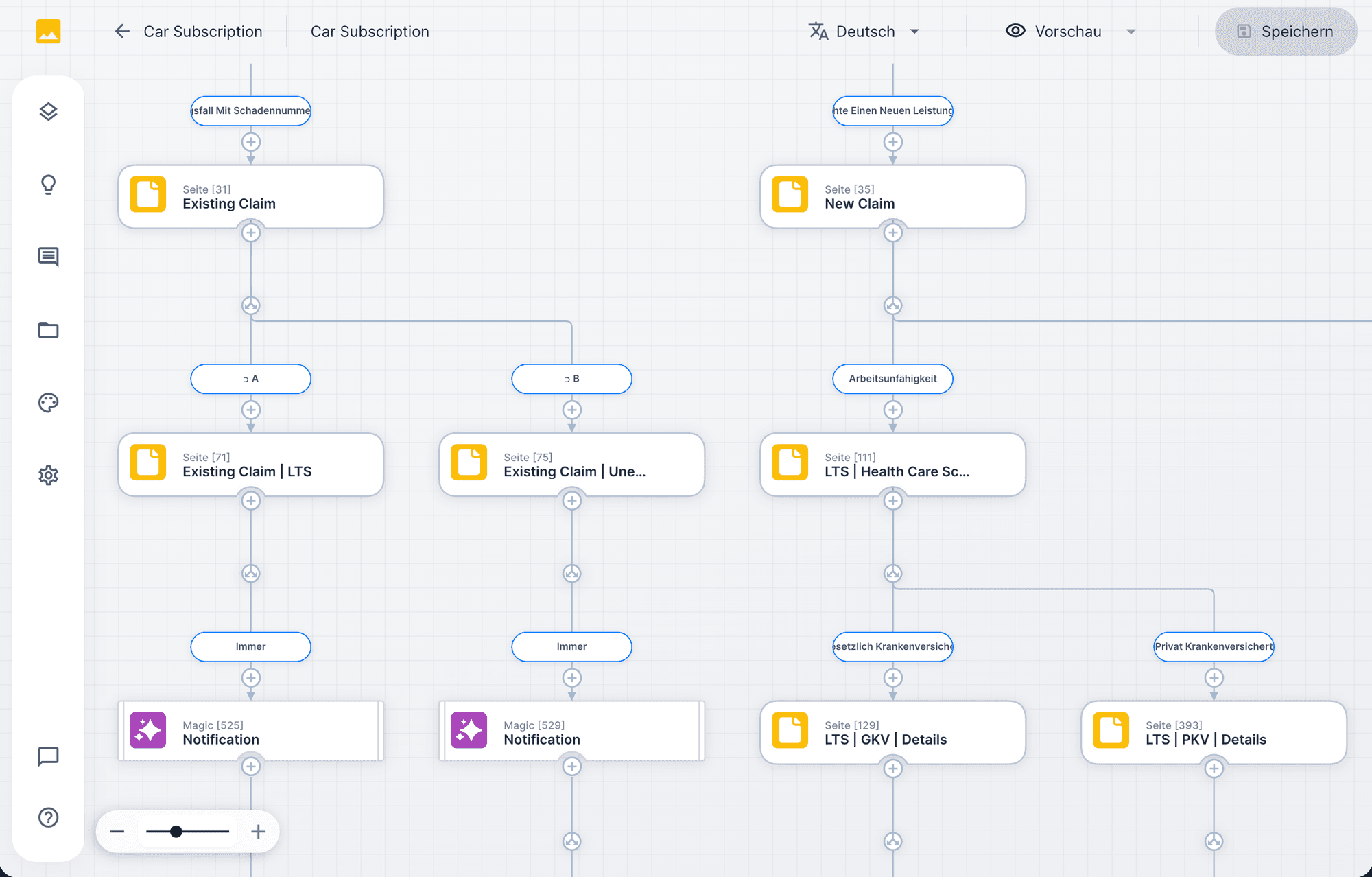
In the workflow designer you define every step visually: input fields, branches, AI nodes, notifications, sign-offs. The designer shows the entire flow as a diagram, with sidebar navigation and element configuration.
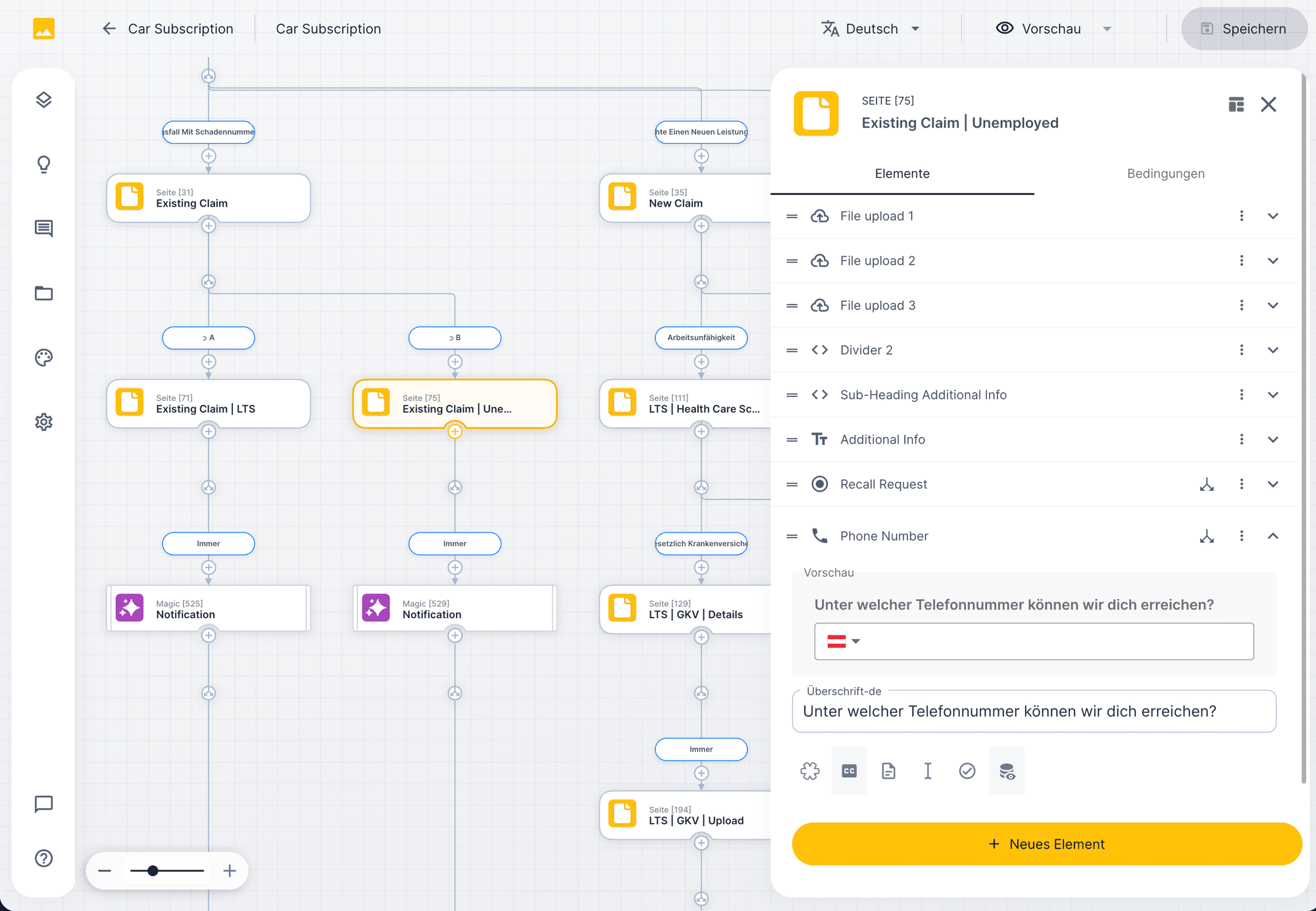
Configuring nodes
Every workflow node has its own properties: input fields, validations, AI instructions, database operations. In the element panel you configure what happens at this step, from the file upload mask to the automatic calculation.
Example · FairPlane passenger rights workflow in three steps
07
Onboarding
Self, CoBuild and Service. You can start with one approach and switch later. You can start with one model and switch later.
Approach 01 · Service
Assess your use case
Have it done.
UNOY handles the agreed work through to completion.
Approach 02 · CoBuild
Joint start
UNOY + your team
Set up to fit
Have it adapted.
UNOY sets up your workforce to fit your rules and systems; your team runs the ongoing work.
Approach 03 · Self
Build-Workspace
Shape it yourself.
You use prepared capabilities and develop your workforce further with AI.
Terms: We review your matter and quote the fitting range → Find your starting point
§ 12 · Next step
We show you how working with UNOY looks using a concrete workflow and clarify together which starting point fits your task.
Find your starting point →