
Skribe — Law. DONE. | FairPlane — Claims. DONE. | UNOY — Work. DONE.
Comparison · Your task decides

Which solution fits your work?

The nine comparisons help you assess scope of work, expert rules and involvement. Start with your task. Then check the specific product and the effort required to reach a usable result.

View detailed comparison → Discuss your task
Three products
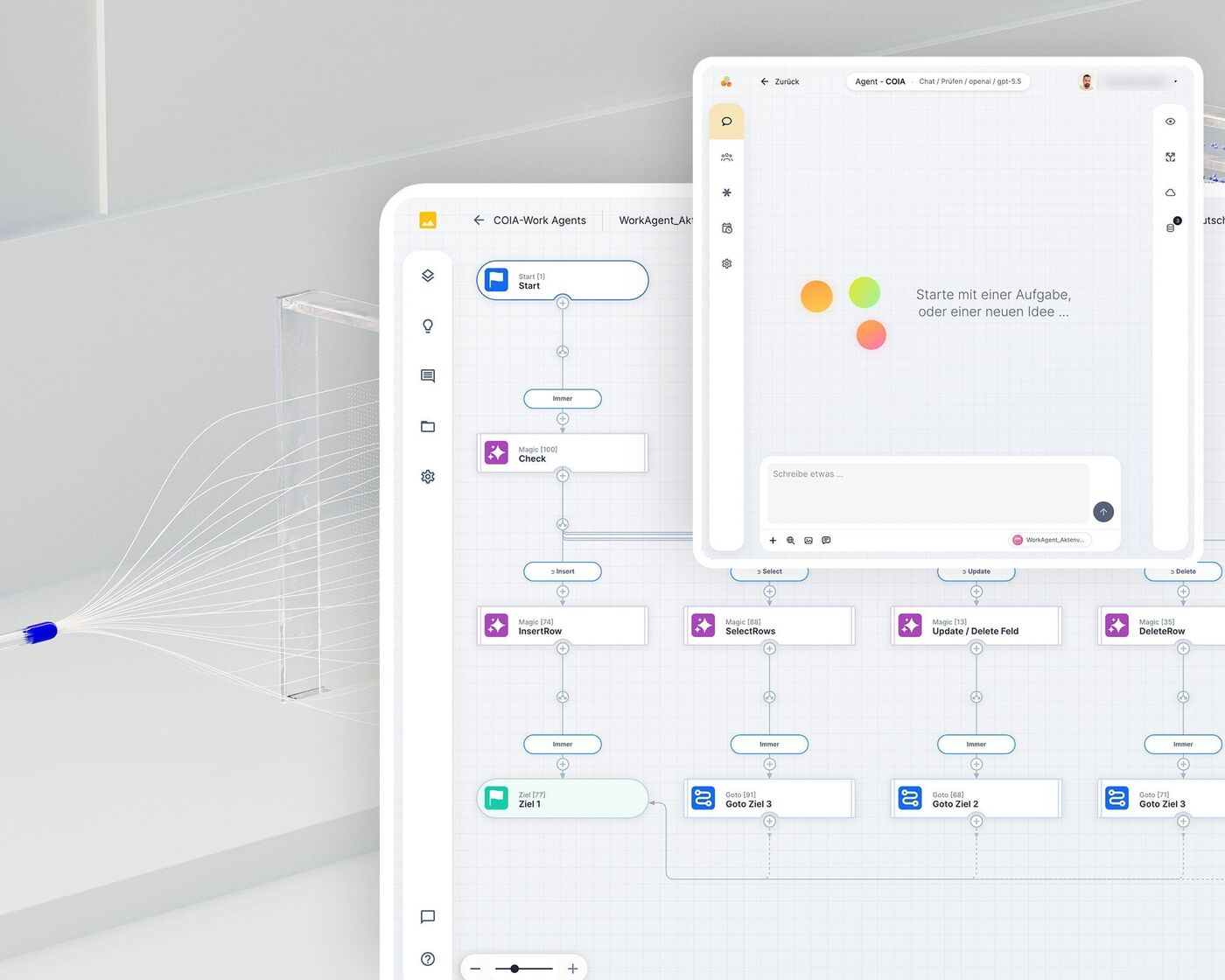
UNOY architecture, from intake through orchestration to a reviewed result

What do you want to compare?

For handling work yourself, compare other workspaces with Workforce Basis. For an advisor, UNOY Advisor is relevant. Claim Workforce is for companies that want to hand over cases for processing.

Product, setup and ongoing processing are considered separately.

The comparisons are based on vendor information and UNOY's described way of working. They do not replace a joint practical test.

Six decision aids

Start with your task.

Many vendors now offer agents, workflows and document processing. What matters is which offer covers your specific case and which work stays with your team.

01 · Versatile tasks

ChatGPT and Claude Cowork

CHATBOTrespondsUNOYexecutes

Agents in everyday work.

Check tools, context and the effort for recurring tasks.

02 · Microsoft 365

Microsoft Copilot

COPILOTassists individualsUNOYROLEREVIEWAPPROVE

Use your existing environment.

Check Copilot and Copilot Studio for your data, applications and processes.

03 · Custom applications

BRYTER

WORKFLOWfollows rulesUNOYOSRULESAISKILLSKNOWLEDGE

Combine expert rules and AI.

Check the build, operation and maintenance of your own specialist application.

04 · Outsource work

Claim Workforce

OUTSOURCING?externalUNOYSELFCOBUILDSERVICE

Have cases handled for you.

Companies agree on processing, involvement and result. Software access is a different service.

05 · Legal specialist work

Harvey · Legora · Libra · Noxtua · Flank

LEGAL AIresearchUNOYCASESELFBUILDSKRIBE

Organize legal work.

Check expert sources, documents, agents and the steps to completion.

06 · Your start with UNOY

Basis · Advisor · Claim Workforce

1SELF2BUILD3DONEONECASEMODAL FLEXIBILITY / SELECTABLE PER CASE

Choose your collaboration.

Use Workforce Basis yourself. Develop UNOY Advisor together. Have cases handled with Claim Workforce.

Solutions you compare with UNOY.

01 · Microsoft

Copilot

Microsoft 365 assistance plus custom agents and processes with Copilot Studio.

02 · Legal AI

Harvey

Legal research, document analysis, agents and shared workspaces.

03 · OpenAI

ChatGPT

Versatile AI work and shared agents for recurring tasks.

04 · Anthropic

Claude Cowork

Multi-step work with files, tools, projects and skills.

05 · Legal AI

Legora

Legal agents, workflows, playbooks and document tools.

06 · No-Code

BRYTER

No-code applications with expert rules, AI, documents and approvals.

07 · Legal AI

Libra

Legal sources, document work and custom workflows.

08 · Legal AI

Noxtua

Legal research, templates, multi-step workflows and document processing.

09 · Legal Agents

Flank

Agents for recurring legal work with playbooks and expert review.

Eight questions for your comparison.

Assess specific offers against the same task. Technology, setup and commissioned processing belong in separate assessments.

01 · Collaboration

How is the work divided?

Check product, setup and ongoing processing separately. Clarify which specialist work stays with you.

UNOY

Three products

Claim Workforce · UNOY Advisor · Workforce Basis

Other vendors at a glance
Copilot · Workspace and agents
Harvey · Legal workspace
ChatGPT · Workspace and agents
Claude · Workspace and agents
Legora · Legal workspace
BRYTER · Specialist applications
Libra · Legal workspace
Noxtua · Legal workspace

Whether setup or processing is offered as a service needs to be checked for each vendor.

02 · Responsibilities

Who handles which part of the work?

Clarify which processing a vendor takes on, which review stays with your team and how responsibilities are agreed.

UNOY

By product and assignment

Claim Workforce handles the agreed processing. Where required and requested by you, we provide the service together with Skribe Rechtsanwälte GmbH. Legal services are commissioned separately.

Other vendors at a glance

Check responsibilities per vendor and contract.

Copilot · Harvey · ChatGPT · Claude · Legora · BRYTER · Libra · Noxtua · Flank

03 · End-to-end workflow

How much of the process is covered?

Check which steps from intake to result a solution covers.

UNOY

Intake → Result

From capture through processing to the agreed result in one workspace.

Other vendors at a glance
Copilot · Microsoft 365 and custom agents
Harvey · Research, documents, agents
ChatGPT · Versatile and shared agents
Claude · Multi-step tasks
Legora · AI workflows
BRYTER · app platform
Libra · Sources, documents, workflows
Noxtua · Research, documents, workflows

04 · Domain data model

Whose data model applies?

Check whether your rules, structures and terminology can be represented.

UNOY

Your case, your rules

Your rules and structures determine the data model.

Other vendors at a glance
Copilot · Connected data sources
Harvey · Expert sources and your own documents
ChatGPT · Files and connected sources
Claude · Files and connected sources
Legora · Standards and reference documents
BRYTER · Data and expert rules
Libra · Expert sources and your own specifications
Noxtua · Legal publisher sources

05 · Word documents

How are Word documents produced?

Check how the format, styles and templates of your documents are preserved.

UNOY

Templates and formatting

UNOY can edit documents according to your templates. Check formatting and results on your actual files.

Other vendors at a glance
Copilot · Editing in Microsoft 365
Harvey · Word editing
ChatGPT · Files as work products
Claude · Word add-in
Legora · Word with playbooks
BRYTER · Documents based on templates
Libra · Word add-in
Noxtua · Editor with DOCX export

06 · Audit trail

How does the work stay traceable?

Check how steps, rules and decisions are documented.

UNOY

Structured + rules

The agreed scope defines which steps, rules and approvals are documented.

Other vendors at a glance
Copilot · Check logs per deployment
Harvey · Sources and checks
ChatGPT · Check controls per plan
Claude · Check logs per deployment
Legora · Sources and work steps
BRYTER · Clarify evidence per deployment
Libra · Clarify evidence per deployment
Noxtua · Sources and text changes

07 · Data processing

Where is data processed?

Check hosting location, service providers and data flows for your specific configuration.

UNOY

Clarify for your deployment

Check data locations, service providers and evidence for your specific configuration.

Other vendors at a glance
Copilot · Check data flows per deployment
Harvey · Check data flows per deployment
ChatGPT · Check data flows per plan
Claude · Check data flows per deployment
Legora · Check data flows per deployment
BRYTER · Check data flows per deployment
Libra · Check data flows per deployment
Noxtua · Check data flows per deployment
The core question

08 · Division of work

Which work stays with your team?

Compare the total effort up to a professionally accepted completion. Maintenance, expert review and rework count too. The right solution relieves your team where it loses capacity today.

UNOY

Division

By product and assignment

With Claim Workforce, companies hand over cases. With UNOY Advisor, you make expertise usable as an advisor. With Workforce Basis, your team handles recurring tasks itself.

Other vendors at a glance
Copilot
Own use and review
Harvey
Own use and review
ChatGPT
Own use and review
Claude
Own use and review
Legora
Own use and review
BRYTER
Operate your own application
Libra
Own use and review
Noxtua
Own use and review

Compare the specific products, plans and configurations using representative tasks.

Assessment by UNOY. Vendor information checked on November 8, 2026. The detail pages link to the sources. No comparative practical test was carried out.

Four review areas

What must your solution deliver?

These four review areas help you assess different offers fairly. They are not a ranking. What matters is what your assignment requires.

Task
Four review areas
Operation

01 · Scope of work

Which steps are taken over?

Describe the case from intake to completion. Check which steps are prepared or carried out and where rework arises.

02 · Setup

What needs to be prepared for your deployment?

Clarify the required rules, data, templates and integrations. Factor in the effort for testing, training and later changes.

03 · Responsibility

Who decides and approves?

Define expert review, permissions and how exceptions are handled. Automated processing does not replace clear responsibility.

04 · Operation

Who keeps processing reliable?

Clarify maintenance, support and adjustments. Compare the total cost up to a professionally accepted completion.

The difference

Four questions for every offer.

Use the same input data and quality standards. Check processing and involvement in the actual workflow.

01 · Scope

What gets done?

Which steps, follow-up requests and results are included?

02 · Setup

What does the start require?

Which rules, data, tests and integrations are required?

03 · Responsibility

Who reviews and decides?

Which approvals, authorizations and evidence are planned?

04 · Operation

What remains to be done long term?

Who maintains rules, handles errors and takes care of changes?

What you should know about the comparison.

What distinguishes UNOY from Copilot, Harvey, and ChatGPT?

Both sides keep developing their features. Check the current products against your task. At UNOY, you choose Claim Workforce, UNOY Advisor or Workforce Basis; the division of work depends on the product.

What does a usable result mean?

A usable result fulfills the agreed assignment. That can be a reviewed draft, a decision memo or a completed case. Clarify the expected outcome before the test.

What role does EU data residency play in the comparison?

For both offers, check data locations, service providers, access rights and evidence for your specific use. A hosting location alone does not describe all data flows. What counts is the product offered and the agreed terms.

How are responsibilities set?

Responsibilities are defined in the assignment. Your team runs Workforce Basis. We develop and review UNOY Advisor together. Claim Workforce handles the agreed processing. Where required and requested by you, we provide the service together with Skribe Rechtsanwälte GmbH. Legal services are commissioned separately.

Does UNOY replace my existing tools?

UNOY can complement existing tools. Check which systems need to be connected for your task. Interfaces, permissions and effort are clarified before any commitment.

Which UNOY product fits my task?

With Claim Workforce, companies hand over cases. With UNOY Advisor, you make expertise usable as an advisor. With Workforce Basis, your team handles recurring tasks itself. Claim Workforce · UNOY Advisor · Workforce Basis

Compare using your own task.

We show you on a specific task which work UNOY takes on and where your team decides.