
Collect service feedback.
Keep improving quality.
2
perspectives per service, users and service providers, both surveyed and analyzed
3
interlocking workflows: automated dispatch, interactive survey, quality dashboard
Dispatch
Feedback requests are sent automatically under the canSERV label
Matching product
Workforce Basis. Set up together.
BBMRI-ERIC defines the questions and quality criteria. The feedback process was set up together with UNOY. UNOY sends out surveys and consolidates the responses. The quality team uses and maintains the workflows itself. Workforce Basis is the starting point for similar tasks.
In use
- Automated ingestion of service data
- Survey dispatch under the canSERV label
- Tailored surveys for both sides
- Structured storage in a database
- Quality dashboard for the quality management (QM) team
Collaboration & use
- Set up together · used in-house
- EU-Projekt canSERV (Horizon Europe)
- Run in-house after setup
Who are BBMRI-ERIC & canSERV?
Improving research services together.
BBMRI-ERIC is a European research infrastructure headquartered in Graz. It connects biobanks and supports access to research resources.
The canSERV project, coordinated by BBMRI-ERIC, bundles research services for cancer research. After a service, users and service providers are surveyed about how it went.
The quality team needs both perspectives to derive improvements. UNOY takes care of collecting and consolidating the responses.

The problem
Seeing responses in context.
Every completed service should be rated from the perspective of both parties involved. Questions, answers and assignment have to fit together.
Contacting people and consolidating responses manually would scatter the feedback across emails and spreadsheets. UNOY connects the dispatch with the survey and the analysis.
Voice
With the UNOY workflow, we automatically collect feedback on every canSERV service from the user and the service provider, and see the analysis right away in the dashboard. Instead of gathering responses, we finally work on quality itself.
Set up together · Used in-house
Application
From completed service to analyzable feedback.
Three workflows, one feedback loop
The steps set up connect service data, suitable surveys and delivery to the quality team.
Automated
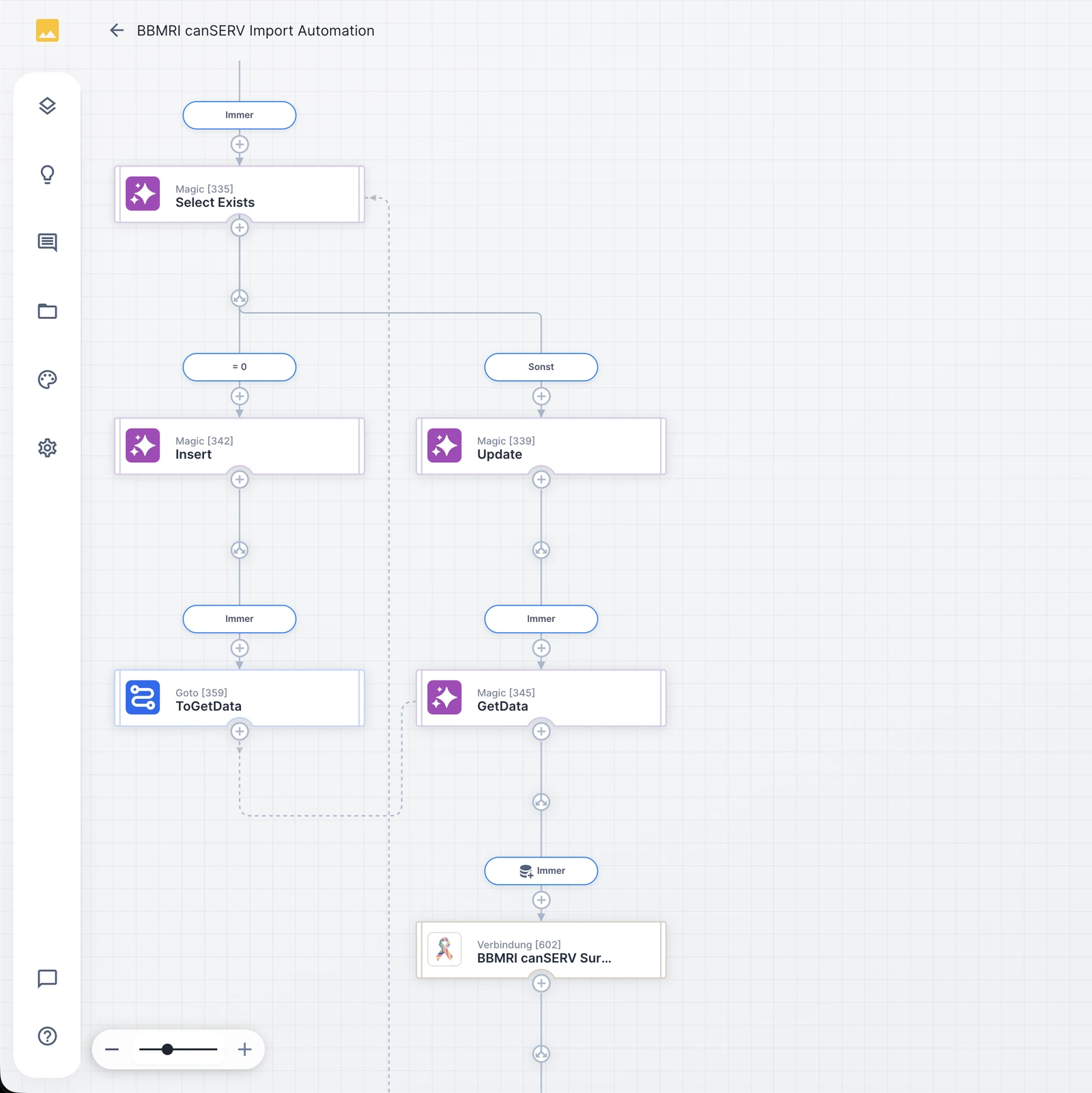
Ingest service data and send survey
The first, fully automated workflow reads data on new and already completed canSERV services from an existing directory. For each completed matter it then sends an email under the canSERV label, with a survey to the user and to the service provider. No manual look-up, no individual outreach.
Interactive
Tailored survey for both sides
The second, interactive workflow gives users and service providers a survey tailored to their respective role. Both rate the quality of the other side and the course of the entire process. The responses are processed and stored in a structured way in a database, as the basis for later analysis to improve quality.
Interactive
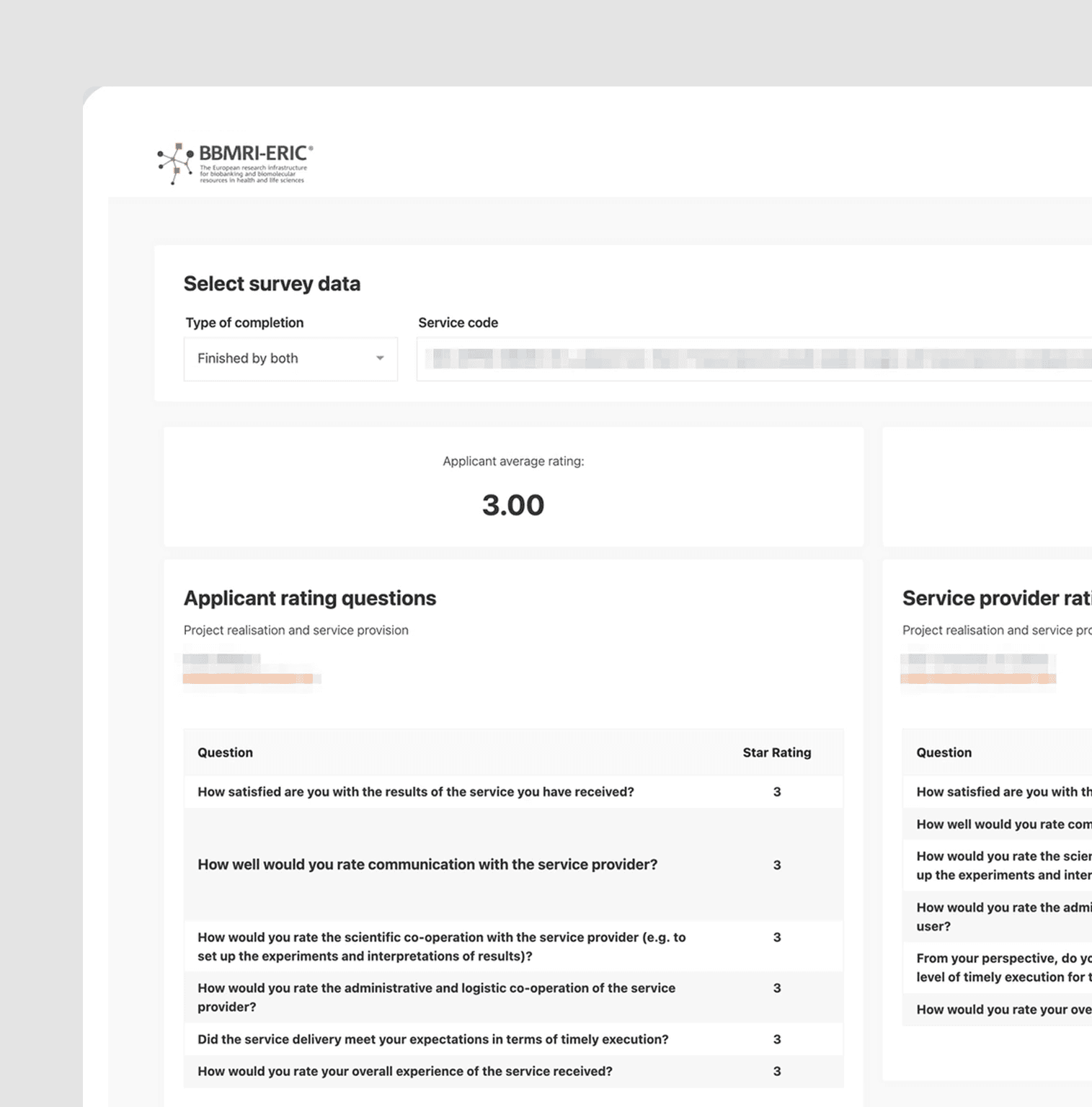
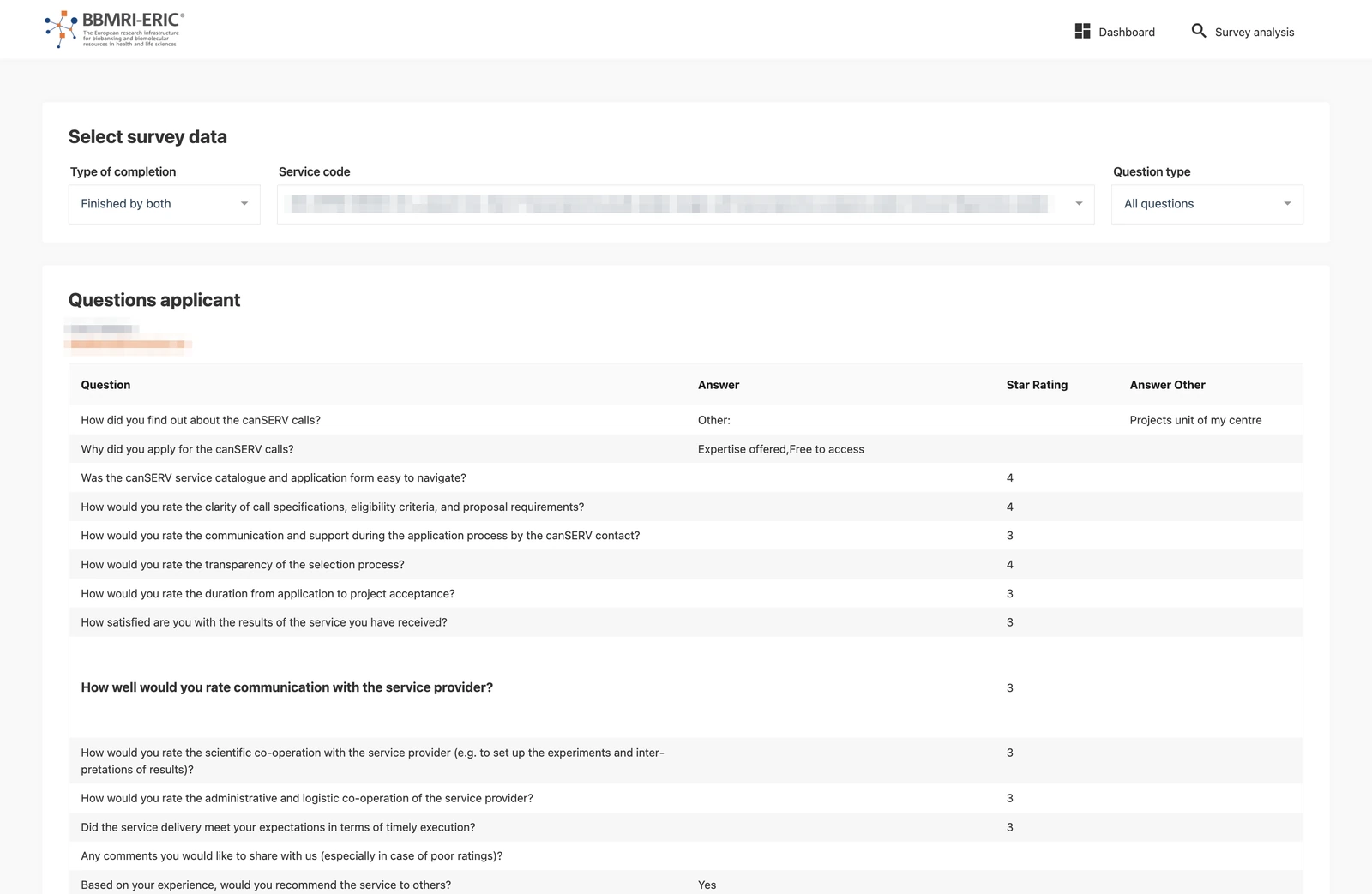
Quality dashboard for the QM team
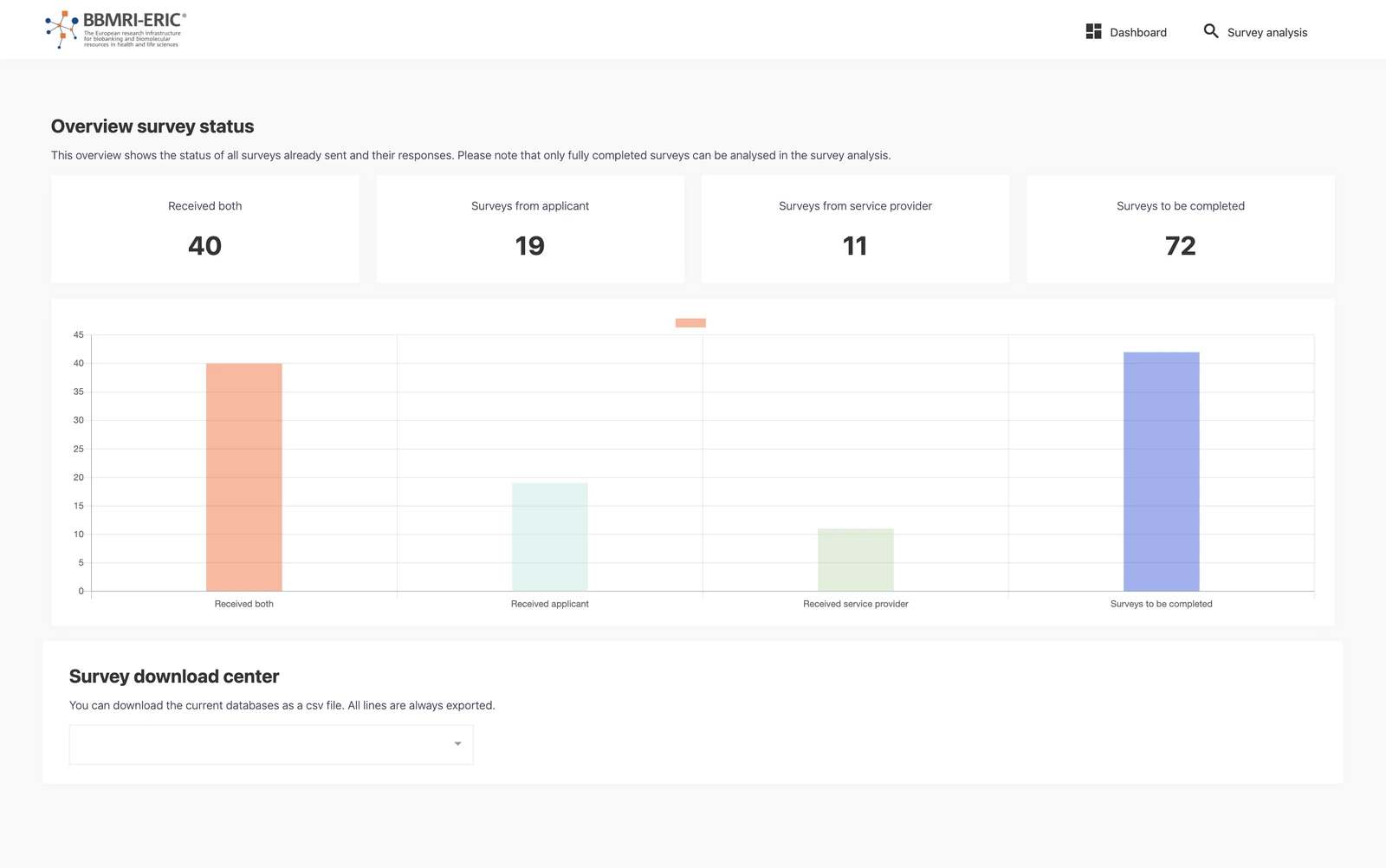
The third, also interactive workflow presents the processed data as a detailed dashboard. The BBMRI-ERIC quality team can see which service processes worked and where improvement is needed, and can thus ensure that users and service providers receive the highest possible quality in the future.
Experience
Fewer organizational steps in the feedback process.
interlocking workflows in use
perspectives per service: user & service provider
manual dispatch of feedback requests
Handle responses in a coordinated workflow
Frequently asked
What you should know about this case.
Who builds the workflows for canSERV?
BBMRI-ERIC and UNOY set up the workflow together. The quality team contributes the questions and criteria. BBMRI-ERIC then uses and maintains the workflows itself.
What data ends up on UNOY?
Only what is necessary for the feedback loop: the master data of completed canSERV services, contact details of user and service provider, email templates, and survey responses for later analysis. No biological sample data, no patient data. Scientific data and service results remain with the respective institutions.
What does the feedback loop look like in practice?
Three workflows: Workflow 1 automatically ingests completed canSERV services and sends the survey under the canSERV label to the user and the service provider. Workflow 2 uses a role-specific survey for each side to collect ratings of the other side and of the process, and stores the responses in a structured way. Workflow 3 presents the processed data as a dashboard for the QM team.
How is the data processed?
Contact and survey data are processed in EU data centers. Data processing, service providers used and transfers follow the agreed data protection terms.
What happens if BBMRI-ERIC later switches platform or provider?
The agreed scope defines which data, results and workflow definitions are provided in the event of a switch.
Can this be applied to other service portfolios or projects?
The pattern of collecting and analyzing feedback from both sides after a collaboration also occurs in other service organizations. Whether the steps set up suit another portfolio is assessed against its requirements.
Technical basis
What runs under the hood.
Workflow engine
Defines the three interlocking workflows (ingestion & dispatch, survey, analysis) as a versioned process.
Automated dispatch under the canSERV label
Completed services are ingested automatically, and the survey email goes to both sides under the canSERV label. BBMRI can adapt the templates itself.
Role-specific surveys
Users and service providers each receive a survey tailored to their role, covering the other side and the process.
Database & quality dashboard
Survey responses are stored in a structured way and prepared as a dashboard, analyzable by service and role for reporting and improvements.
Documentation
Append-only log of every ingested service, every sent survey, and every received response. Exportable for compliance.
EU data residency
Service master data, contact data and survey data are processed in EU data centers; transfers follow the agreed data protection terms.
AI governance
Approvals and documentation follow the agreed governance requirements.
Integration with existing systems
Import via Excel to ingest the existing service directory. Responses are stored in a structured way in the analysis database.
Other customers
More customer cases.

WKO Austria
UNOY Advisor: Make WKO expertise available to members as digital advisors.

FairPlane
Have air passenger claims handled. FairPlane looks after the customers, UNOY carries out the steps, Skribe takes on legal tasks. 100,000+ cases per year.

PwC Austria
Consultants turn their expertise into usable client workflows. Design and review stay with the experts.
Collect feedback. Keep an eye on the results.
We clarify how Workforce Basis supports your surveys and analysis and which adjustments we set up together.