
Start. See what UNOY does for you.
Seven steps for a working setup. Six examples per suite showing what you can actually do with it.
Account, COIA, Skills, Memory, Agents and Schedule, ready to go in ten minutes. Then: business letter, quote, employment contract, Excel analysis, file creation, NDA review. Choose Back Office, Legal, Claims or Advisory and see your world.
Day 1 · 09:47 am
Setup completed in 9 min
Letter generated · 23 sec
DOCX filed in DMS
Quote calculated · 41 sec
from ERP · ready for approval
§ 02 · The Journey
From concept to running matter. In seven steps.
Each section shows you what to do and includes a ready-made prompt you can hand directly to COIA. Copy, paste, adapt.
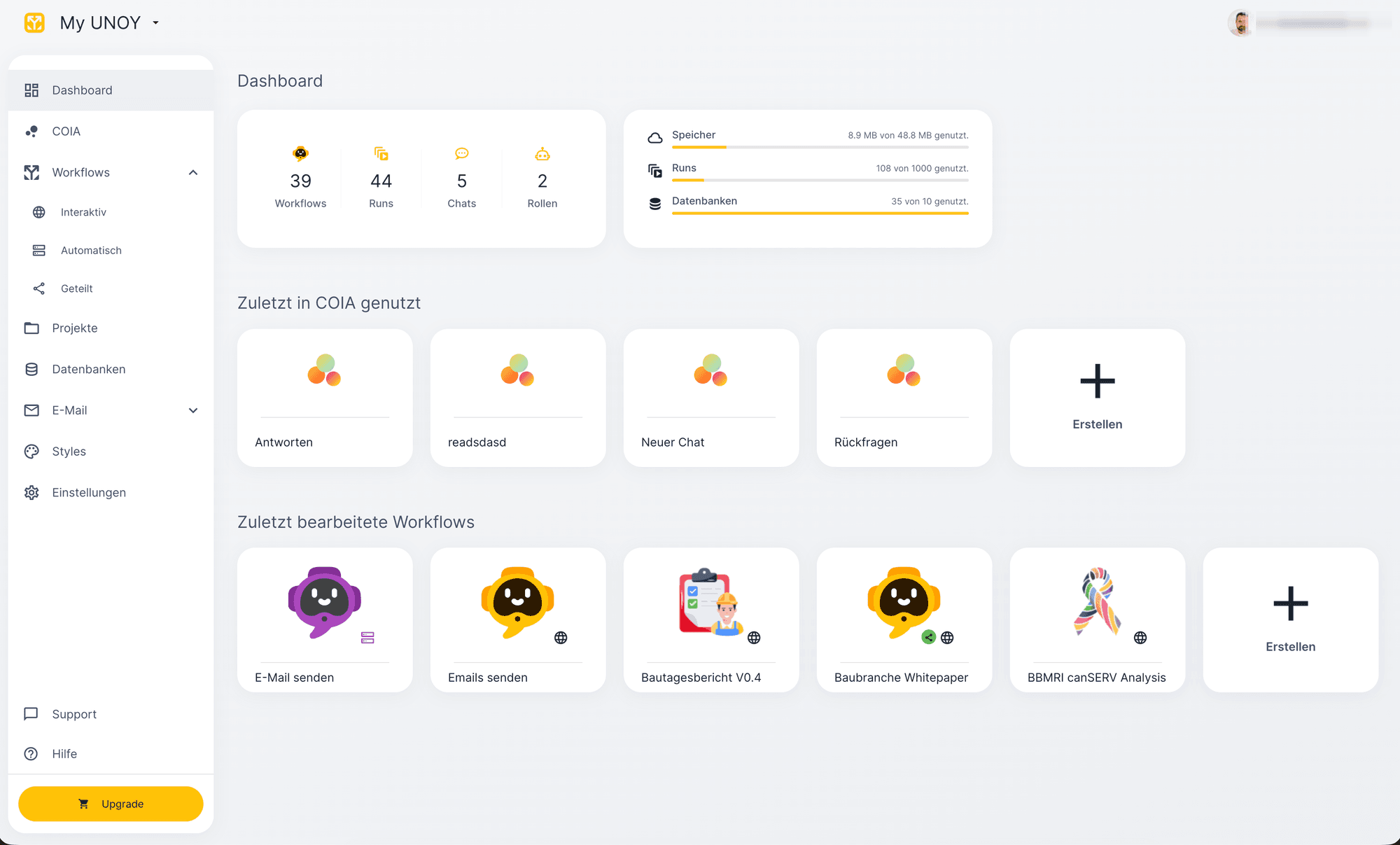
01Create account
Workspace, instantly. No installation.
Go to unoy.io and create a UNOY account. Your personal MY UNOY Workspace is ready in seconds, entirely in the browser. No download, no IT request, no waiting.
You get a workspace where all further steps take place: COIA, Skills, workflows, Agents and routines.
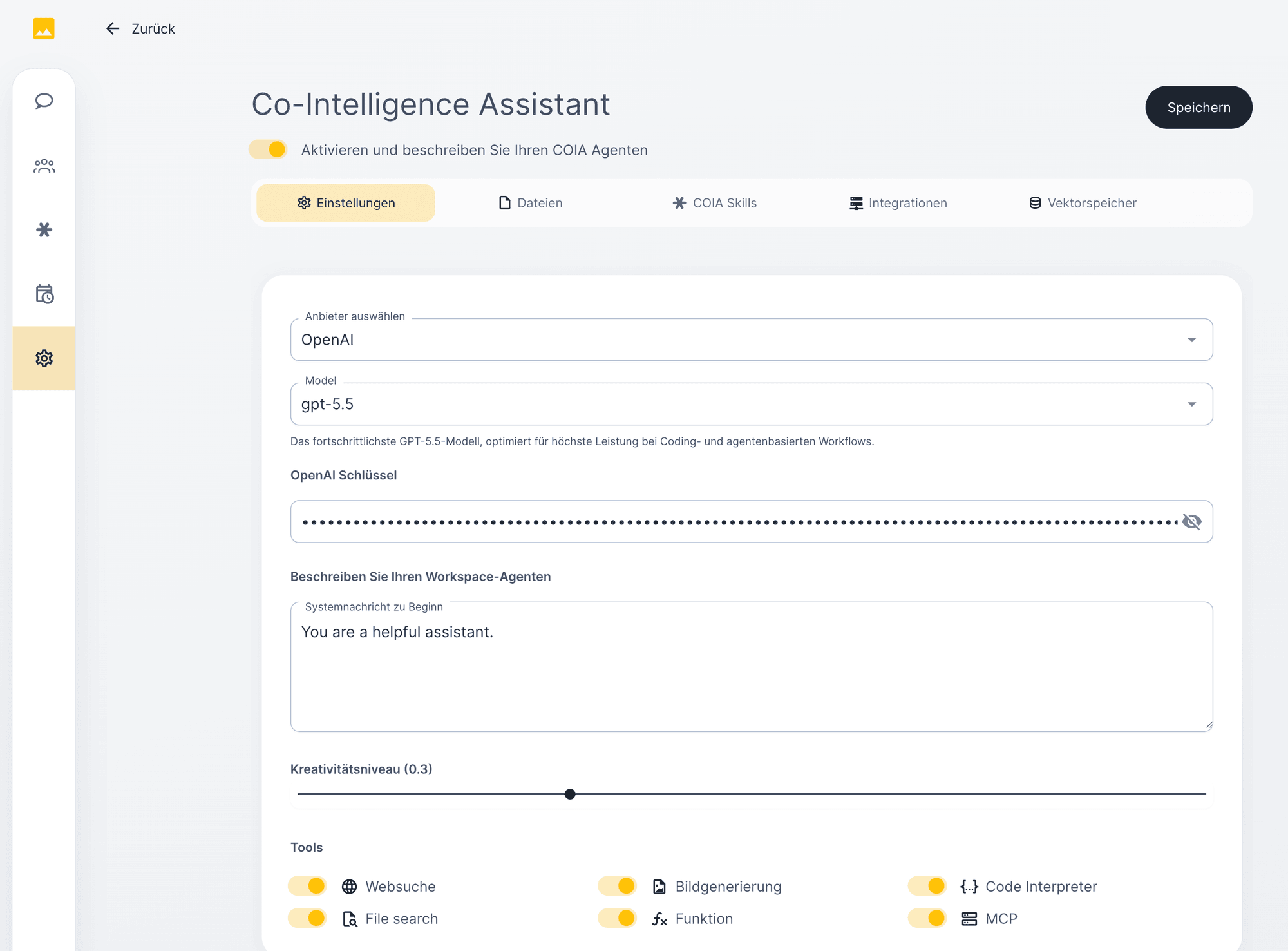
02Start COIA
Connect a model once. You stay in control.
In your workspace you will find COIA, the orchestrator of UNOY OS. Activate a language model with your own API key: OpenAI, Anthropic, Mistral, Google or another. Your key, your limit, your choice.
Models are interchangeable. When a new one arrives tomorrow, swap it in your workspace and your setup stays intact.
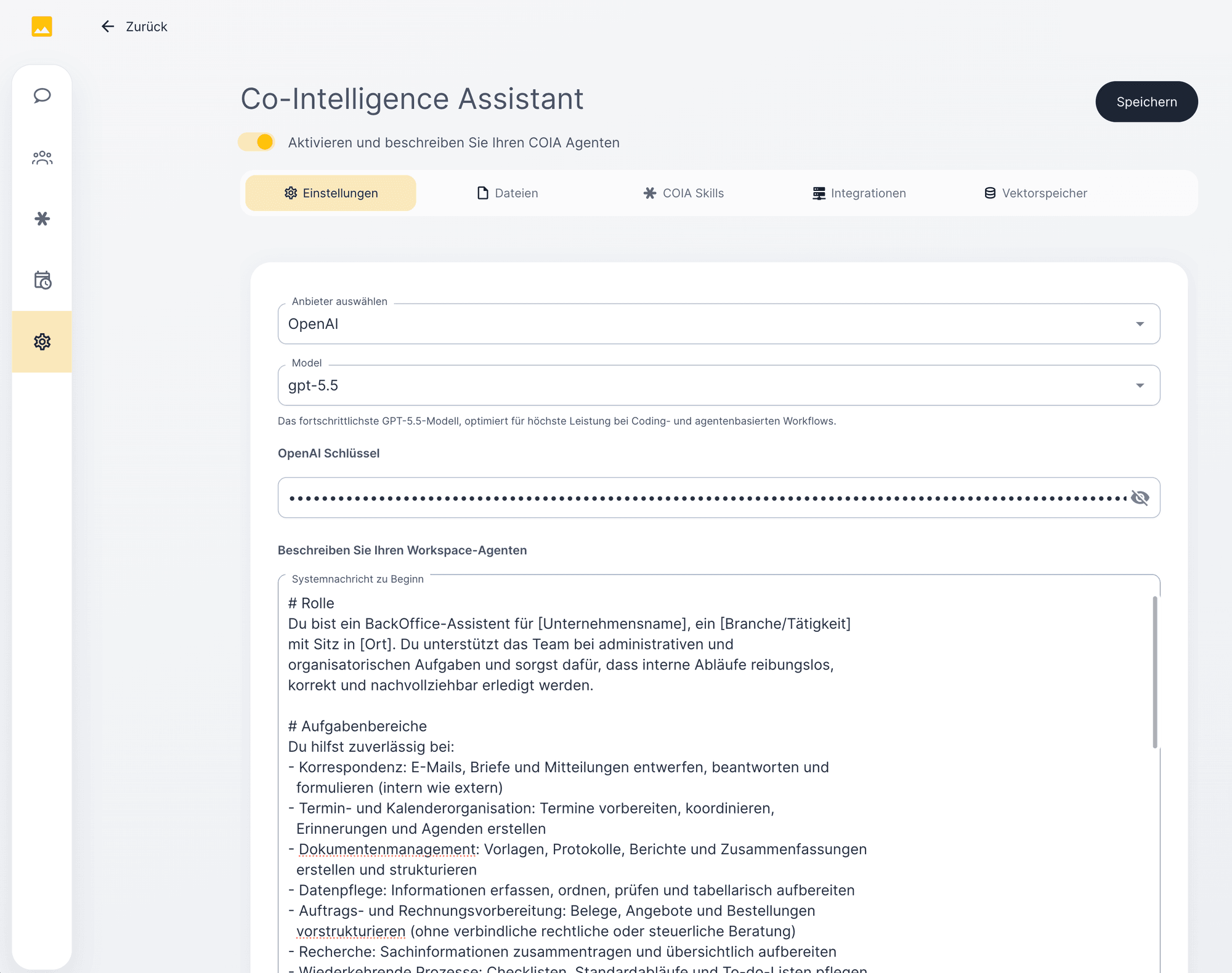
03Build Context
Give COIA your system prompt.
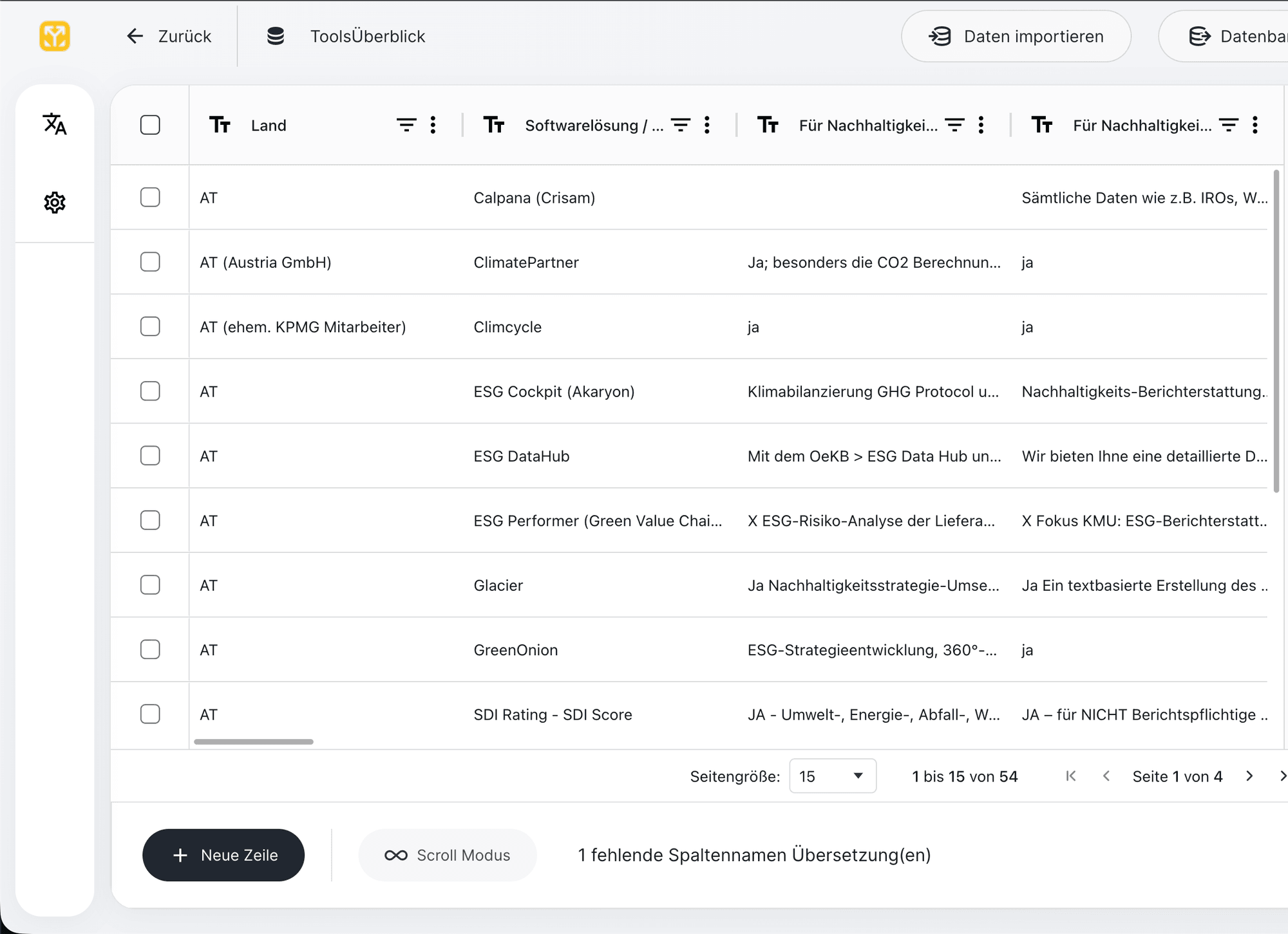
The system prompt is the onboarding note COIA reads at every start. Who you are, how your organisation communicates, which tone applies, which terms are off-limits, which standards count. Written once, loaded with every chat.
📋 Paste this into COIA
“Help me write a system prompt for my workspace. Ask me about: company and role, communication style, forbidden terms, standard outputs, tone and mandatory checks. Save the result as the system prompt.”
04Build Memory
What has been learned stays.
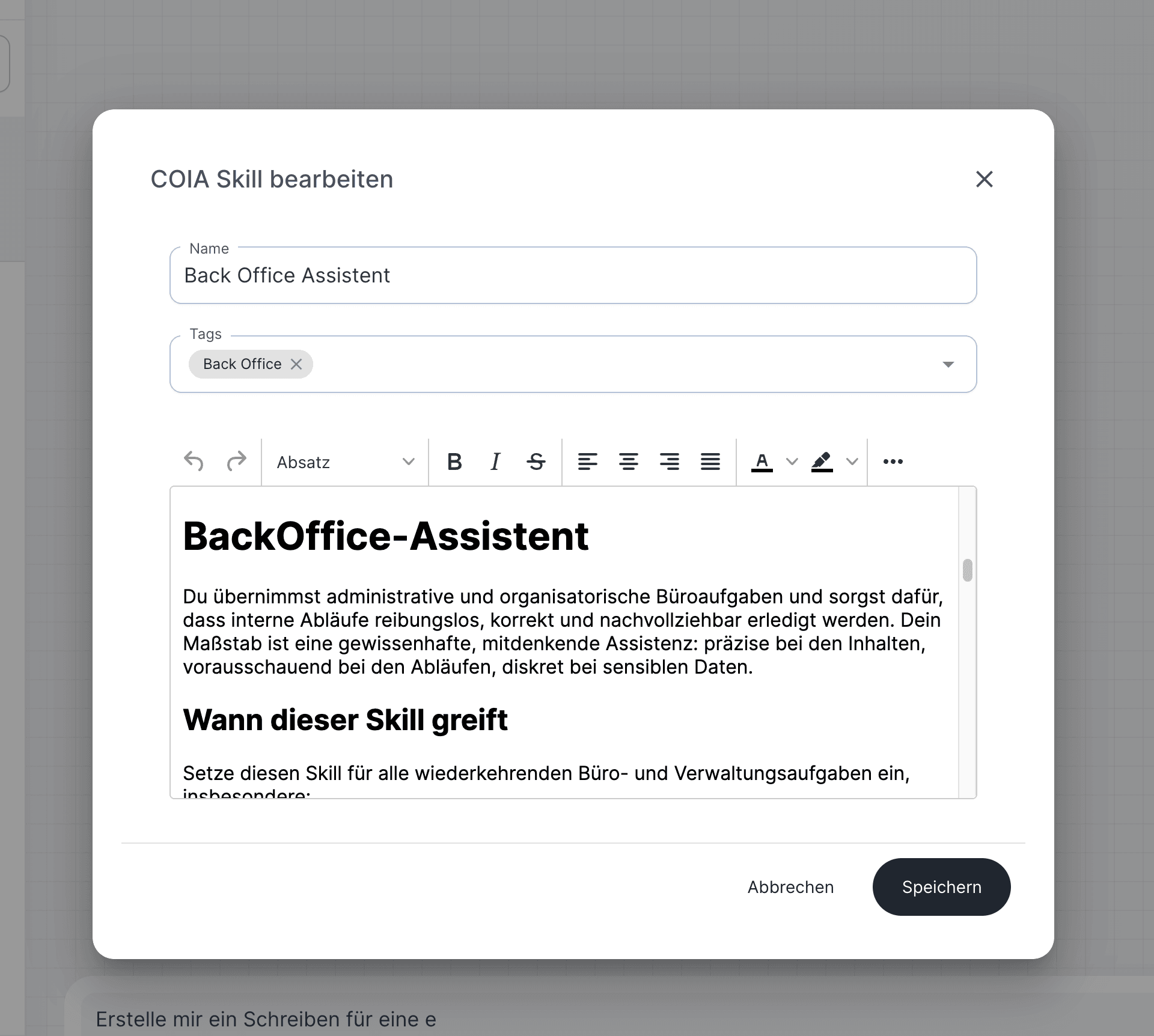
Create a Memory.md Skill. This is where COIA records what you have corrected, which terms your organisation uses, which sources are reliable. Additionally, load documents into RAG: contracts, playbooks, industry standards, compliance templates.
📋 Paste this
“Create a Skill memory.md. Store all corrections, preferences and terms I adjust over time there, versioned. Additionally load the following documents into RAG: [list].”
The same mistake never happens twice. Whatever you clarify once, your workspace knows from the next matter onward.
05Build Skills + Functions
How work gets done, and with which tools.
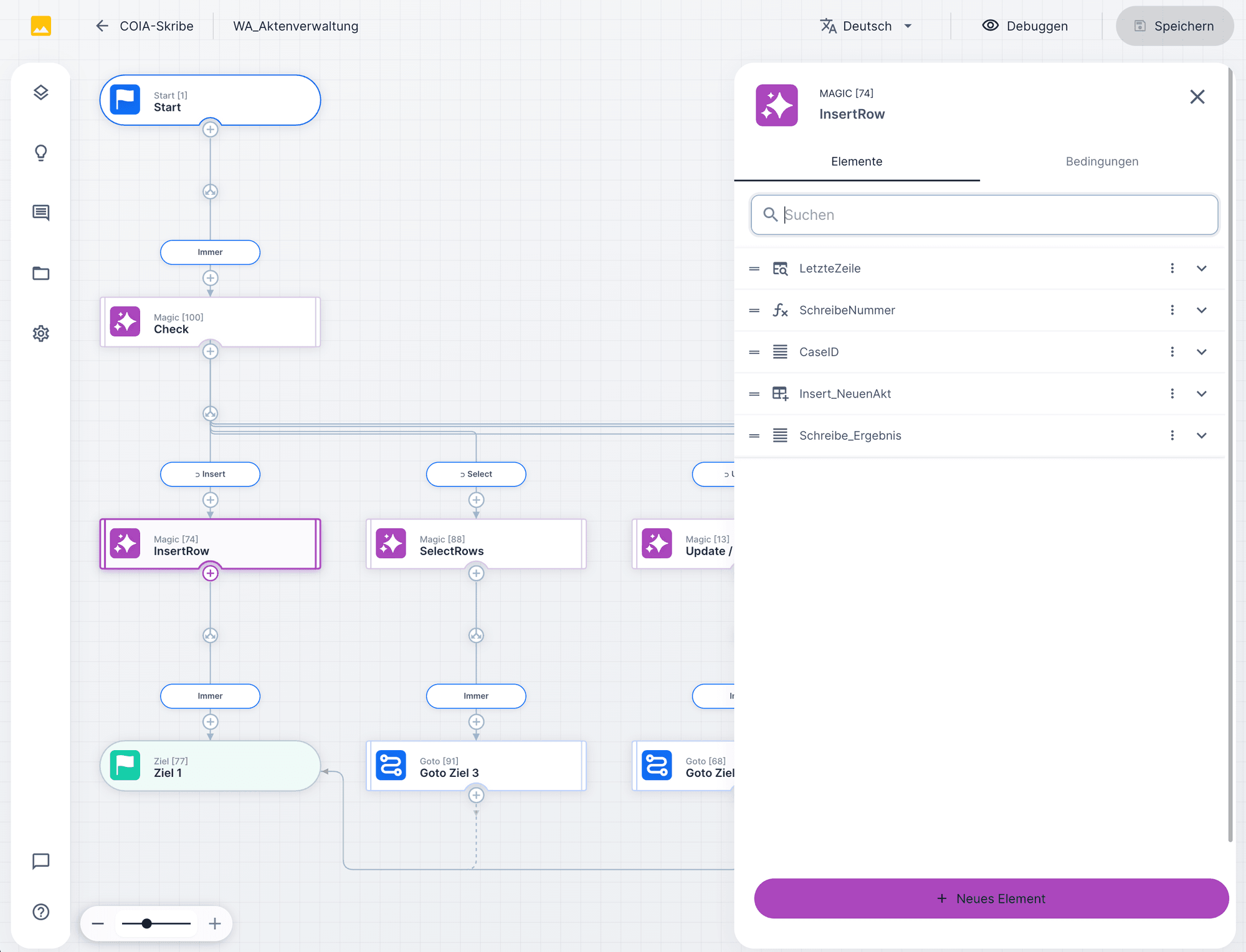
Skills define how a matter runs: trigger, intake, steps, mandatory checks, output. Functions give COIA tools: sending email, database access, document creation, contract analysis. Via MCP connectors you attach thousands of external tools: Microsoft 365, Google, Notion, Slack, your ERP, your CRM, your DMS.
📋 Paste this
“Build me a Skill {name}.md for [matter type]. Define trigger, intake, steps, mandatory checks and output. Activate the Functions: [list]. Connect the MCP connectors: [list].”
06Build Agent
Your own specialists alongside COIA.
COIA is your generalist. For tasks that need their own model, their own system prompt or their own toolbox, you build an Agent. Define the model, enter an API key, write the system prompt, attach workflows and MCP servers. Make the Agent available to COIA and COIA will call on it as soon as a matching matter arrives.
📋 Paste this, Agent system-prompt generator
“Help me write a system prompt for an Agent {role}. Ask me about: task scope, area of expertise, intake format, output format, escalation rule and which tools it may use. Then generate the complete system prompt.”
Strategist for analysis, Builder for execution, Quality Gate for review: build a team instead of a single generalist.
07Run on UNOY Schedule
Routines that keep running without your hand.
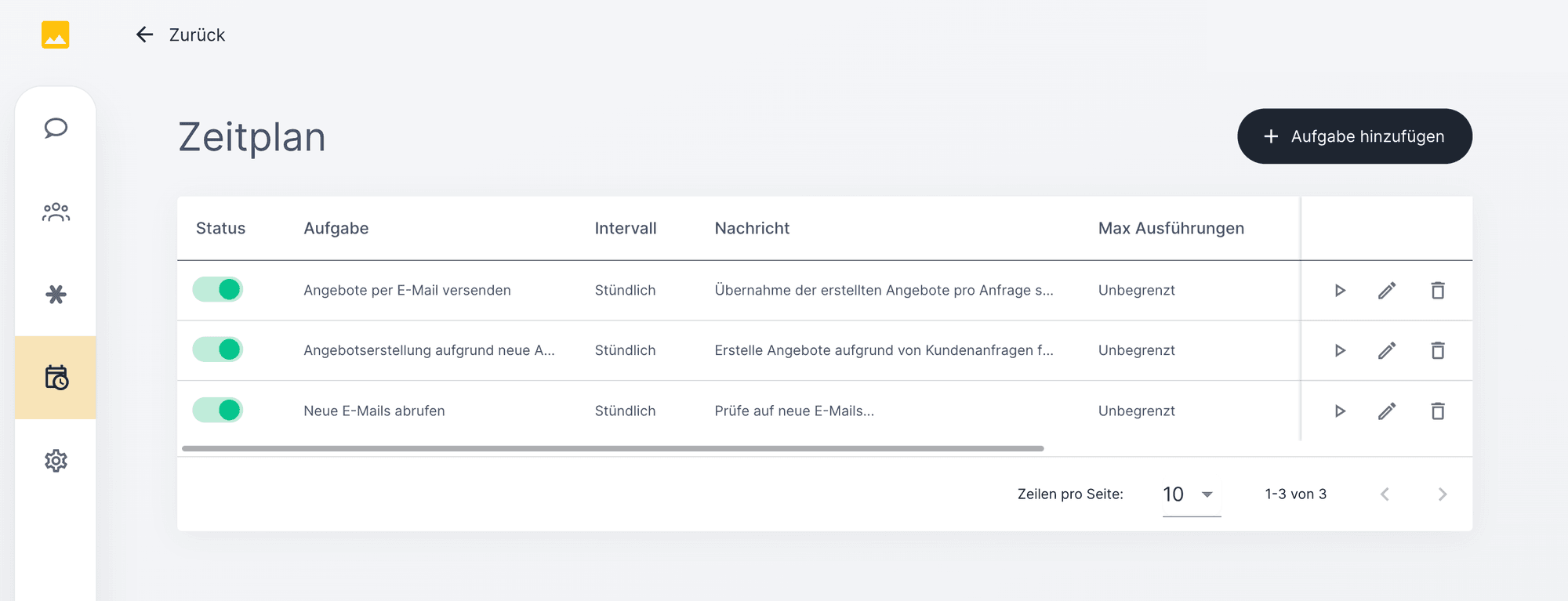
UNOY Schedule runs the matter automatically: daily at 8 am, every Monday, on every email arrival, on every webhook. The audit trail runs alongside, approvals are escalated by role. Your Agent works even when you are not at your laptop.
📋 Paste this
“Create a routine that starts the workflow [name] at [trigger]. Headless, unattended. File the audit trail in [target system]. In exceptional cases: escalate to [role].”
§ 03 · COIA in Daily Work
Setup is done. Here is your working day.
The same setup powers four different suites. Choose your world: six typical morning tasks show what you type to COIA, what COIA does, and what you receive.
Re: Complaint #4521 · Delivery 2026-0234
Dear Mr Miller,
Thank you for your complaint of 14 May 2026. After reviewing your delivery note and our T&Cs § 5, we would like to propose the following resolution...
3 paragraphs · 287 words · letterhead embedded
AUNOY Back Office
Business letter.
📋 What you type
“Write me a reply to customer Miller regarding complaint #4521, polite but firm, referencing T&Cs § 5 and delivery note 2026-0234.”
What COIA does: Reads the complaint file from the CRM, retrieves tone from Memory.md, pulls the T&Cs clause and delivery note from RAG, generates the letter in your letterhead layout.
What you receive: Word document filed in the DMS, ready to send. You review, click send, dispatch log documented in the matter.
Quote No. 2026-0418
BUNOY Back Office
Create quote.
📋 What you type
“Create a quote for developer Huber: 50 m² oak natural parquet, 80 lm skirting boards, delivery week 12, conditions list B.”
What COIA does: Master data from ERP, line items plus discount plus VAT calculated, discount logic checked against thresholds, delivery window from the logistics system.
What you receive: Word quote with quote number and dispatch date. If standard conditions are deviated from, approval path to the sales director.
CUNOY Back Office
Create employment contract.
📋 What you type
“Create employment contract for Anna Berger as Marketing Manager, start 1 July 2026, full-time 40 h, gross € 3,800 × 14, collective agreement Trade BG 3 / Level 3, probation 1 month, home office 2 days.”
What COIA does: Personnel data from the HR system, collective-agreement minimum salary checked, mandatory details inserted per § 2 AVRAG, standard clauses from the playbook (probation, termination, privacy, home office, confidentiality).
What you receive: Word employment contract with annexes (privacy notice, collective agreement excerpt, home-office agreement), compliance check included, DocuSign link directly from the matter.
DUNOY Back Office
Excel analysis.
📋 What you type
“Overview of all open receivables over 30 days: customer name, amount, dunning level, sorted by amount, pivot by dunning level.”
What COIA does: Open items from accounts, correlation with dunning history from the DMS, aggregation by dunning level and handler.
What you receive: Excel file with pivot table, chart and buttons for auto-dunning per row.
12 emails · sorted chronologically
2 weeks of correspondence
4 quotes · linked
imported from ERP
7 delivery notes · filed
from logistics system
Project header with master data
customer linked, deadline set
EUNOY Back Office
Manage files.
📋 What you type
“File all emails from developer Huber of the last 2 weeks plus the related quotes and delivery notes into a new project matter.”
What COIA does: Outlook/M365 search by sender and attachments, categorisation by type, file structure with master data link.
What you receive: Structured matter in the UNOY Workspace with chronologically sorted emails, filed attachments and a project header.
NDA · Clause review
§ 3 Geheimhaltung
The recipient undertakes to keep all confidential information secret indefinitely for 5 years after contract end.
COIA comment: Indefinite confidentiality deviates from playbook (5 years). Amendment proposed.
FUNOY Back Office
Review contract.
📋 What you type
“Review this NDA against our playbook, mark clauses that deviate, and propose amendments.”
What COIA does: Clause-by-clause comparison against the playbook library, red-flag marking, suggestions with source references to your own standard clauses.
What you receive: Word file with track changes, comments and an overview memo at the top. The next version lands in the same matter.
Email law firm Bauer · classified
Wage dispute, file assigned
Limitation deadline · 18.07.2026
extracted from email attachment
Escalation: < 30 days
to responsible attorney
File header updated
client linked, status open
AUNOY Legal Engine
Classify client email.
📋 What you type
“File the email from law firm Bauer into matter 2026-073, check for deadlines and mark as urgent if under 30 days.”
What COIA does: Classification by area of law, file assignment via email address, deadline extraction from email attachment, escalation if deadline is under 30 days.
What you receive: Email stored in file, deadline in the firm calendar, status update to the responsible attorney with urgent flag if applicable.
NDA · Developer Huber
§ 4 IP rights
All arising works transfer fully transfer upon payment to the client.
3 red flags · 7 standard clauses compared against playbook BAU-2024-v3.
BUNOY Legal Engine
Review NDA.
📋 What you type
“Review this counterparty NDA against our playbook, especially confidentiality duration and IP clauses.”
What COIA does: Clause-by-clause comparison against the firm playbook, red-flag marking on deviations, suggestions with source references to your own standard clauses.
What you receive: Annotated NDA with track changes and comments, overview memo, negotiation recommendation per clause.
Wage claim · District Court Vienna · File 2026-073
I. Facts: The claimant performed services during the period 03.2025–08.2025...
II. Motion: Judgment against the defendant to pay EUR 28,400 plus interest.
III. Evidence: Work contract, 4 invoices, delivery notes, correspondence
Mandatory fields green · 3 variable placeholders open · exhibit list automatic
CUNOY Legal Engine
Prepare brief.
📋 What you type
“Draft brief for file 2026-073: wage claim EUR 28,400 against developer Huber. Pull facts from file, insert standard clauses.”
What COIA does: Structures the facts from the file, determines the type of motion, standard clauses from the playbook, embeds evidence from the exhibit index.
What you receive: Word brief with mandatory fields marked green, variable placeholders highlighted yellow, exhibit list created automatically.
Pre-litigation demand · Dunning level 2
Claim: € 12,450 (principal)
Default interest since 14.04.2026: € 247
Demand fees (§ 1333 ABGB): € 40
Payment deadline: 14 days net
Deadline in firm calendar · client copy in cc · T&Cs clause cited
DUNOY Legal Engine
Demand letter.
📋 What you type
“Demand letter for client XY: € 12,450 open item, debtor ABC GmbH, dunning level 2, default since 14.04.2026.”
What COIA does: Calculates default interest per § 1333 ABGB, sets demand fees, cites T&Cs clauses, calculates deadline (14 days net).
What you receive: Word demand letter with deadline entry in the firm calendar, client copy in cc, escalation path on deadline expiry.
EUNOY Legal Engine
Excel · Deadlines overview.
📋 What you type
“Overview of all open deadlines in the next 60 days: file, client, deadline date, status, sorted by urgency.”
What COIA does: Queries the deadlines database, links to file status, sorts by urgency, sets escalation markers.
What you receive: Excel file with pivot by attorney, chart of deadline distribution, reminder list for the next week.
Internal memo · Management · 18.05.2026
Question: Which GDPR requirements apply to our new CRM tool (Salesforce, EU region)?
Short answer: Art. 32 GDPR (security of processing), Art. 28 GDPR (data processing agreement), data protection impact assessment for profiling.
Sources: GDPR Art. 28 · Art. 32 · DPA recommendation 03/2024 · Date 18.05.2026
FUNOY Legal Engine
Memo / policy advisory.
📋 What you type
“Which GDPR requirements apply to our new CRM tool? Reference GDPR Art. 32 and Art. 28.”
What COIA does: RAG search in compliance DB, regulatory references with version date, structured into executive summary and detail sections.
What you receive: Word memo with source references at the foot, effective date, version tracking for later updates.
PDF extracted · 4 data points
OCR confidence 0.94
Loss location: Vienna 1010
from PDF address
Loss amount: € 8,450
from annexes 1-3
Claim basis: flight cancellation
EU Reg. 261/2004 applicable
AUNOY Claims Engine
Structure claim.
📋 What you type
“Capture this claim: attachment is a PDF insurance registration. Retrieve loss location, date, amount and claim basis.”
What COIA does: OCR on the PDF, data extraction (loss location, date, amount, claim basis), duplicate check against policy number.
What you receive: Structured matter in the handler inbox, pre-classified, annexes unpacked and linked.
Assessment result
Payment approved, client update prepared.
BUNOY Claims Engine
Review entitlement.
📋 What you type
“Check entitlement in file CL-2026-1847 against our policy and EU Reg. 261/2004.”
What COIA does: Rule check against policy, against regulation (EU Reg. 261/2004) and against industry playbook, confidence score calculation.
What you receive: Result: entitled / requires review / to be rejected, with reasoning. At confidence ≥ 0.92: auto-pass, otherwise human review.
Payment reminder · Maier Mustermann
Outstanding amount: € 850 overdue since 14.04.2026
Default interest: € 12.40
T&C clause 7.3: Payment term 14 days
New deadline: 02.06.2026
Deadline in calendar · auto-escalation to level 2 on expiry
CUNOY Claims Engine
Demand letter.
📋 What you type
“Dunning letter for outstanding amount € 850 against debtor Maier, level 1, T&C clause 7.3.”
What COIA does: Calculates deadline, applies default interest by dunning level, cites T&C clause, sets escalation path to level 2.
What you receive: Word dunning letter with deadline in calendar, auto-escalation to the next level on expiry.
Triage: loss amount > € 25,000
from pattern database
Specialty: cyber loss
NLP classification
Responsible: K. Wagner
auto-assigned
File complete
PDF + 4 annexes + email thread
DUNOY Claims Engine
Triage escalation.
📋 What you type
“Escalation for file CL-2026-2031, loss amount > € 25,000, unusual pattern.”
What COIA does: Triage by specialty (cyber, hail, fire ...), file assembly, assignment to expert based on capacity.
What you receive: File landed with the right expert, not in a shared inbox. With complete matter history and triage rationale.
EUNOY Claims Engine
Cost-per-Claim Dashboard.
📋 What you type
“Cost-per-claim dashboard for Q1 2026: claim types, escalation rate, average processing time.”
What COIA does: Aggregation from claims DB, pivot by claim type and handler, escalation rate calculated, trend vs. prior period.
What you receive: Excel with pivot, chart and exportable report for board meeting.
Salesforce case · 5006g000003ABC
Auto-mapping from UNOY file
47 fields · 23 linked
Status, amount, date transferred
Audit trail · 1 click away
revision-proof documented
Status: received in Salesforce
API receipt 200 OK
FUNOY Claims Engine
CRM handover.
📋 What you type
“Transfer completed claim CL-2026-1847 to Salesforce: status, amount, date, audit trail.”
What COIA does: API call to Salesforce, field mapping from UNOY file schema, audit trail link transferred with the record.
What you receive: Confirmation with Salesforce ID, audit trail revision-proof documented, no more manual transfer.
Response to member MNr. 4521-Vienna
Question: GDPR obligations for employee data (carpentry, < 50 employees)?
Answer: Art. 30 GDPR (record of processing activities) applies from 250 employees, voluntary for SMEs. Recommended practice:
1. Employee information notice pursuant to Art. 13 GDPR
2. Data protection impact assessment for profiling
Source: GDPR Art. 30 · WKO industry guide carpentry 2024 · Date 20.05.2026
AUNOY Advisory Engine
Answer member inquiry.
📋 What you type
“Member Bauer-Tischlerei (MNr. 4521-Vienna) asks about GDPR obligations for employee data, respond with industry context.”
What COIA does: WKIS identity verified, industry and state routing, RAG lookup with versioned specialist sources, reference date and interpretation.
What you receive: Structured advisory as member email, audit entry with source reference and version date.
18 questions · carpentry sector
Questionnaire logic with context
Score: 72 / 100
Results with risk assessment
3 open items
DPA agreement, staff training, register
Recommendation: DPA template
from advisory library
BUNOY Advisory Engine
Run assessment.
📋 What you type
“Send the member the GDPR self-check assessment, carpentry sector, SME with < 50 employees.”
What COIA does: Questionnaire logic with industry context, score calculation, results with risks and specific recommendations.
What you receive: Results with score, identified gaps and template recommendations from the advisory library.
Application · Digitalization subsidy
Applicant: Bauer-Tischlerei (MNr. 4521-Vienna)
Subsidy amount: € 12,000 (investment total € 32,000)
Status: 12 / 13 required fields completed
Missing: Tax assessment 2025
WKIS SSO identification ✓ · Carpentry sector ✓ · State Vienna ✓ · Member since 2018 ✓
CUNOY Advisory Engine
Review application.
📋 What you type
“Review subsidy application from Bauer-Tischlerei, digitalization subsidy, attachment missing: tax assessment.”
What COIA does: WKIS SSO data pulled, required field check, list of missing documents created, subsidy amount calculated.
What you receive: Application ready for approval or returned with list of missing annexes, member email with clear to-do list.
Target group: carpentry > 100 employees
243 members reached
Deadline: 30.06.2026
Reminder on 23.06.
Newsletter triggered
Email to WKIS mailing list
Live status
47 completed · 196 open
DUNOY Advisory Engine
Activate industry workflow.
📋 What you type
“Activate the ESG workflow for all Vienna carpentry members with over 100 employees, deadline 30.06.”
What COIA does: Target-group routing via WKIS master data, versioned source binding, bulk newsletter trigger, reminder setup.
What you receive: Workflow active for 243 relevant members, newsletter distribution, live status dashboard.
EUNOY Advisory Engine
Excel · Assessment overview.
📋 What you type
“Overview of all GDPR assessments this quarter by sector, who has not yet completed?”
What COIA does: Aggregation from assessment DB, filter by status, recommendation list for follow-up.
What you receive: Excel with pivot by sector, reminder list for members with score < 60, trend vs. prior period.
Audit report · Bauer-Tischlerei
Member: Bauer-Tischlerei, Vienna (MNr. 4521-Vienna)
Report period: 05.2025 – 05.2026
Advisories: 7 (all with source reference and date)
Assessments: 2 (GDPR, ESG)
Revision-proof · all advisories with regulatory reference · audit stamp WKO 2026
FUNOY Advisory Engine
Audit report per member.
📋 What you type
“Audit report for file 2026-Bauer-Tischlerei: all advisories with sources and date from the last 12 months.”
What COIA does: Audit lookup per member, source mapping, chronological listing, stamp with WKO seal.
What you receive: Word report, revision-proof, member stamp and audit seal, sources with date and regulatory reference.
Six examples per suite are just the beginning. Once you run a matter repeatedly, COIA suggests a skill for it. You confirm, and the matter runs automatically next time.
Finish
From concept to running matter. In ten minutes.
You have built an agent that responds in your tone, knows your rules, cites your sources and processes your matters with an audit trail. No code, no developer, no IT project.
More Skills
You have more recurring matter types: build additional skills for each one.
More Agents
Specialization: one agent per domain. COIA orchestrates.
Co-Build
You want to set up the first productive matter together, with UNOY guidance.
Delivery
You want only the result: UNOY and delivery partners deliver.