
Start with a task.
Handle one less recurring task by hand. With Workforce Basis, your team uses prepared skills for everyday work. You enter the assignment and the necessary details. The workforce carries out the work steps. Your team reviews the result and continues using it.
Describe the task. Review the result. Keep working.
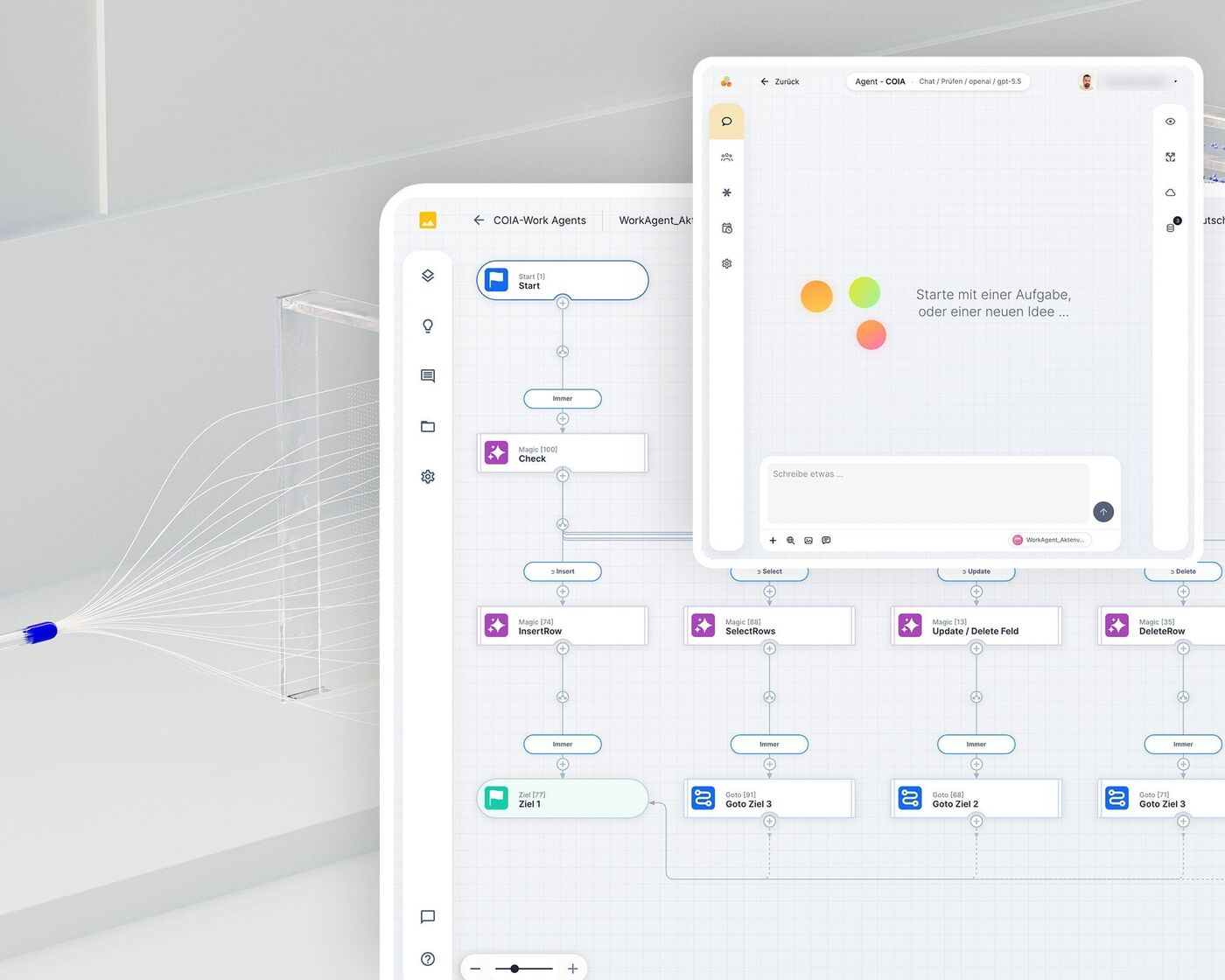
Example · First task
From task to draft
Letter created · for review
Word draft ready for review
Quote calculated · for approval
Check details and prices
Your starting point
Complete one task first. Then expand in a targeted way.
Start with a draft reply to a customer request. Look at the prepared example. With UNOY access, you run the assignment yourself. You add your instructions and review the draft. After that, you can use the skill for further requests.
01Start
Choose a prepared skill.
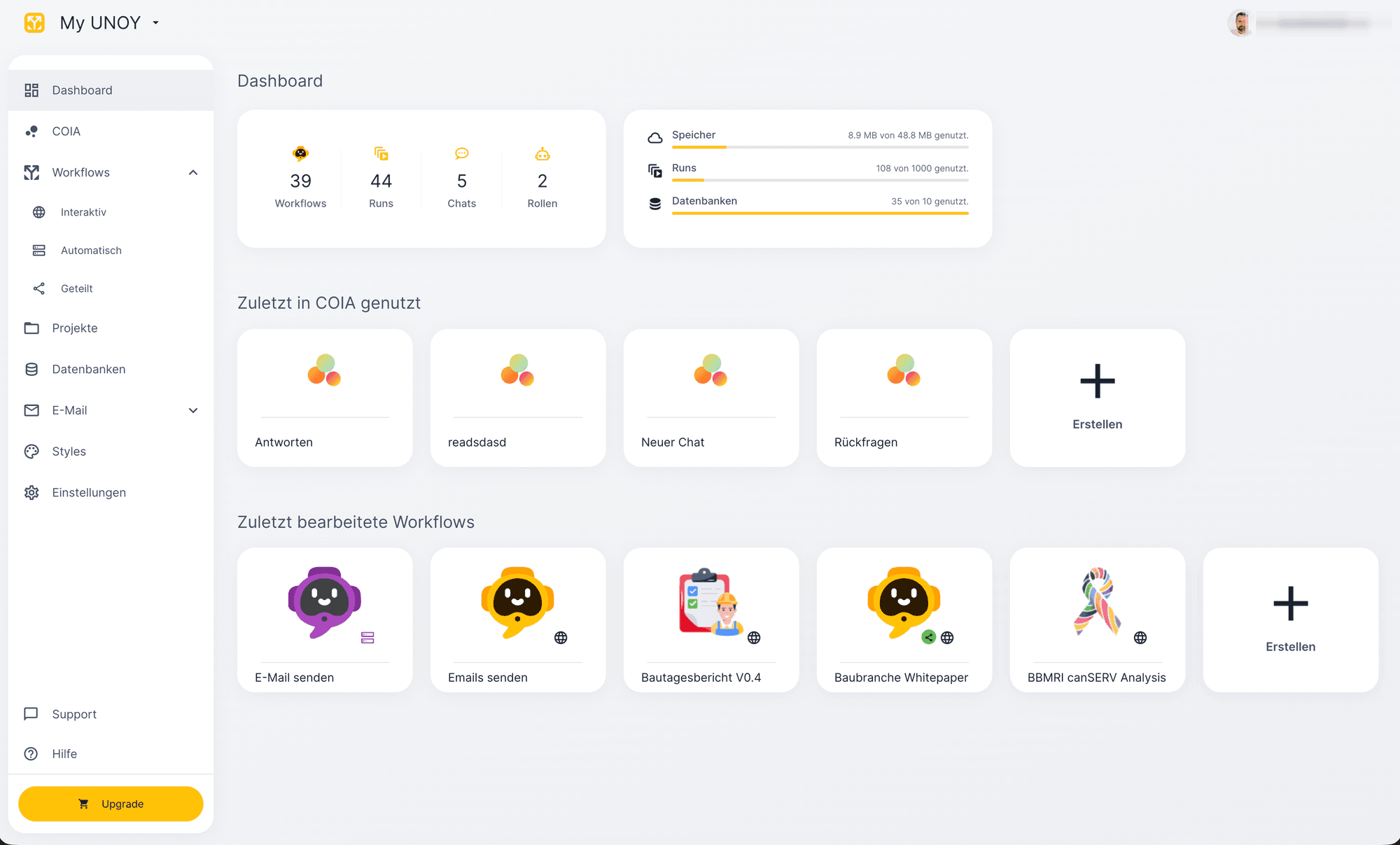
With UNOY access, you open COIA and enter your assignment. A draft reply is a good first try. Without access, you can view the prepared result and discuss the starting point with us.
Your quote states access and available skills. Special processes and integrations are set up separately.
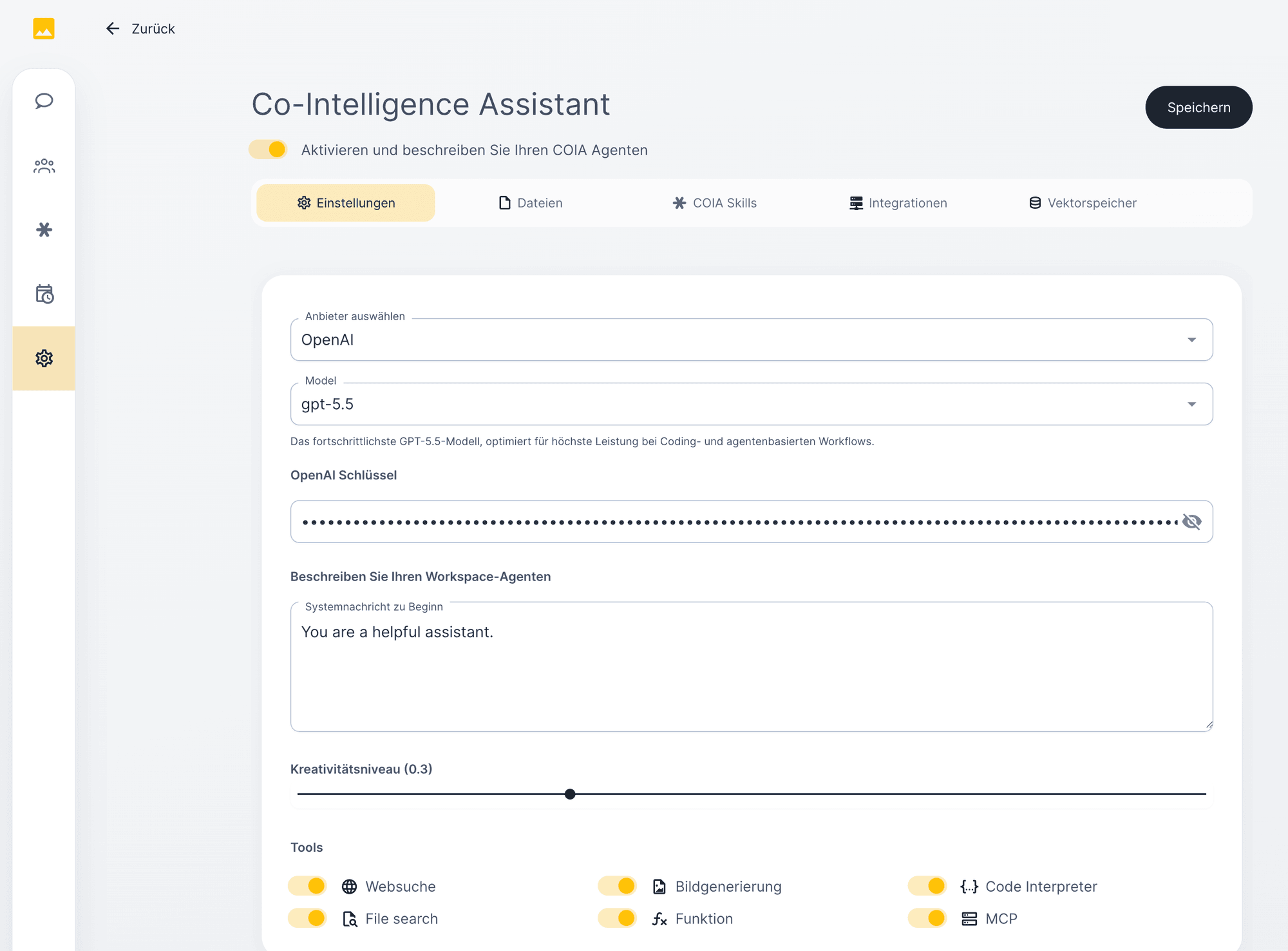
02COIA
Describe the assignment.
Tell COIA what needs to be done and what result you need. COIA guides you through the task and asks for missing details.
COIA is your point of contact in the UNOY workspace.
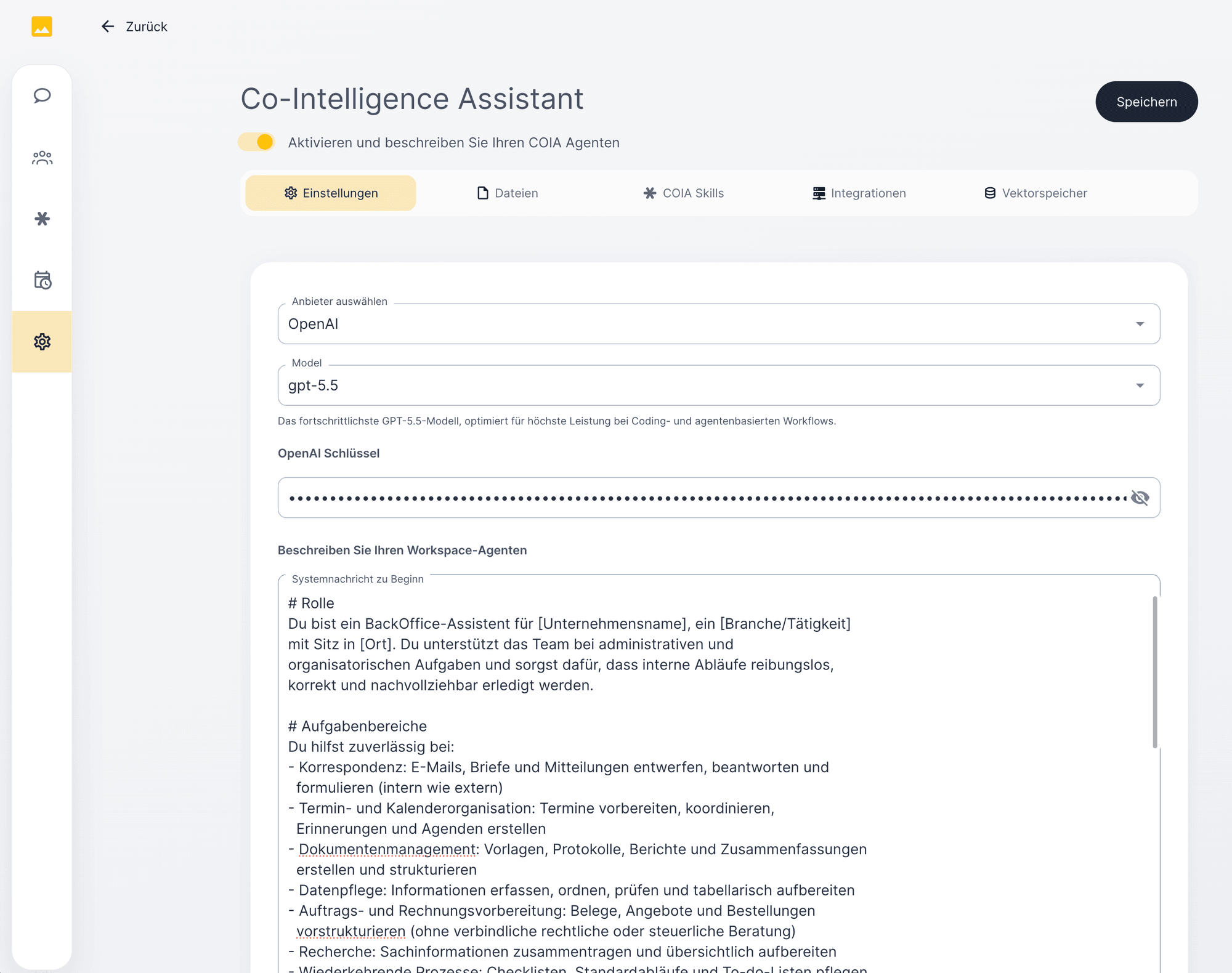
03Context
Add the necessary details.
Add the recipient, purpose and key instructions. Use prepared details if they fit your task.
📋 Work assignment
“Create a draft reply to this customer request. Confirm receipt. Don’t promise a delivery date before my team has checked it.”
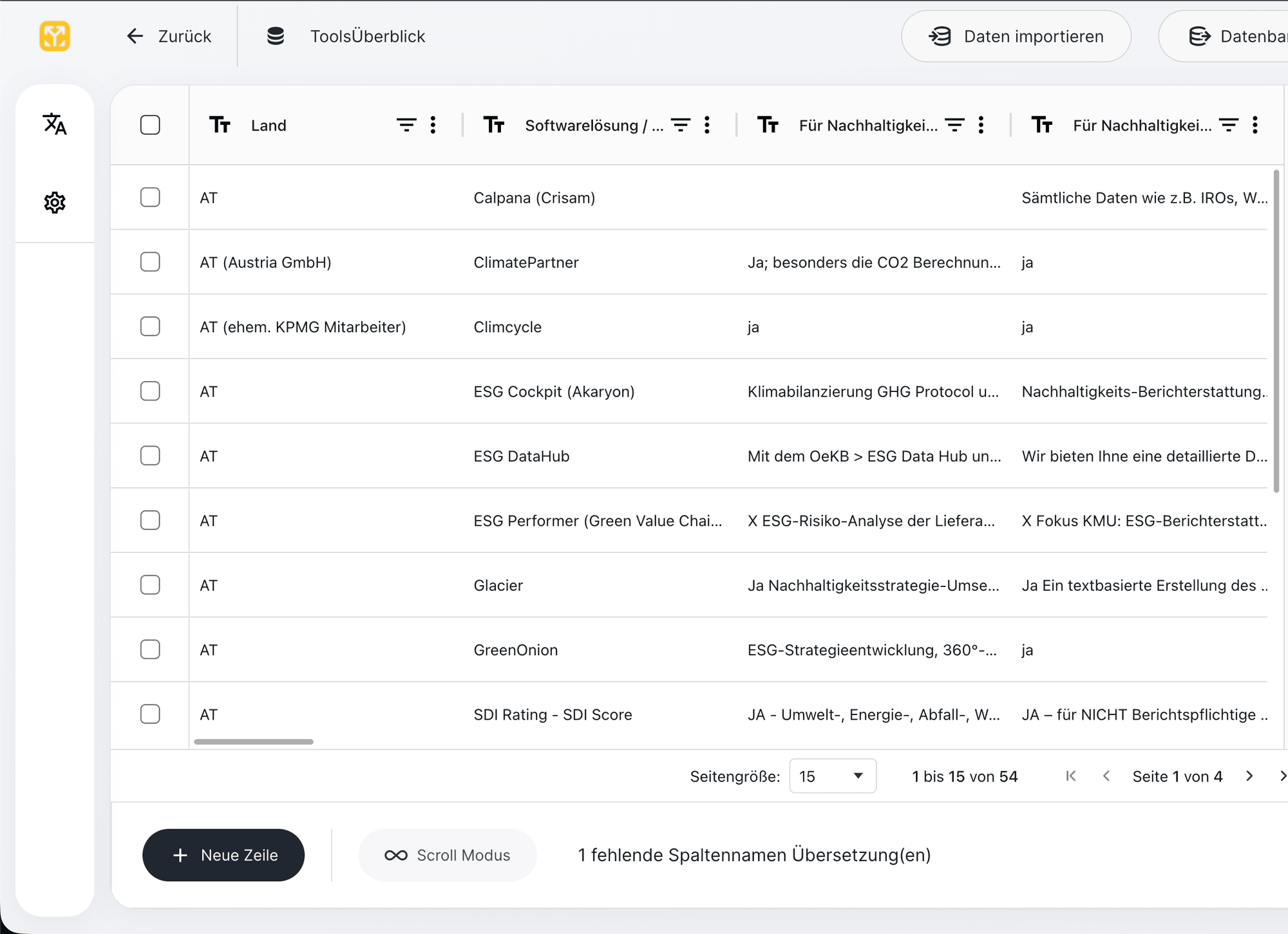
04Knowledge
Provide the right documents.
Provide the sources and templates you need. If the task uses data from a connected system, the access rights set up for it apply.
📋 Work assignment
“Use these approved documents. Show me missing details and the sources your draft is based on.”
You decide which documents may be used for this task.
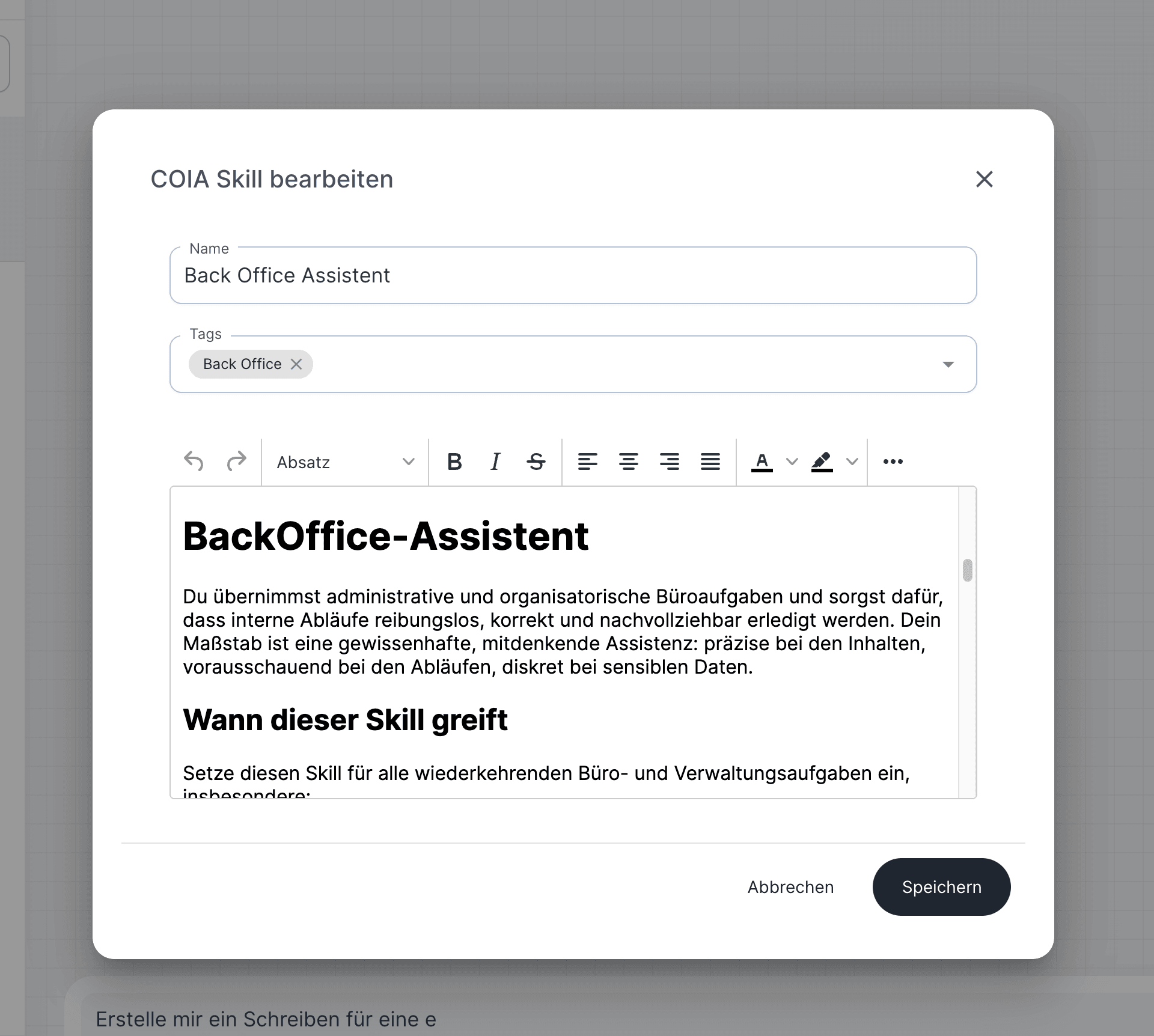
05Review
Review the result and approve it.
Check content, details and sources. Add to or correct the draft. Sending and further actions follow the approvals defined for your process.
📋 Work assignment
“Show me the result and all open points. Prepare the next step and ask for my approval if it is required.”
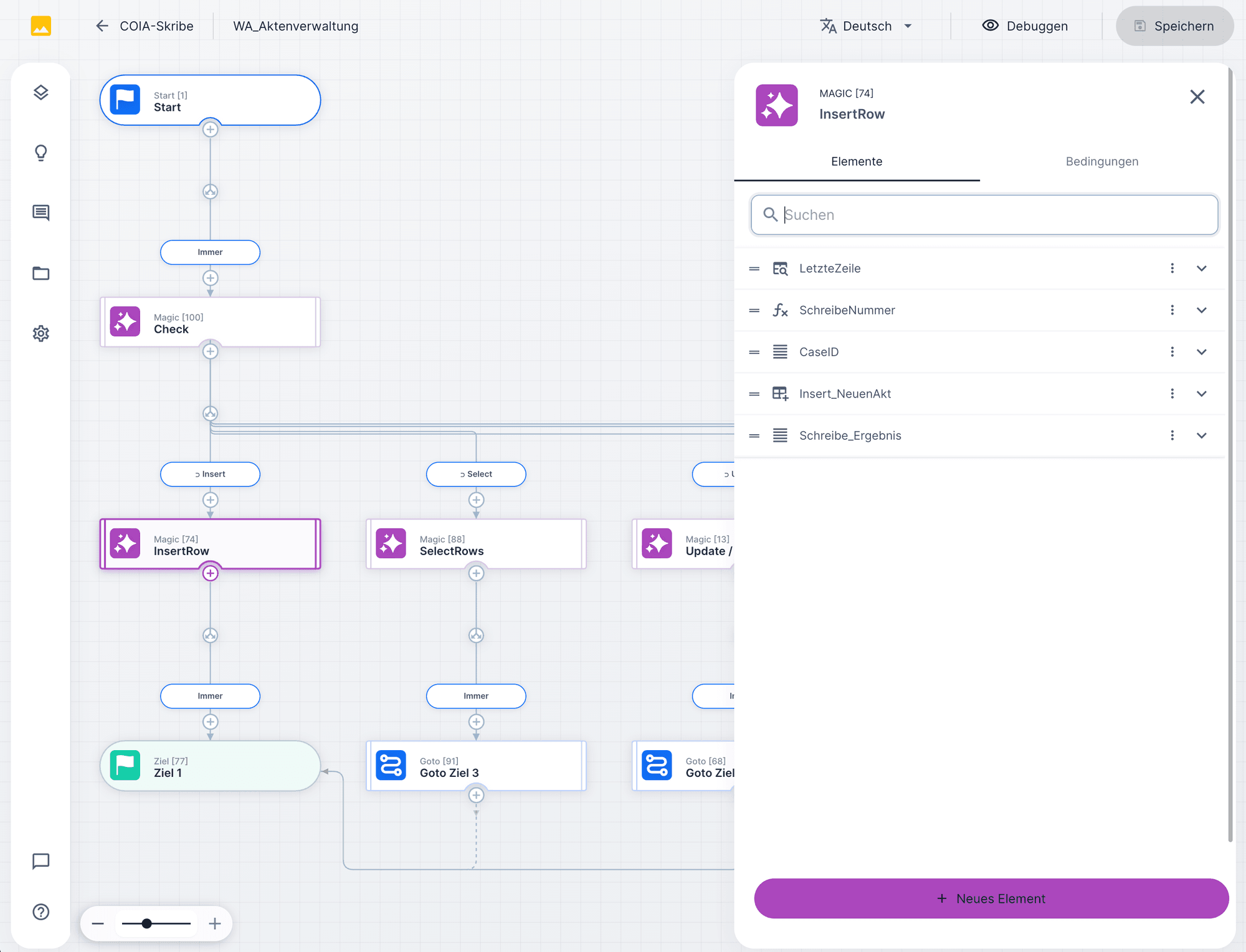
06Adapt
Adapt the process as needed.
Describe what should work differently in the future. AI supports you in adapting existing skills. Test the change with suitable examples before you use it.
📋 Work assignment
“Suggest how this skill can take our rule into account going forward. Show the changes and suitable test cases before we adopt them.”
For special processes and integrations, use the joint setup with UNOY.
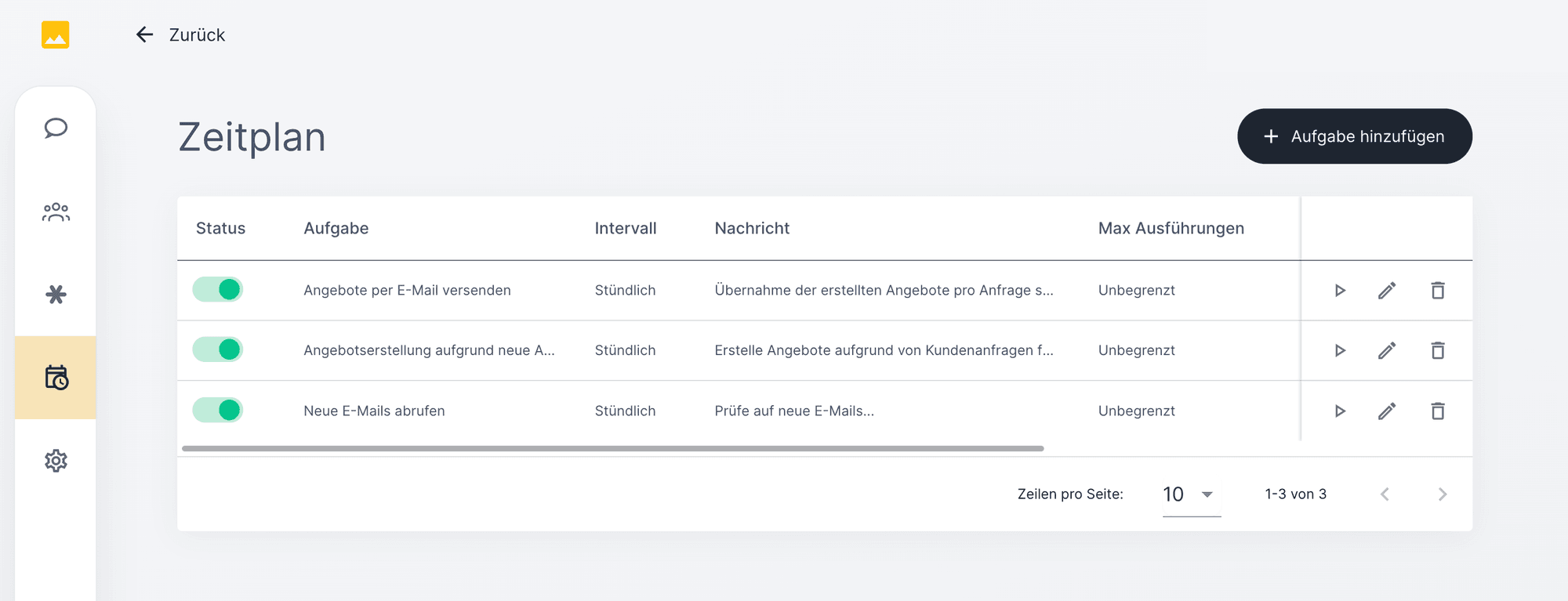
07Routine
Repeat proven work.
Once a process has proven itself, you can use it again. Before any automatic run, define triggers, access rights and necessary approvals.
📋 Work assignment
“Prepare this reviewed process for repeated use. Show triggers, permitted steps and cases in which my team has to decide.”
Example tasks
Choose a task. Understand the result.
The examples show possible applications with fictitious data. Which skills and integrations you can use depends on your quote. Your team reviews drafts and grants the required approvals. You develop advisors for members or customers with UNOY Advisor.
Re: Complaint #4521 · Delivery 2026-0234
Dear Mr. Müller,
Thank you for your complaint. We are reviewing the details and the delivery note. We will then get back to you with a proposal for how to proceed.
Sample draft · Check content before sending
AOffice work
Business letter.
📋 What you type
“Draft a reply to this complaint. Use the attached delivery note and our approved instructions. Flag open questions.”
→ What COIA takes on: Analyze the provided request and documents. Create a draft reply based on your template and flag missing details.
✓ Your result: A draft reply for review. You complete it and approve sending according to the defined rules.
Quote no. 2026-0418
BOffice work
Create a quote.
📋 What you type
“Prepare a quote for Huber: 50 m² of parquet and 80 linear meters of baseboards. Use this price list. Flag delivery date and terms for review.”
→ What COIA takes on: Combine details and prices from the available sources. Prepare the calculation and flag deviations from your instructions.
✓ Your result: A draft quote with line items, amounts and open points. Your team checks prices, availability and terms before approval.
COffice work
Prepare an employment contract.
📋 What you type
“Prepare a draft employment contract based on our approved template and this personnel data. Flag missing details and points for legal review.”
→ What COIA takes on: Transfer the provided personnel data into your template and mark missing details.
✓ Your result: A draft contract for expert and legal review. Your team decides on content, approval and signature.
DOffice work
Excel analysis.
📋 What you type
“From this list, create an overview of open receivables older than 30 days. Show customer, amount and processing status. Sort by amount.”
→ What COIA takes on: Sort and summarize the available data according to your criteria and flag missing details.
✓ Your result: An overview with amounts and processing status. You check the data and decide which receivables to pursue further.
12 emails · sorted chronologically
2 weeks of correspondence
4 quotes · linked
From provided documents
7 delivery notes · filed
From provided documents
Case with master data
Customer assigned · check details
EOffice work
Organize documents.
📋 What you type
“Put all emails from Huber Developers from the last 2 weeks, plus the related quotes and delivery notes, into a new project case.”
→ What COIA takes on: Organize messages and files that are provided or reachable through approved integrations and assign them to the case.
✓ Your result: An organized case with messages, documents and master data. Your team checks the assignment and adds missing documents.
NDA · Clause review
§ 3 Confidentiality
The recipient undertakes to keep all confidential information secret indefinitely for 5 years after the end of the contract.
COIA comment: Indefinite confidentiality deviates from the playbook (5 years). Adjustment proposed.
FOffice work
Review a contract.
📋 What you type
“Compare this confidentiality agreement with our approved review guidelines. Flag deviations and suggest wording for review.”
→ What COIA takes on: Compare clauses with the guidelines you provided. Present deviations with reference to the source used.
✓ Your result: An overview with comments and suggested changes. Your team evaluates the suggestions and decides on the next version.
Request to the legal department · assigned
Contractor fee dispute, file assigned
Possible deadline · expert review needed
Date found in attachment
Review note: deadline in less than 30 days
to the responsible expert
File header updated
Case assigned · review pending
ALegal work
Assign a request to the legal department.
📋 What you type
“Assign this email to the file. Flag possible deadlines and submit them to the responsible person for confirmation.”
→ What COIA takes on: Classify the message, suggest a suitable case and flag indications of appointments or deadlines.
✓ Your result: An assigned message with review notes. The responsible experts confirm deadlines and further steps.
NDA · Huber Developers
§ 4 IP rights
All resulting works pass in full works pass upon payment to the client.
3 red flags · 7 standard clauses checked against playbook BAU-2024-v3.
BLegal work
Review an NDA.
📋 What you type
“Compare this confidentiality agreement with our guidelines on term and rights. Show deviations and open questions.”
→ What COIA takes on: Compare the clauses with your approved review guidelines and present the differences with source references.
✓ Your result: Commented deviations and wording suggestions. The expert assessment and approval stay with your team.
Draft brief · sample data
I. Facts: The plaintiff performed contract work in the period 03.2025–08.2025...
II. Motion: Order the defendant to pay EUR 28.400,– plus ancillary claims.
III. Evidence: Work contract, 4 invoices, delivery notes, correspondence
Draft · open details flagged · check exhibits
CLegal work
Prepare a brief.
📋 What you type
“Prepare a draft brief from these documents based on our template. Flag unverified details, missing evidence and open motions.”
→ What COIA takes on: Organize the facts provided, transfer details into your template and assign the available evidence.
✓ Your result: A draft brief with open points and a list of exhibits. Legal review by an attorney, approval and filing remain separate steps.
Out-of-court reminder · reminder level 2
Claim: € 12.450 (principal claim)
Interest: expert review of calculation needed
Further costs: check basis
Payment deadline: set after approval
Sample draft · check claim, costs and deadline
DLegal work
Demand letter.
📋 What you type
“Prepare a demand letter from these documents. Show the principal claim, interest and further costs separately. Flag missing grounds for review.”
→ What COIA takes on: Combine the available details on the claim. Prepare a letter based on your approved instructions and flag open calculation bases.
✓ Your result: A demand letter for expert review. Your team confirms amounts and deadlines and decides on sending and further steps.
ELegal work
Excel · Deadline overview.
📋 What you type
“Overview of all open deadlines in the next 60 days: case, business partner, deadline date, status, sorted by urgency.”
→ What COIA takes on: Combine the available deadline data with the processing status and sort it by date.
✓ Your result: A deadline overview with open details. The responsible people check completeness and priority.
Internal memo · Management · 18.05.2026
Question: Which GDPR requirements apply to our new CRM tool (Salesforce, EU region)?
Review points: Data categories, purpose, access and services used. The legal assessment is still pending.
Sources: approved documents · document the review status
FLegal work
Memo / policy information.
📋 What you type
“Prepare an overview of our data protection requirements for this system. Use the sources provided and flag open legal questions.”
→ What COIA takes on: Search the approved sources and compile relevant statements with source references.
✓ Your result: A draft memo with review points and sources. The responsible experts assess applicability and completeness.
PDF extracted · 4 data points
Data extraction · check result
Place of loss: Vienna 1010
from PDF address
Amount of loss: € 8.450
from attachments 1-3
Type of loss: taken from documents
Expert review of basis needed
ADamages and claims
Structure a claim.
📋 What you type
“Record this claim: the attachment is a PDF insurance notification. Extract place of loss, date, amount and basis of claim.”
→ What COIA takes on: Extract details from the provided documents, assign them to the case and flag missing evidence.
✓ Your result: A structured case with data and linked evidence. Your team checks the details before further processing.
Review result
→ Memo with evidence prepared for expert approval.
BDamages and claims
Prepare a review.
📋 What you type
“Prepare the review of this file according to our approved rule set. Compile facts, evidence and open points.”
→ What COIA does: Check details against sources, name missing documents, prepare the next review step.
✓ What you get: A decision memo with evidence and the required expert approvals.
Payment reminder · Maier Mustermann
Claim: € 850 outstanding since 14.04.2026
Interest: check basis and amount
Payment terms: check against documents
New deadline: set after approval
Sample draft · next step after approval
CDamages and claims
Payment reminder.
📋 What you type
“Draft a payment reminder for this outstanding claim. Use our template and flag details that must be confirmed before sending.”
→ What COIA takes on: Combine claim data and available proof of payment. Prepare a reminder based on your instructions.
✓ Your result: A draft with open review points. Your team decides on sending, deadline and further processing.
Triage: amount of loss > € 25.000
According to your defined rule
Area: cyber loss
Area suggested
Responsible: K. Wagner
Responsibility per your instructions
File complete
PDF + 4 attachments + email thread
DDamages and claims
Forward a special case.
📋 What you type
“Compile this file for expert review. Show the reason for forwarding and the contact person responsible under our rules.”
→ What COIA takes on: Recognize the special case according to your rules and compile the available documents and open questions.
✓ Your result: A decision memo for the responsible person, with processing status and reason for forwarding.
EDamages and claims
Analyze handling effort.
📋 What you type
“Analyze this case data by case type, handling time and forwarding. Show data gaps and the basis of the metrics.”
→ What COIA takes on: Organize the available processing data and calculate metrics according to your instructions.
✓ Your result: An analysis with a traceable data basis. Your team checks the metrics and draws the appropriate conclusions.
Specialist system · sample handover
Mapping via agreed interface
Check fields and mandatory details
Transfer status, amount, date
Processing documented
Evidence linked in the case
Status: handover confirmed
Response from the connected system
FDamages and claims
CRM handover.
📋 What you type
“Prepare the handover of this closed case to the connected specialist system. Show data, mandatory fields and required approvals.”
→ What COIA takes on: Map the agreed data and hand it over through a configured interface. Responses from the target system are recorded.
✓ Your result: A documented handover status. If details are missing or the transfer fails, your team can work on the open points.
Reply to member no. 4521-Wien
Question: GDPR obligations for employee data (timber construction, < 50 employees)?
Reply template: Obligations compiled with sources.
Open: expert review of applicability of Art. 30 GDPR
Next step: approval by the specialist department
Sources: approved expert documents · document status and use
AAdvisor
Answer a member request.
📋 What you type
“Prepare a reply to this member request based on the approved sources. Show open questions and required reviews.”
→ What COIA takes on: Check the request against the approved sources and the member’s details. Prepare a reply template with open points.
✓ Your result: A reply template for expert review. For an advisor that members use themselves, you develop UNOY Advisor together with us.
18 questions · timber industry
Questionnaire logic with context
Sample evaluation · check answers
Evaluation according to defined criteria
3 open points
DPA, staff training, records
Recommendation: DPA template
from the advisor library
BAdvisor
Run an assessment.
📋 What you type
“Prepare the approved self-check for this member. Show missing details and the next step for expert review.”
→ What COIA takes on: Evaluate the details according to the questions and criteria defined in the advisor. Missing answers and open points are shown.
✓ Your result: An evaluation according to your rule set, with next steps. Criteria and expert statements are reviewed together when the advisor is built.
Application · Digitalization funding
Applicant: Bauer-Tischlerei (member no. 4521-Wien)
Amount requested: € 12.000 · example
Status: 12 / 13 mandatory fields completed
Missing: Tax assessment 2025
Check identity and details according to the defined process
CAdvisor
Review an application.
📋 What you type
“Review the funding application from Bauer-Tischlerei, digitalization funding, attachment missing: tax assessment.”
→ What COIA takes on: Compare the available details with the defined requirements and list missing documents.
✓ Your result: A review memo with open points. The responsible office decides on follow-up questions and the application.
Target group: timber construction > 100 employees
243 records · sample data
Deadline: 30.06.2026
Reminder on 23.06.
Sending prepared for approval
Recipients per your instructions
Live status
47 completed · 196 open
DAdvisor
Provide an advisor for a target group.
📋 What you type
“Prepare this approved advisor for the defined target group. Show recipients, content and reminders before publication.”
→ What COIA takes on: Compile the target group according to your instructions and prepare the rollout of the advisor.
✓ Your result: A prepared process for the selected target group. Publication, sending and reminders follow the defined approvals.
EAdvisor
Excel · Assessment overview.
📋 What you type
“Overview of all GDPR assessments this quarter by industry: who hasn’t completed theirs yet?”
→ What COIA takes on: Summarize the available answers and processing status according to your criteria.
✓ Your result: An overview of completed and open self-checks. Your team decides on follow-up questions and reminders.
Processing report · sample data
Member: Bauer-Tischlerei, Vienna (member no. 4521-Wien)
Reporting period: 05.2025 – 05.2026
Information requests: 7 (all with source reference and date)
Assessments: 2 (GDPR, ESG)
Sources, results and processing status documented
FAdvisor
Create a processing report.
📋 What you type
“For this member, create an overview of the requests handled, sources used and decisions documented in the selected period.”
→ What COIA takes on: Combine the available cases, sources and decisions into one overview.
✓ Your result: A draft report with sources and period. Your team checks completeness and usability.
If a task works well, use the process again. You prepare changes with AI and test them on suitable examples. For special processes and integrations, you can use the joint setup with UNOY.
Your next step
One task. One result for your team.
First, get to know a prepared result. With UNOY access, you run the assignment yourself. Without access, we clarify your task and the included skills. We develop special processes and integrations together.
More tasks
Use the available skills for further suitable tasks.
Your own rules
Adapt processes with AI and test the changes before use.
Done together
Develop and review an advisor or a customized workforce with UNOY.
Done for you
Have cases handled up to the agreed completion with Claim Workforce.