Active rulebook
01 · Context
Like the handbook of your company.
COIA knows tone, compliance, escalation, and skills. Loaded before every task.
You know the AI chat. UNOY OS is the level beyond: chat as the interface, and behind it a system that completes tasks instead of just giving answers. Work in, result out, knowledge is retained.
This page shows COIA, the orchestrator of UNOY OS. You see the setup, the pipeline, and the memory architecture behind it.
Task #4811
Status: in delivery
Collect · Create · Review
Pipeline running rule-based
Ready for sign-off
One click, delivered
§ 03 · Setup
Rules, knowledge, tasks. The clearer the three building blocks, the better. Not everything needs to be in place on day one.
01 · Company rules
Active rules · 14
Your company rules.
Tone, compliance, pricing rules, escalation, approvals — everything that applies to your organization.
02 · Knowledge
RAG sources · 47
Templates, contracts, master data, price lists, order history
Your company knowledge.
Templates, product catalogs, contracts, order history — UNOY OS weaves it into every result.
03 · Task channels
Intake routes active
Your tasks.
Chat, email, form, or API. UNOY OS identifies what comes in and routes it to the right workflow.
01
Inbox
COIA has an inbox. Tasks arrive from email, Teams, forms, or via APIs from other systems. New tasks are identified, classified, and assigned to the appropriate workflow. You can also submit tasks manually directly in the chat.
COIA chat
COIA is not an ordinary chatbot. In the chat you submit tasks, ask questions, start workflows, and view interim results. COIA knows your rules, your knowledge, and your templates — and works with them.
Inbox & Scheduler
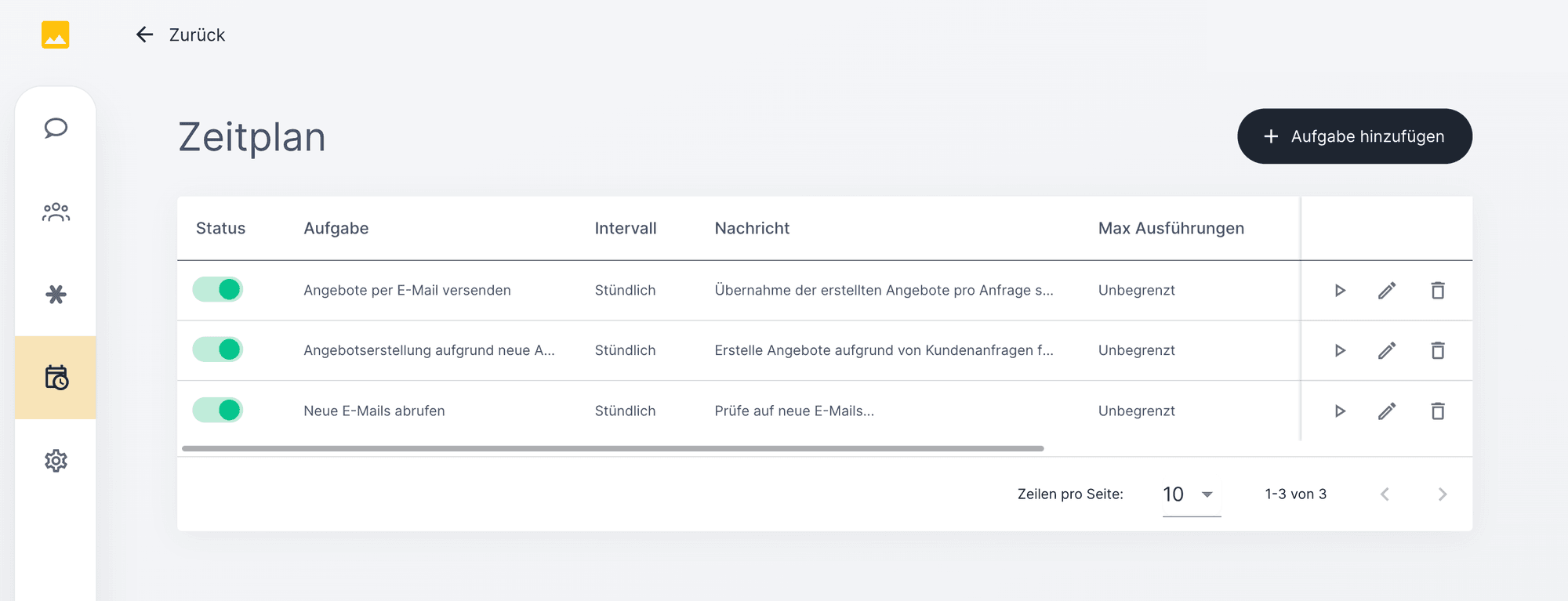
The scheduler periodically scans defined inboxes: email mailboxes, Teams messages, form submissions, API webhooks. New tasks are identified, assigned to the right workspace, and placed in the queue.
02
COIA in detail
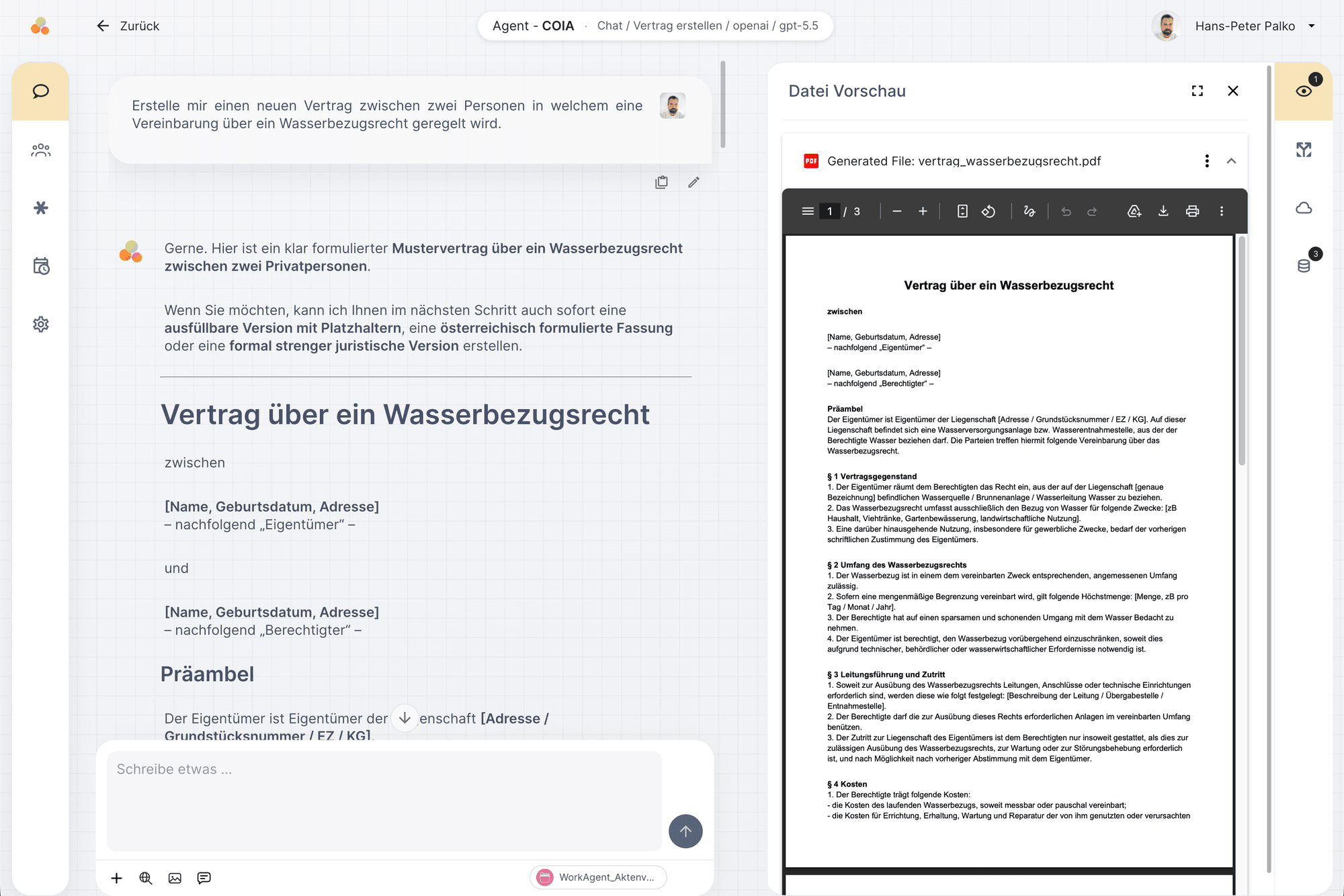
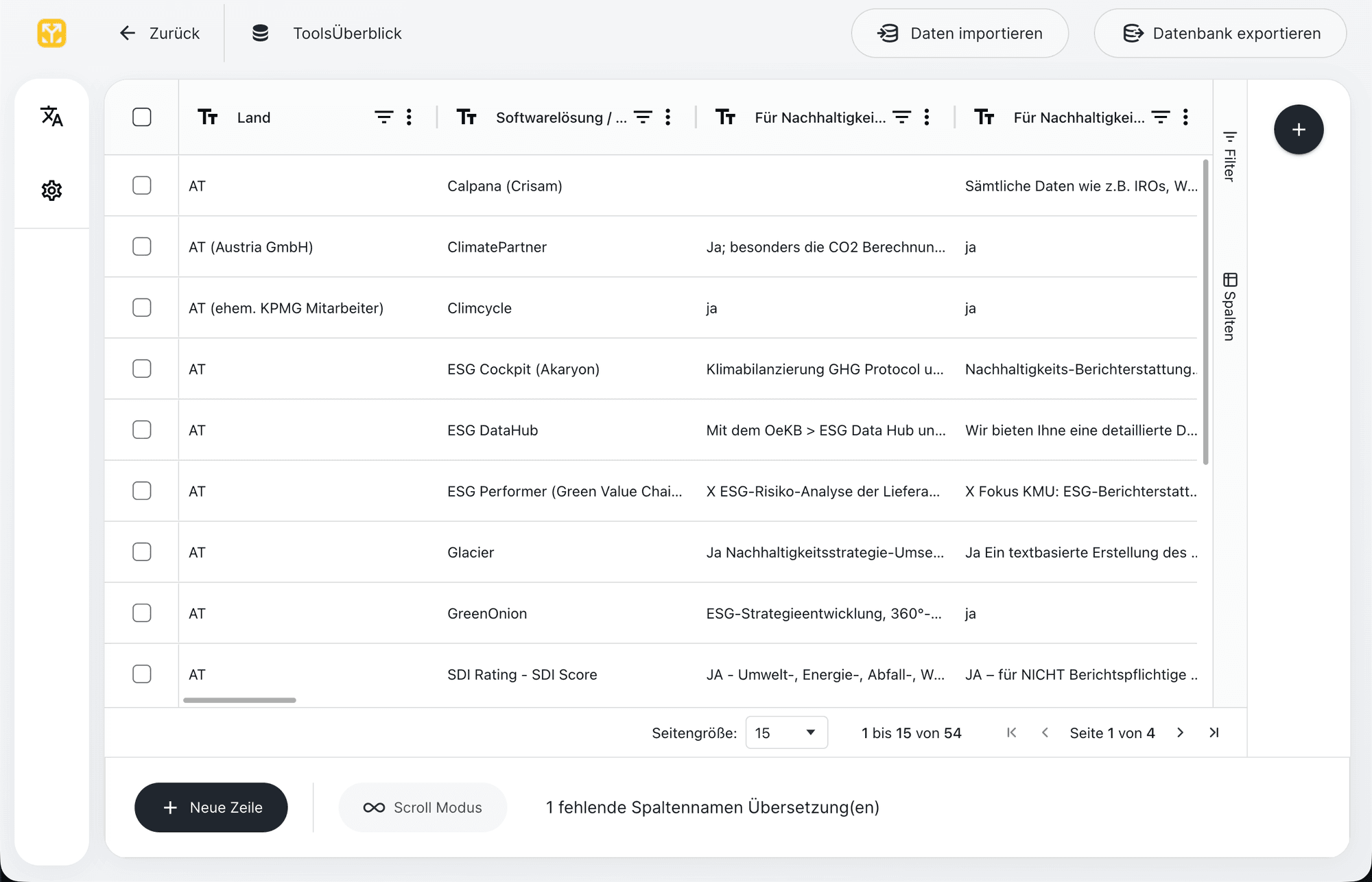
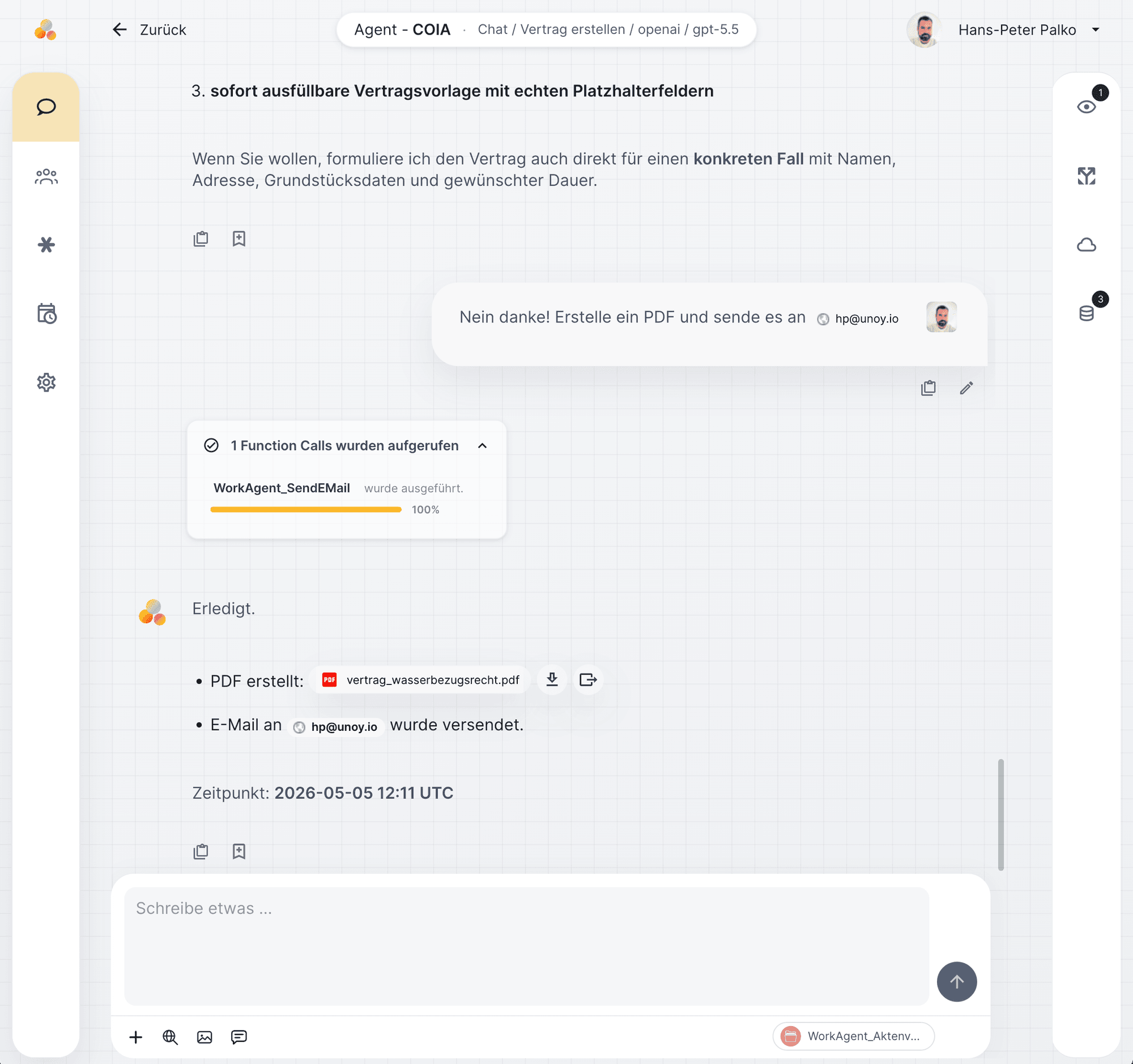
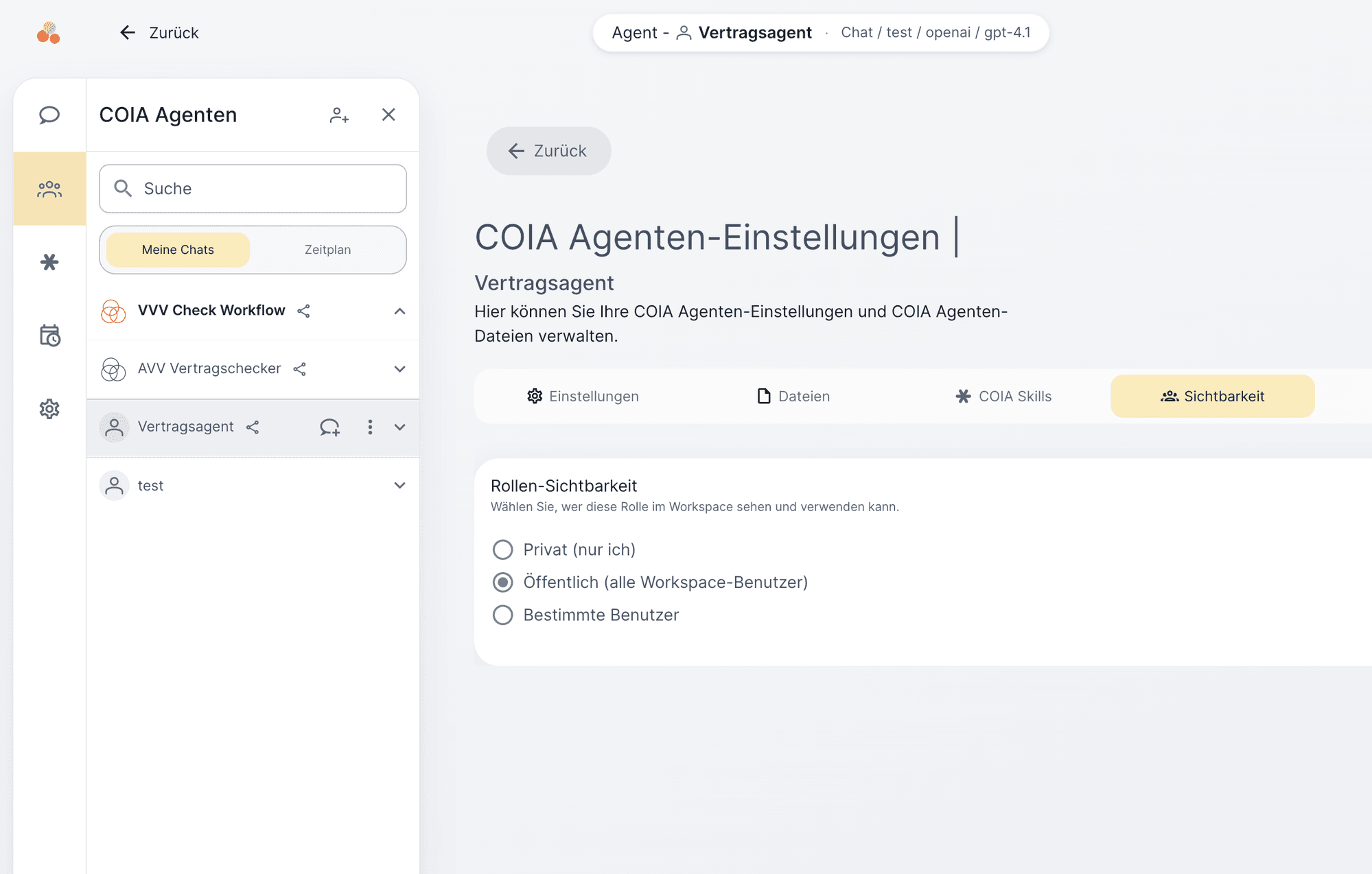
Behind every pipeline step is a capability: calling workflows, drawing on knowledge, delegating to agents, connecting to systems, creating tasks, editing files. Here each capability is shown with a real screenshot from UNOY OS.
Starting workflows
When COIA recognizes that a task matches a defined workflow, it starts it automatically. The workflow controls the sequence of steps, which agents are involved, and when sign-off is required.
Applying knowledge
Company rules, industry knowledge, compliance requirements, and tone are taught to COIA durably (technically: via the system prompt). This means the AI does not work generically — it works according to your standards, on every task.
Deploying specialized agents
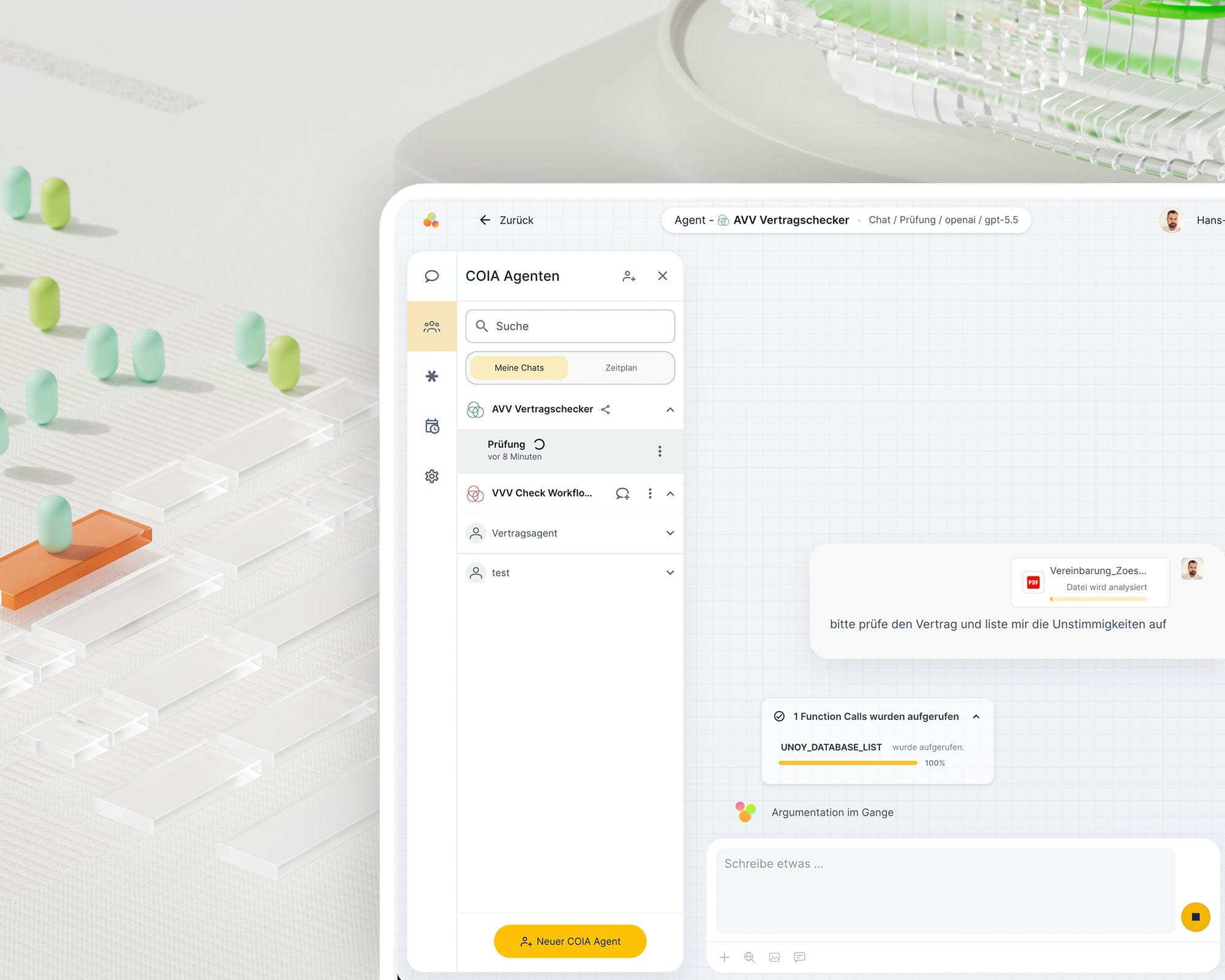
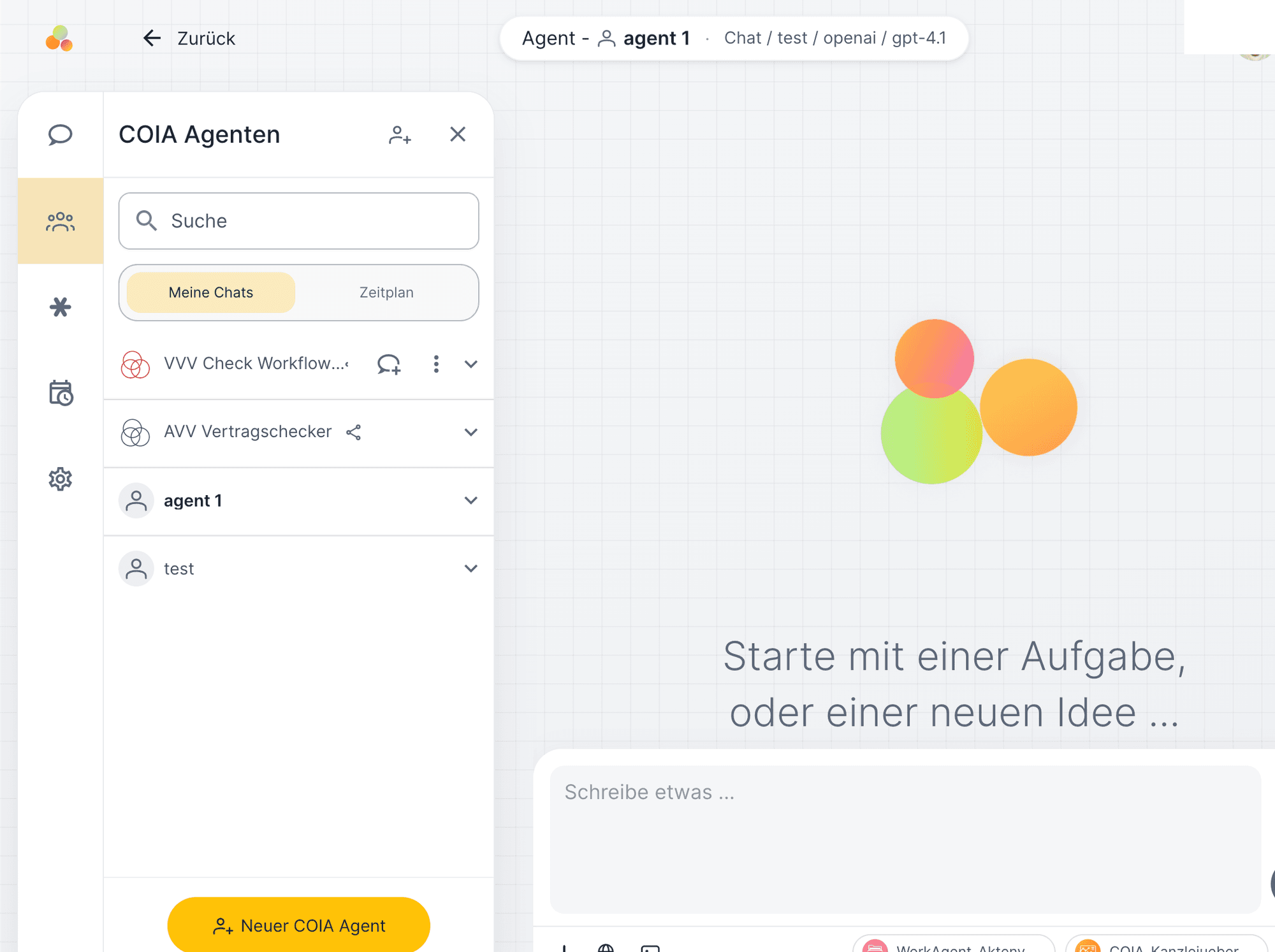
COIA agents are specialized roles with their own rules, skills, file access, and defined tool permissions. One agent reviews contracts, another creates proposals, a third conducts research. Each agent operates according to its own rulebook.
Knowledge as skills
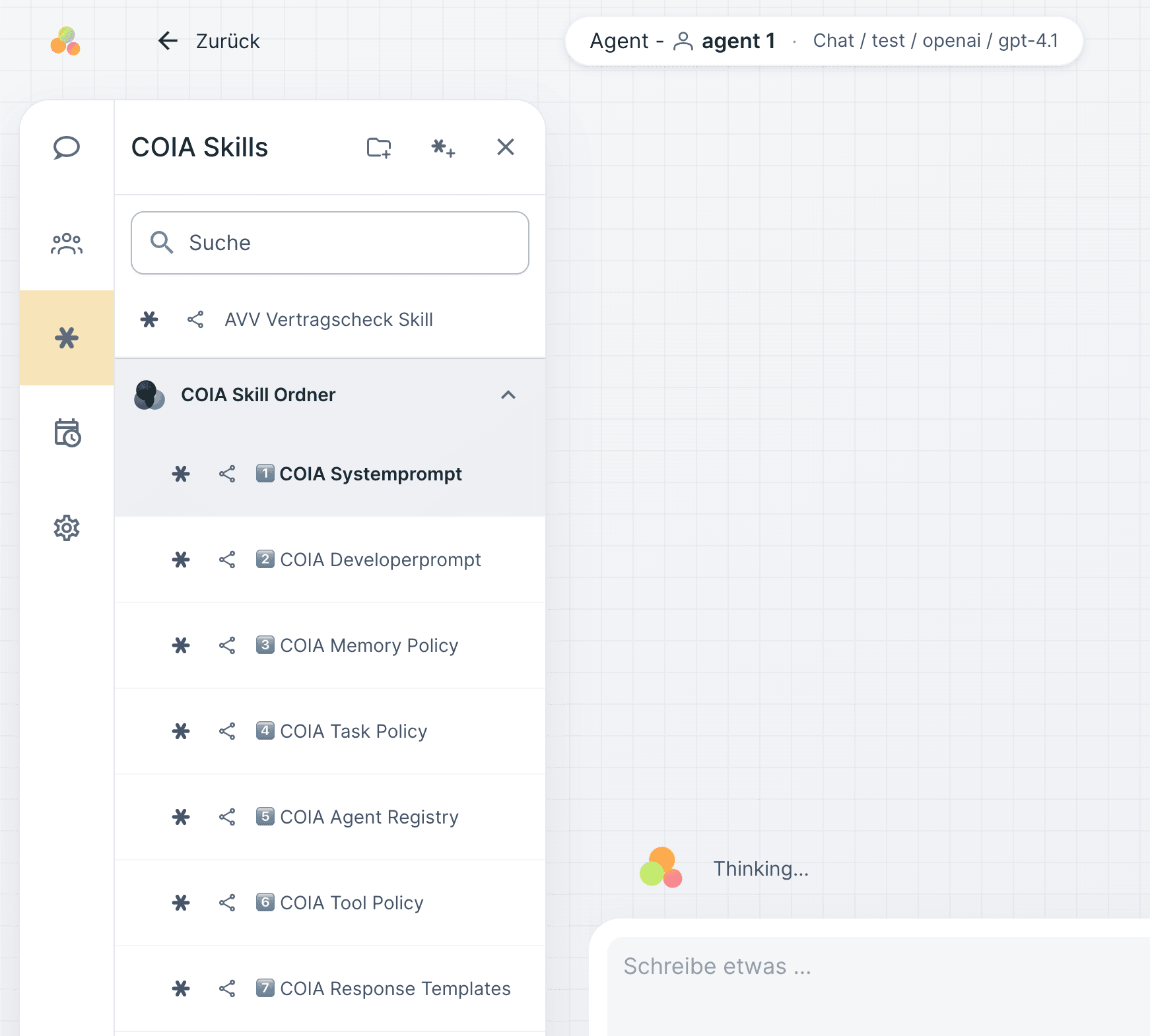
Skills are encapsulated expertise: an EU regulation, a review schema, a calculation logic. COIA and agents draw on the skill library and apply the relevant knowledge in context.
Creating and storing files
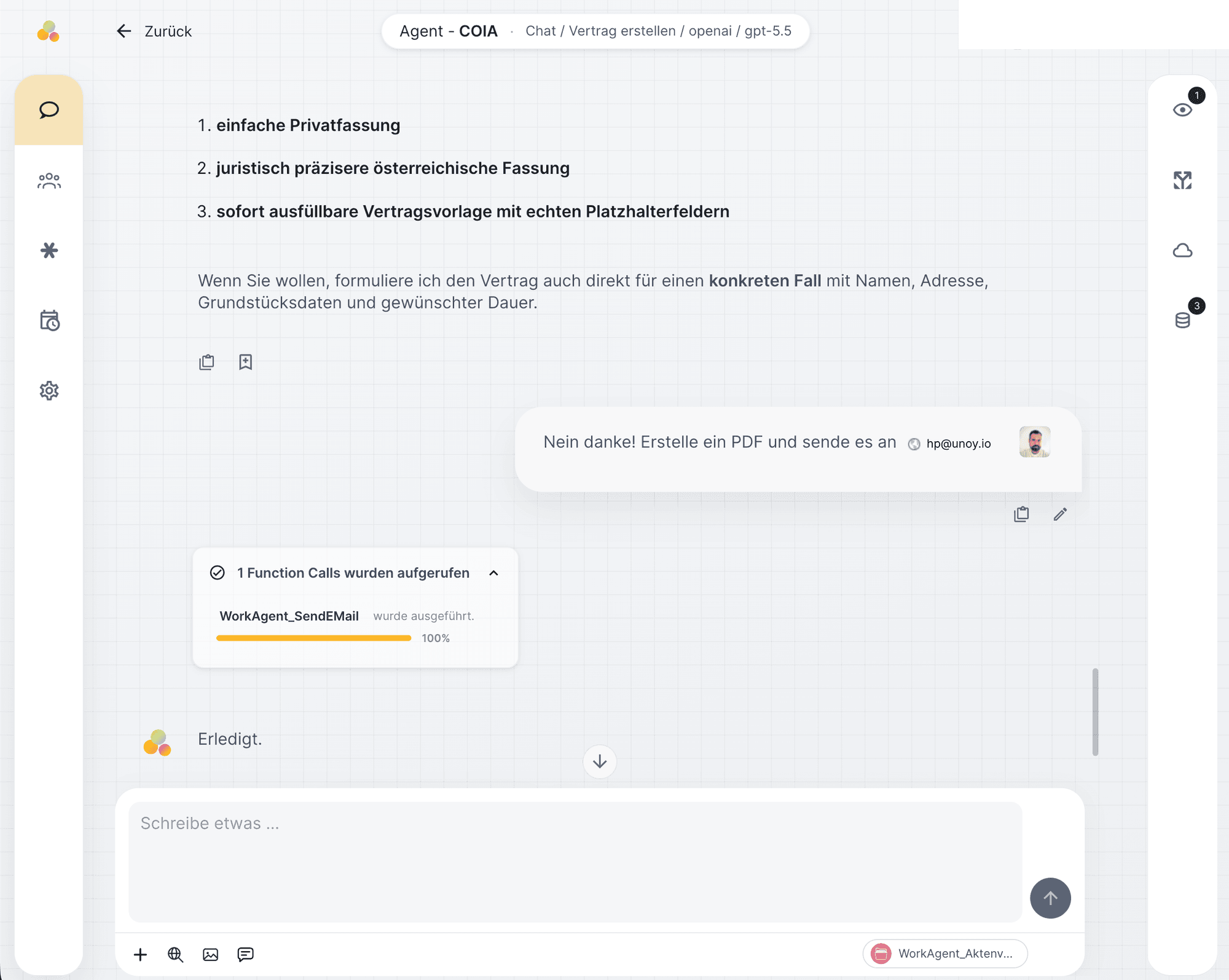
COIA can create, edit, and store documents directly in OneDrive, SharePoint, or local storage. PDFs, Word documents, contracts — everything is produced according to template and rulebook and saved in the right location.
Accessing knowledge and data
Documents, templates, product catalogs, and historical data are indexed (made searchable). COIA searches this repository for every task and retrieves the relevant information without you having to search manually. In technical terms: "RAG" (Retrieval-Augmented Generation).
Connecting to other systems
COIA connects to your existing systems: CRM (customer management), ERP (order management), DMS (document storage), email, and any API-capable application. Data flows in both directions, reading and writing, governed by defined permissions. Technically: via the open Model Context Protocol (MCP).
Coordinating agents together
For complex tasks, COIA delegates to specialized agents. A research agent gathers data, a drafter creates the draft, a reviewer checks against the rulebook. COIA coordinates the handoffs and ensures each agent receives the right context.
Using your own databases
Databases are integrated as a standalone resource in the left sidebar. COIA and agents can read, create, and update entries directly from within the workflow, without media disruption.
Sharing with the team
COIA agents and skills are managed in the workspace overview and shared with other users. An agent configured once is available to the entire team, with the same rules, skills, and permissions.
Planning and completing tasks
From incoming requests, COIA creates structured tasks, prioritizes them according to the rulebook, and works through them. The status of every task is visible at any time, from intake through processing to delivery.
03
Outbox
COIA has an outbox. Results are delivered as email drafts, to Teams/Slack, via WhatsApp, or via API to the target system.
Outbox
The outbox is the final link in the loop. COIA prepares the result in the appropriate format and delivers it via the defined channel: email drafts for sign-off, automatic notifications to Teams or Slack, or API pushes to third-party systems.
With every run, UNOY OS stores what it has learned. Knowledge grows with every task.
04
Architecture · Four layers
Ordinary AI systems respond to individual prompts. UNOY OS works with four layers of context, from the company handbook to the current chat window. Context does not need to be re-explained every time.
Active rulebook
01 · Context
COIA knows tone, compliance, escalation, and skills. Loaded before every task.
Session · running
02 · Short-term
The ongoing matter, dialogue, interim results, temporary context. Seconds to minutes.
Project · Client X
03 · Project knowledge
Persistent between sessions. What was corrected yesterday applies automatically today.
Repository · May 2026
04 · Long-term knowledge
Company knowledge accumulated over years: templates, playbooks, standards, histories.
These four layers are not static.
They grow with every task. What UNOY OS knows today was a correction yesterday. The next section shows how corrections become new rules in a controlled way.
To the learning loop →05
Learning loop
UNOY OS does not learn arbitrarily. Recurring corrections are identified and proposed as new rules — they become part of the system only after sign-off.
01
UNOY OS logs adjustments in sign-offs, phrasing, or margins and identifies when patterns repeat.
02
The system proposes recurring corrections as new or modified rules, with source, frequency, and preview effect.
03
Only when an authorized person signs off does the rule become part of the active rulebook. Versioned, traceable, reversible at any time.
Example: You correct "respond less formally" three times. UNOY OS proposes: "Switch tone to informal?" — you sign off. From tomorrow, the system adjusts automatically.
06
Rule-based workflows
COIA workflows are flexible. Some tasks require exact sequences without variation. For those: rule-based workflows. AI can take over sub-tasks in both types, but the control remains rule-based.
Two types: interactive workflows guide people step by step. Headless workflows run without human involvement.
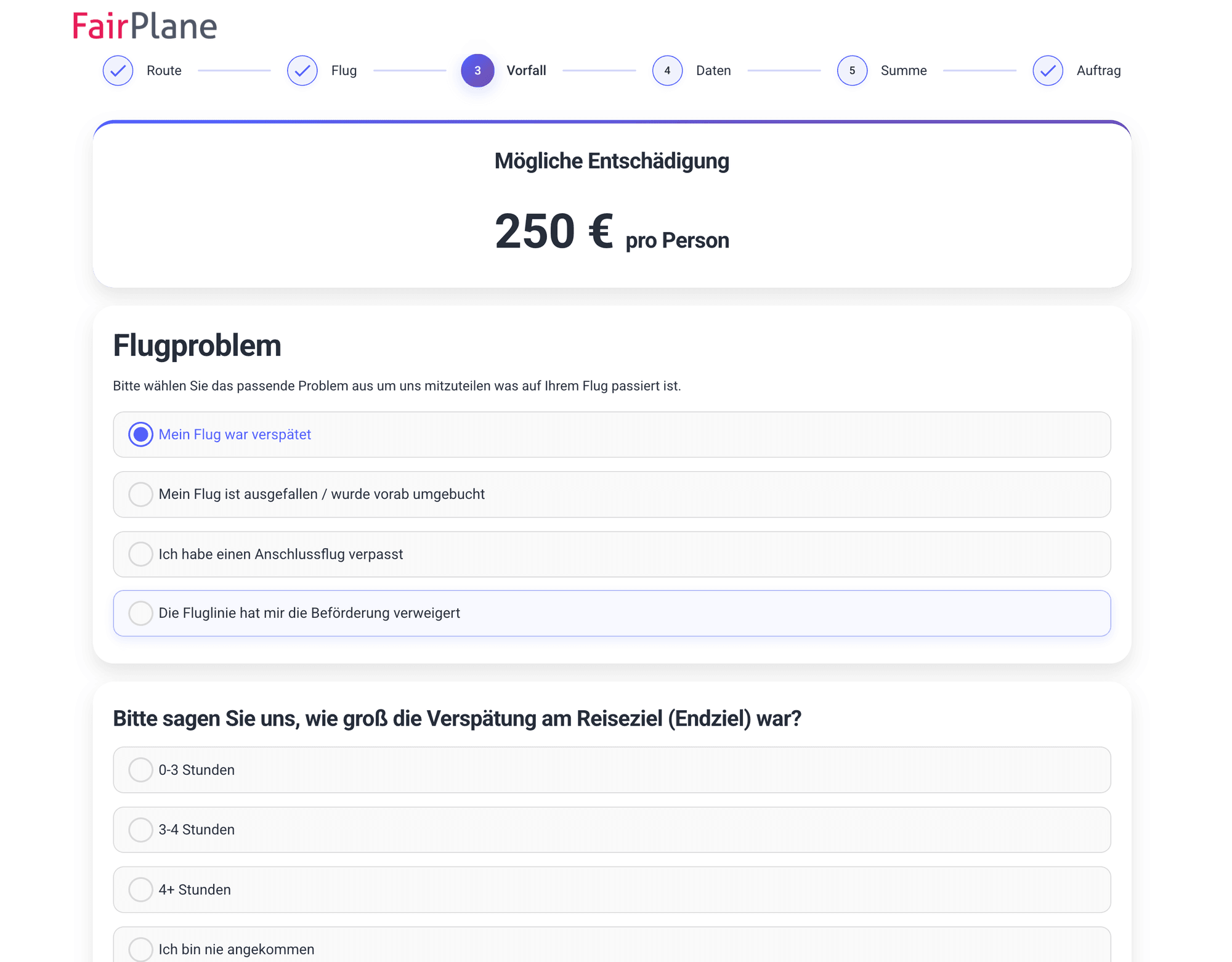
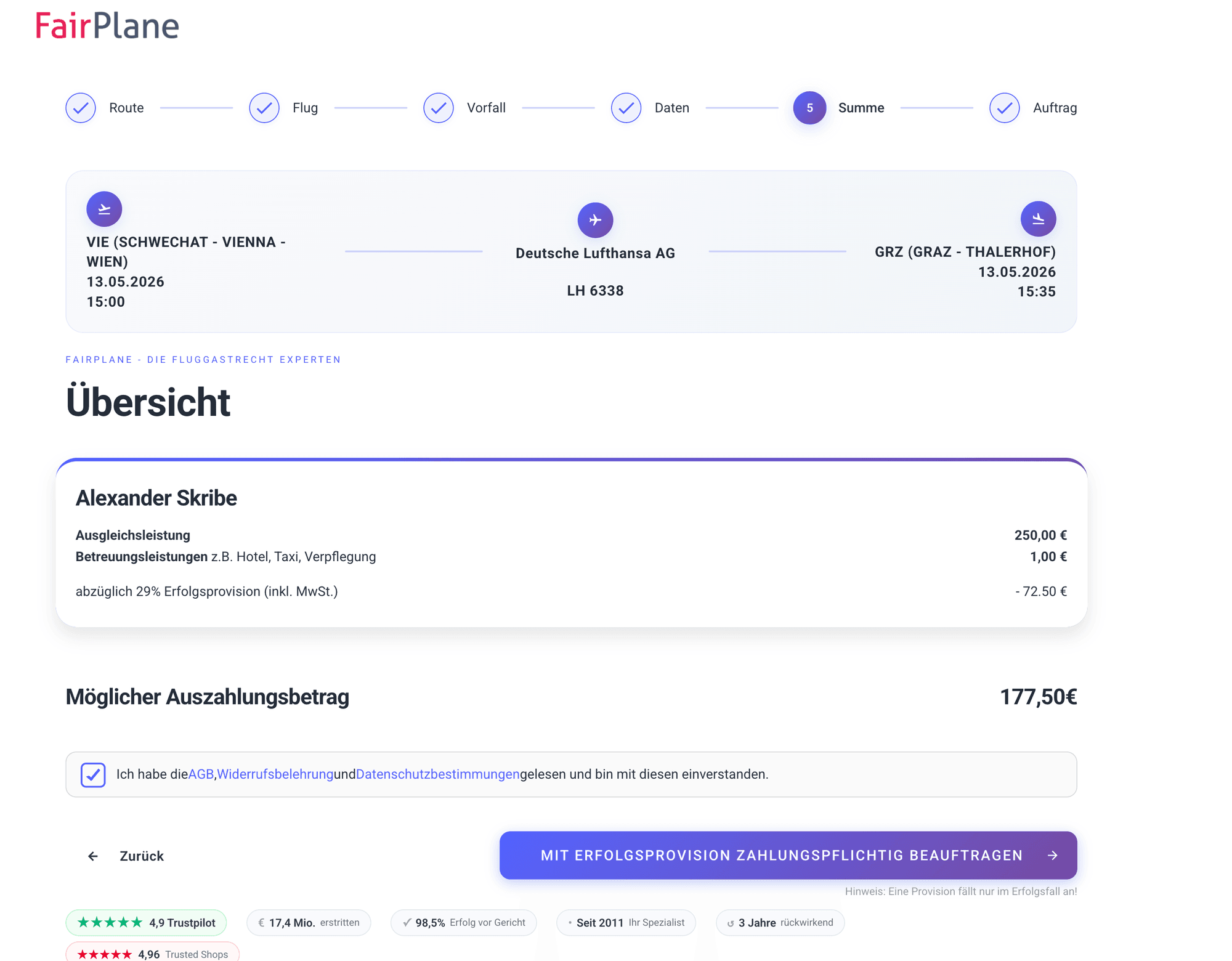
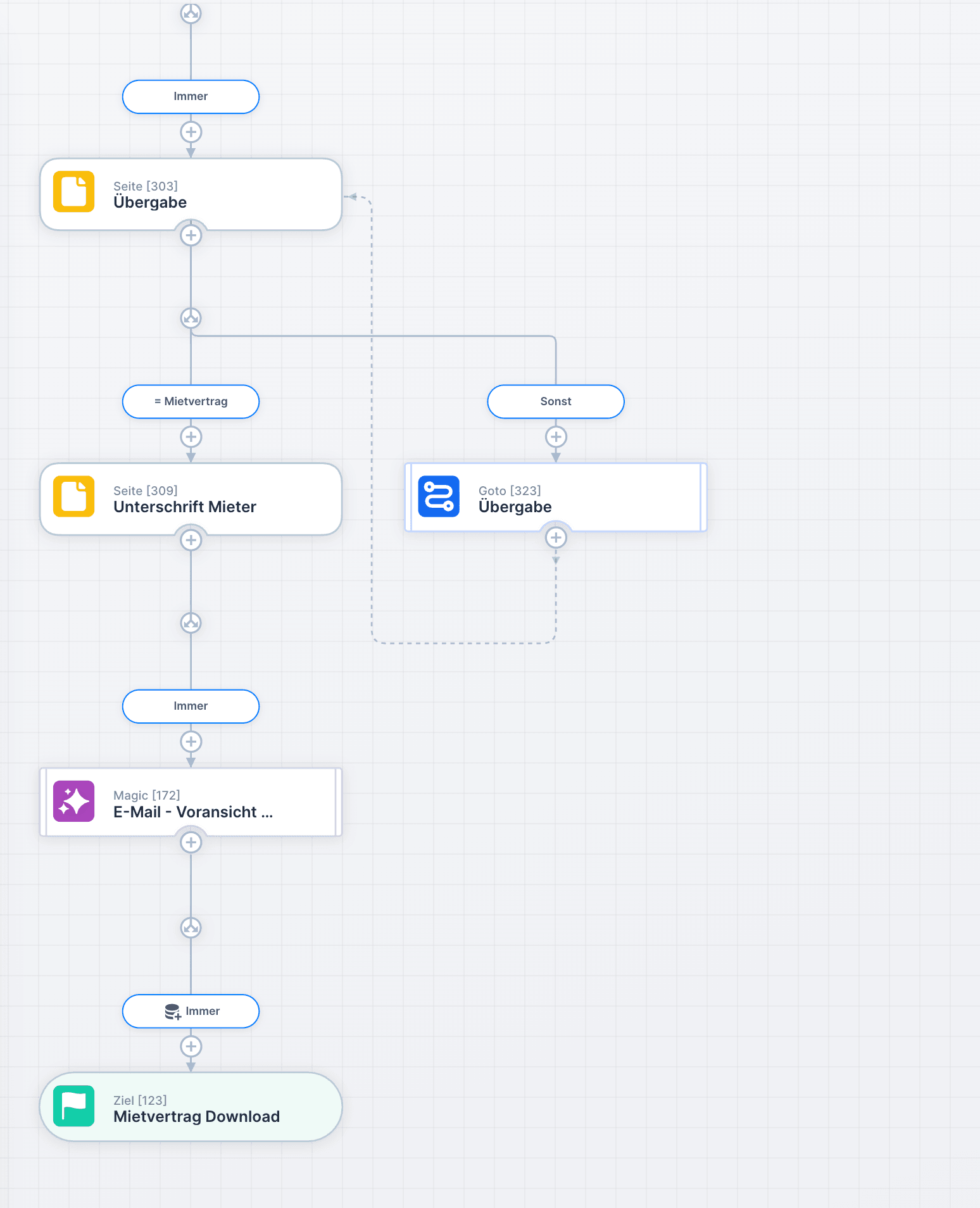
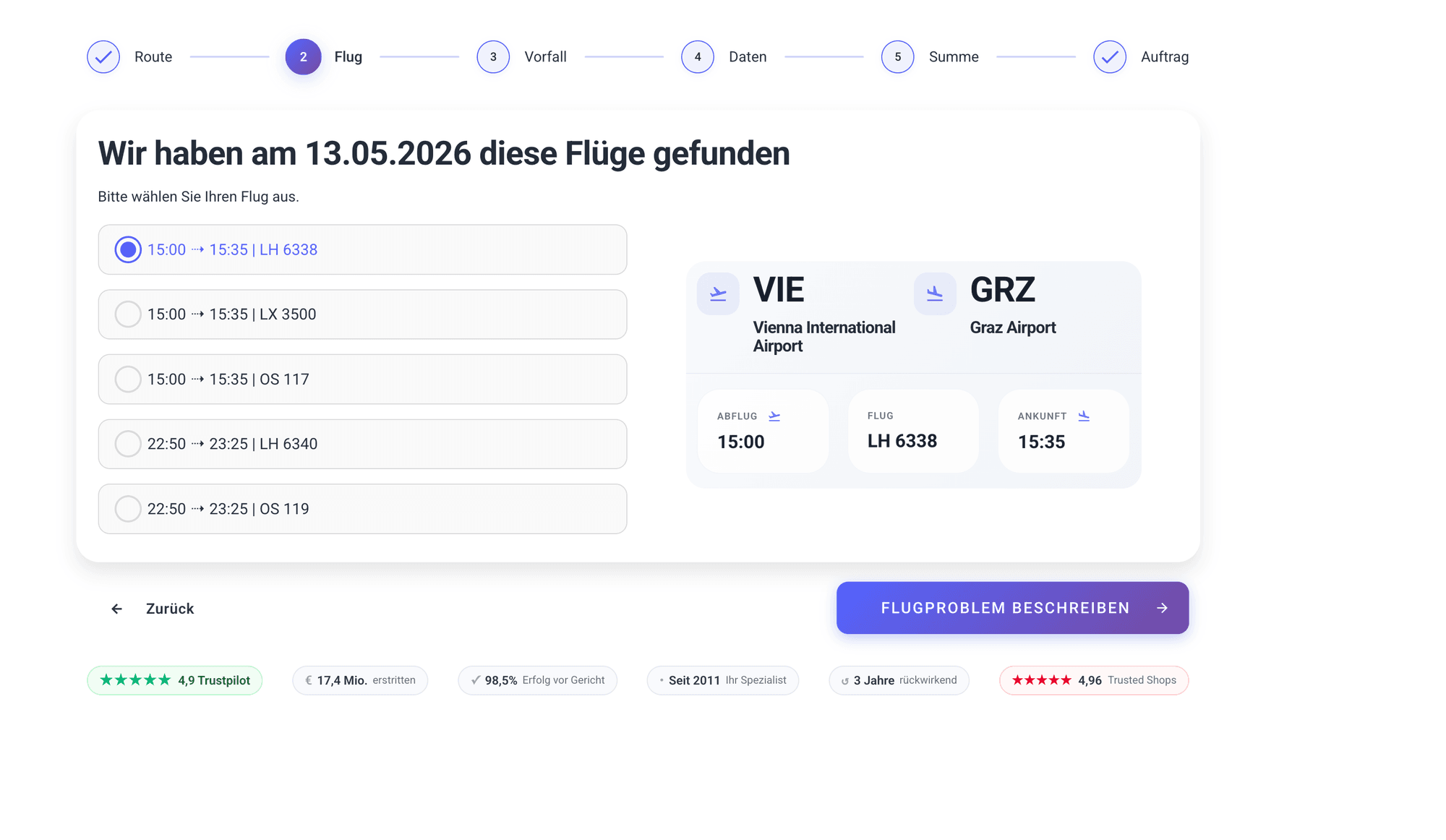
Interactive workflows guide end users step by step through a process: capture flight data, assess the claim, create the proposal. The workflow ensures all necessary data is captured in the right sequence, with validation and AI support at every step.
Background workflows (technically "headless") run without manual involvement: identify intake, check data, make a decision, deliver a result. Branches, notifications, and escalations are rule-based. AI handles sub-tasks such as classification, text generation, or plausibility checking.
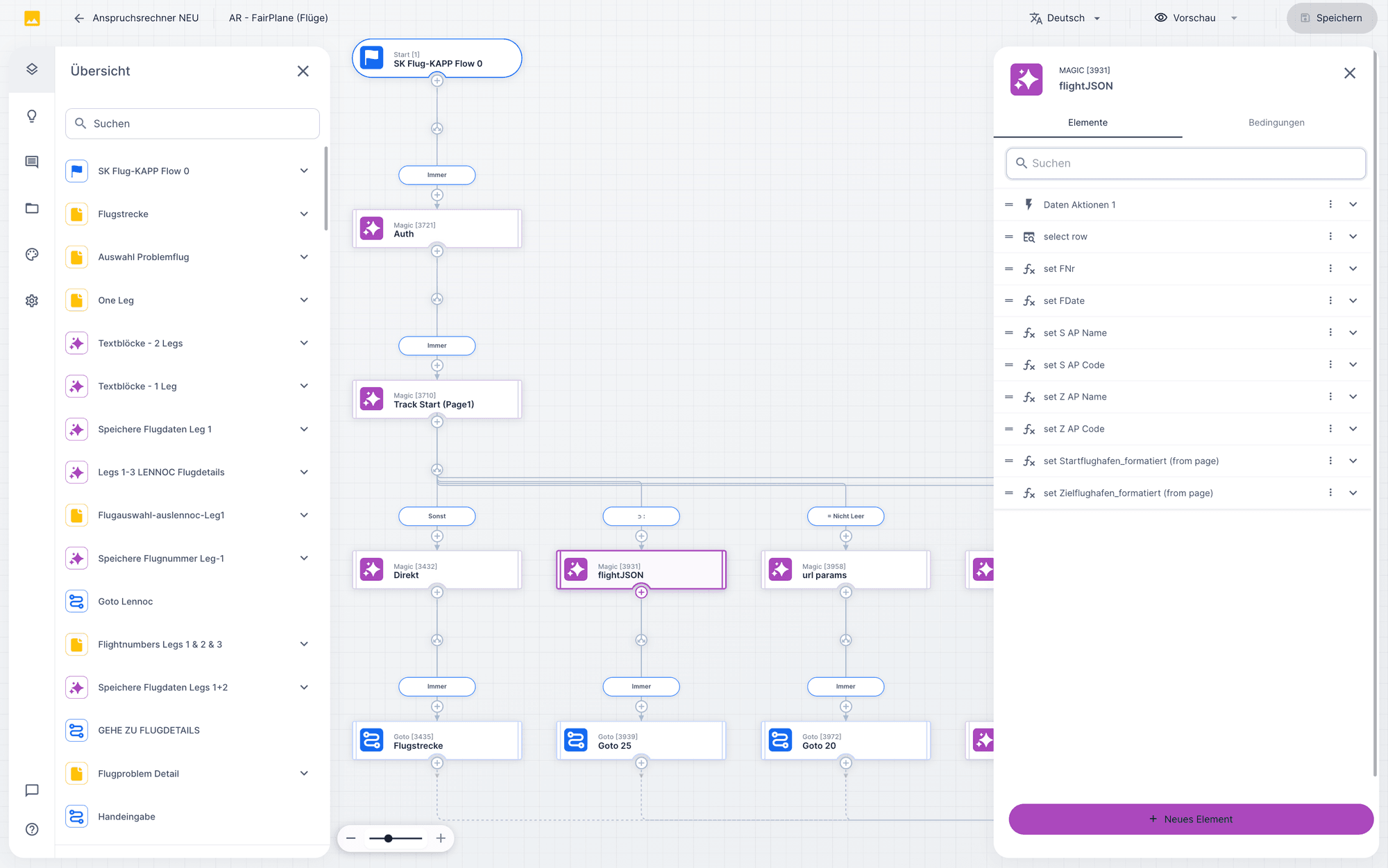
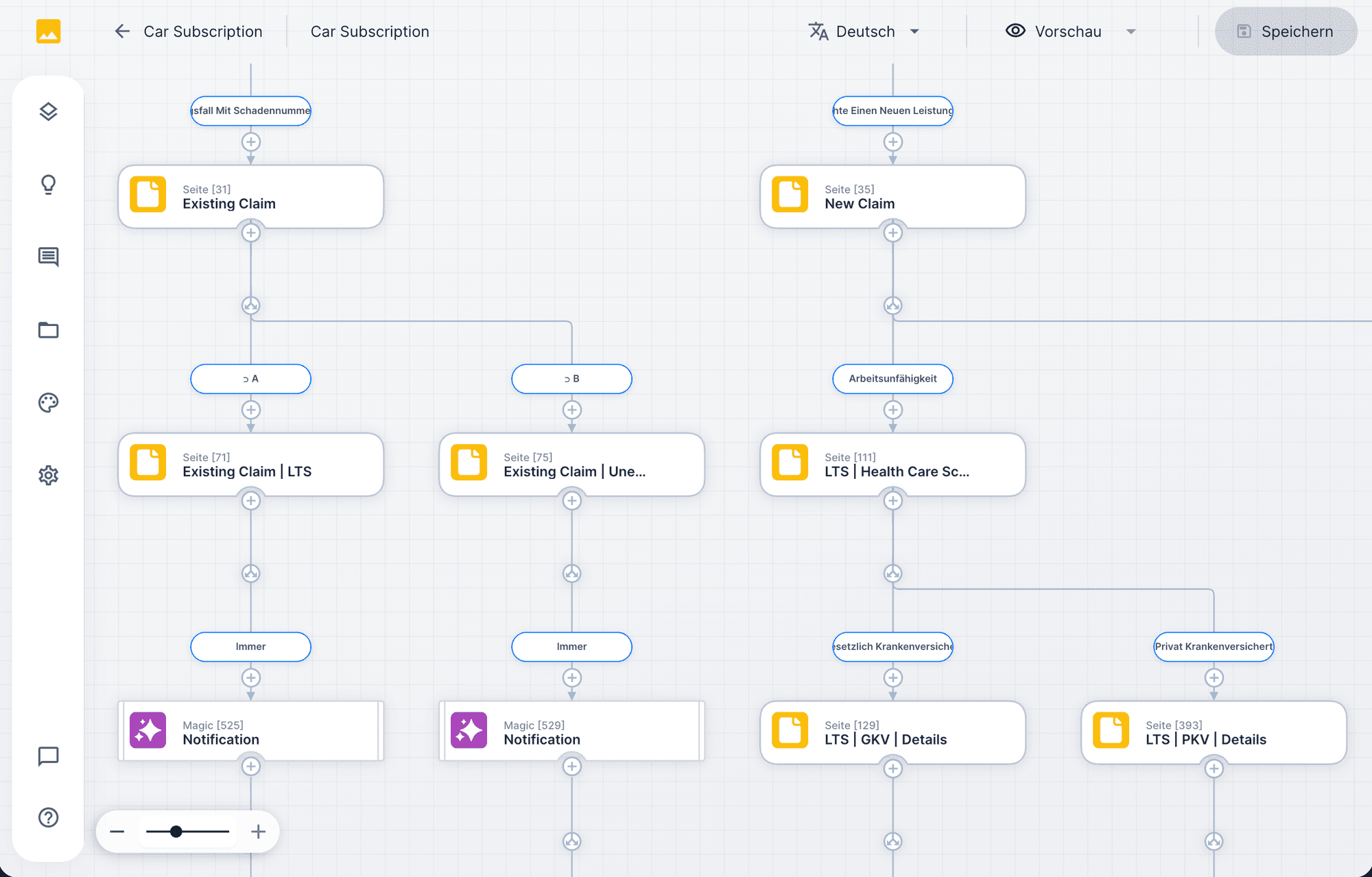
Workflow designer
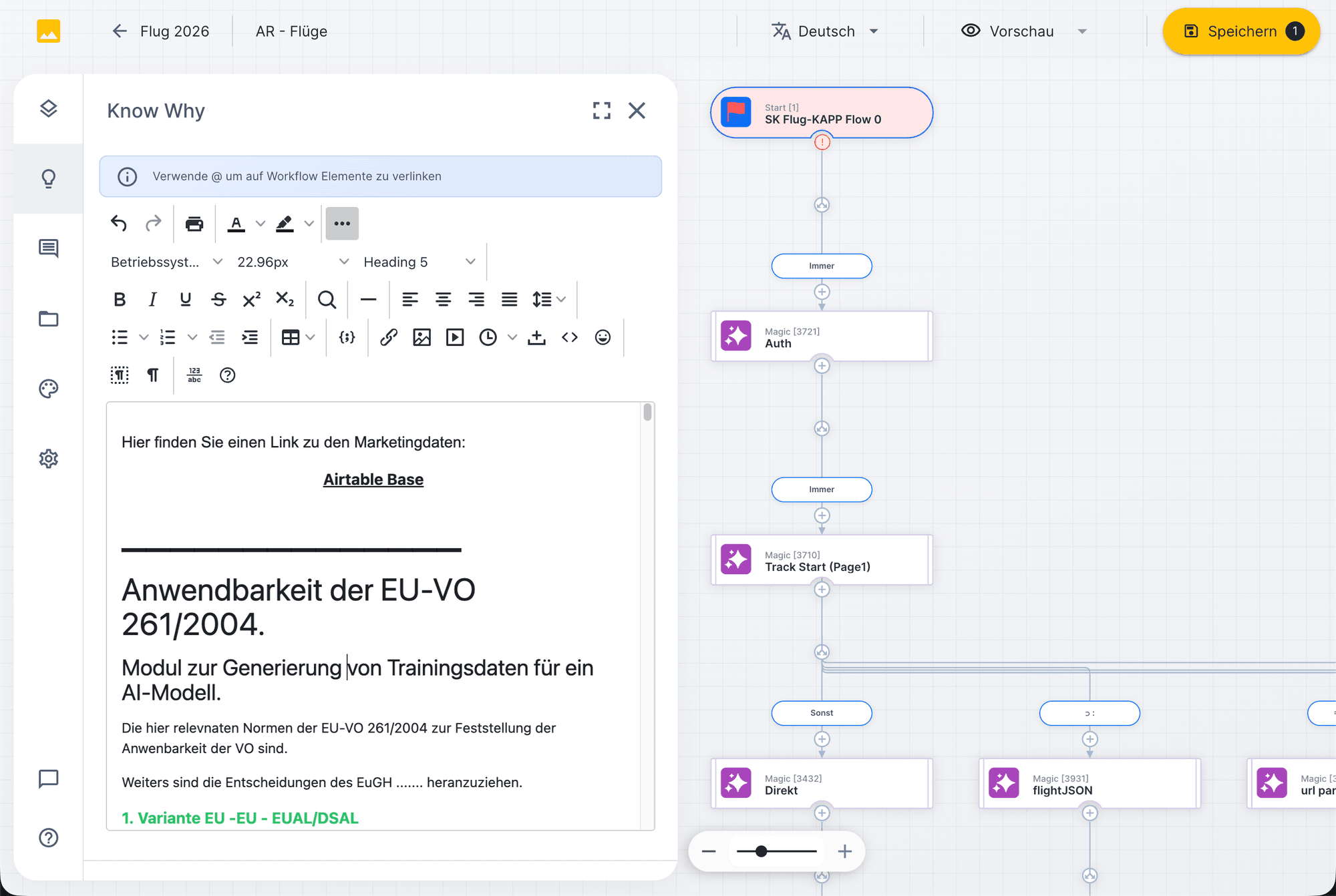
In the workflow designer you define every step visually: input fields, branches, AI nodes, notifications, sign-offs. The designer shows the entire flow as a diagram, with sidebar navigation and element configuration.
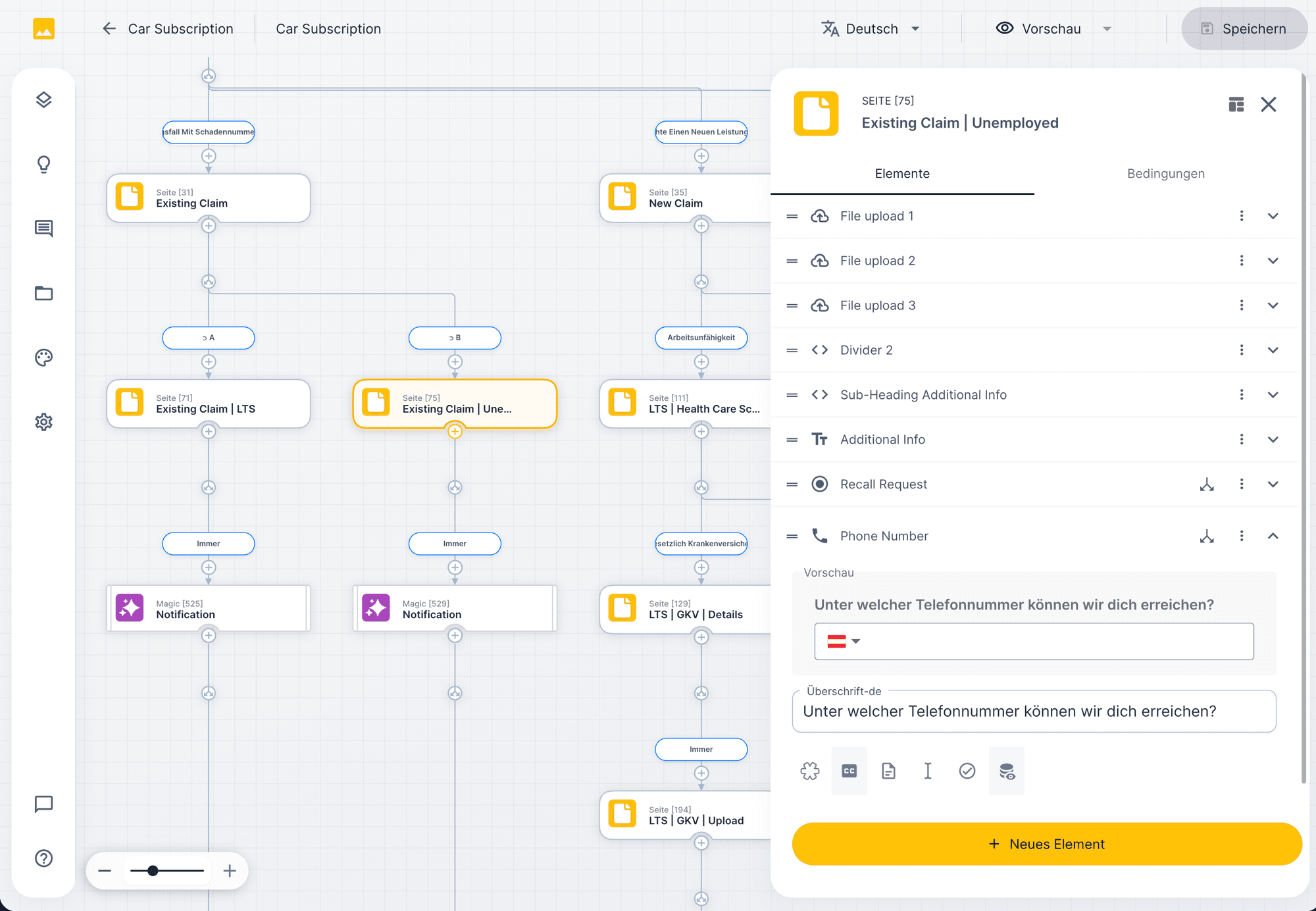
Configuring nodes
Every workflow node has its own properties: input fields, validations, AI instructions, database operations. In the element panel you configure what happens at this step, from the file upload mask to the automatic calculation.
Example · FairPlane passenger rights workflow in three steps
07
Onboarding
Three models, one matter. You can start with one model and switch later.
Model 01 · Delivery
Assess your use case
We deliver.
You submit tasks, UNOY operates and delivers according to SLA. The fastest way to get started.
Model 02 · Co-Build
Workshop · Day 1
UNOY + your team
First productive workflow
Build together.
UNOY and your team set up UNOY OS together: workshop, data connection, workflow setup, test operation.
Model 03 · Self
Build-Workspace
Operate independently.
You use the UNOY OS platform, build your own workflows, and operate the system with your team.
Pricing and packages: Concrete terms per model → View pricing
§ 12 · Next step
If you want to see how this model looks in a live installation, we will show you UNOY OS using a concrete workflow. We will also assess whether your organization is ready for UNOY OS, or whether a single workflow would be the better starting point.
Request a demo →